• This forum is the machine-generated translation of www.cad3d.it/forum1 - the Italian design community. Several terms are not translated correctly.

"polygonize" a series of curves

  • Thread starter Thread starter reggio
  • Start date Start date

reggio

Guest
hello, the novelty of today is this: I want to make a curvilinear-shaped gadget, as long as serving the sheet the laser is accurate and economical, when we pass to polyzene then the thing gets complicated.. .
I therefore thought to combine in qlc various straight pieces of polyzene to obtain "almost" the desired shape (the polyzene does not need to be precise), I must therefore find a quick way to make my curves of polygons of various lengths but that have a maximum "cold" equal to 30mm.

would you have qlc "truck" to suggest?
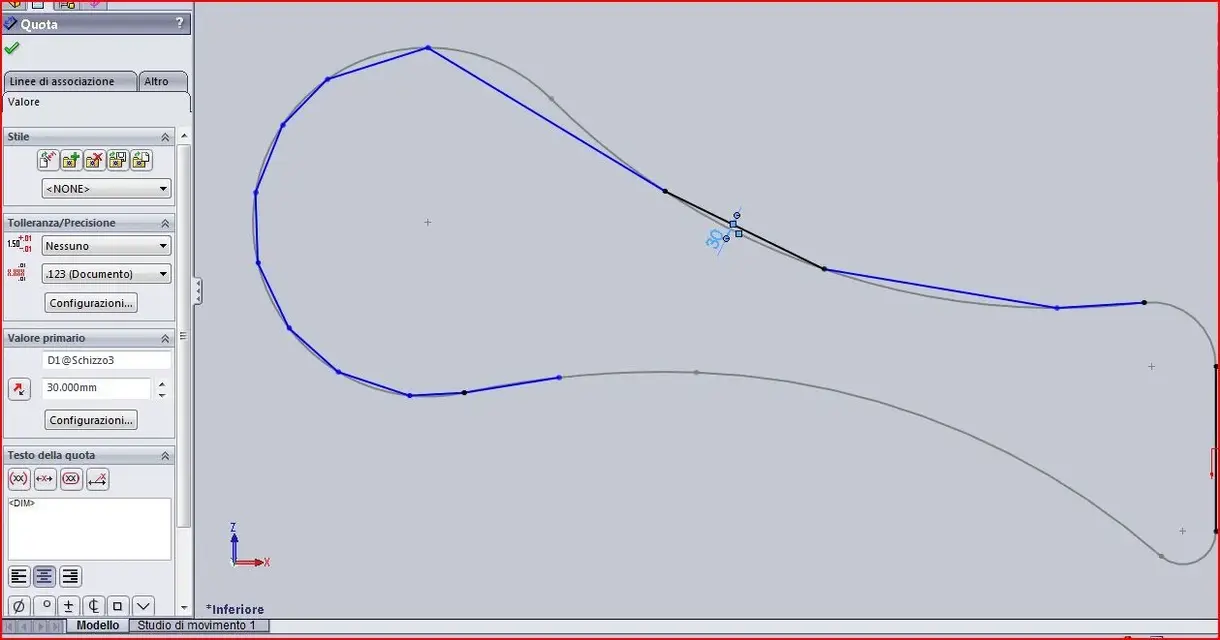
 

Attachments

  • poligonarizzare.webp
    poligonarizzare.webp
    35.1 KB · Views: 16
hello, the novelty of today is this: I want to make a curvilinear-shaped gadget, as long as serving the sheet the laser is accurate and economical, when we pass to polyzene then the thing gets complicated.. .
I therefore thought to combine in qlc various straight pieces of polyzene to obtain "almost" the desired shape (the polyzene does not need to be precise), I must therefore find a quick way to make my curves of polygons of various lengths but that have a maximum "cold" equal to 30mm.

would you have qlc "truck" to suggest?
I understood little (nothing?:biggrin:). .
as they do Polygons to have "various length"? What length?

from the image that places you seem to want to "reduce" a curve closed to a series of segments that "rical" about the shape.
all these segments will form a sort of "irregular polygon"..ok.. but where is the problem? What do you want to do?
more segments (and shorter) put, the more precise the form to be copied.

greetings and apologies for "slowness"
Marco:smile:
 
If the polyzene is a unique piece and you have to face it to cut it, you can well do as you did, line shots, quoti each segment and decide how long to do it.
idem if you want to take strange-shaped cubes and join them.

If you want them to be all long equal, randomly pull the segments, select them all, put equal geometric bond and quoti one only with the measure you want.

if you explain better we can find other solutions
 
Bye to all,
in the past I did something and tried to see if your request was resolved (with my knowledge).
it is possible automatically:
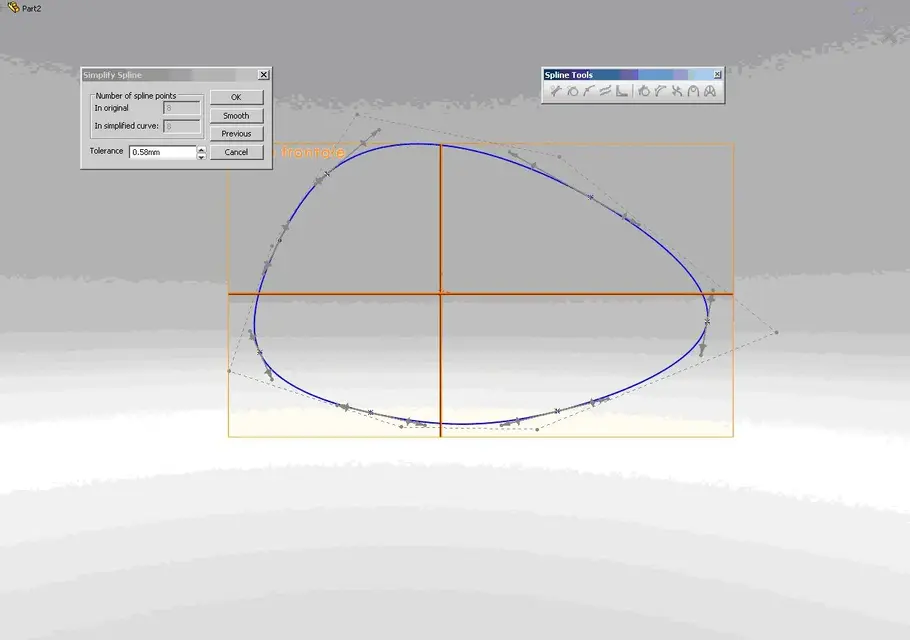
- simplify the spline but do not reduce it to segments highlighting the spline and clicking right button and then simplify spline fig1
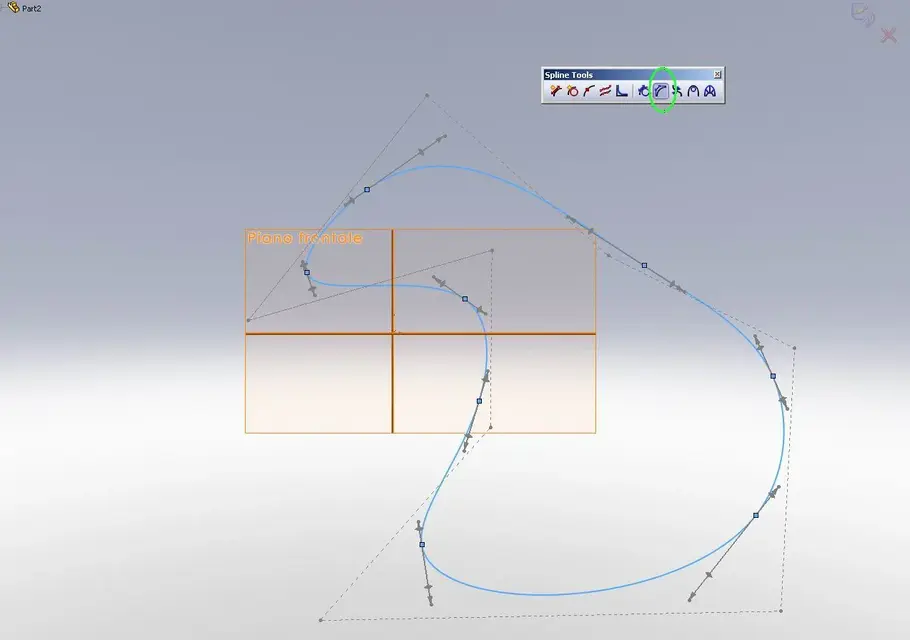
- show a control range not usable as a sketch to create a polygon (as you would like). the number of sides is equal to the number of sections between two points. Fig2
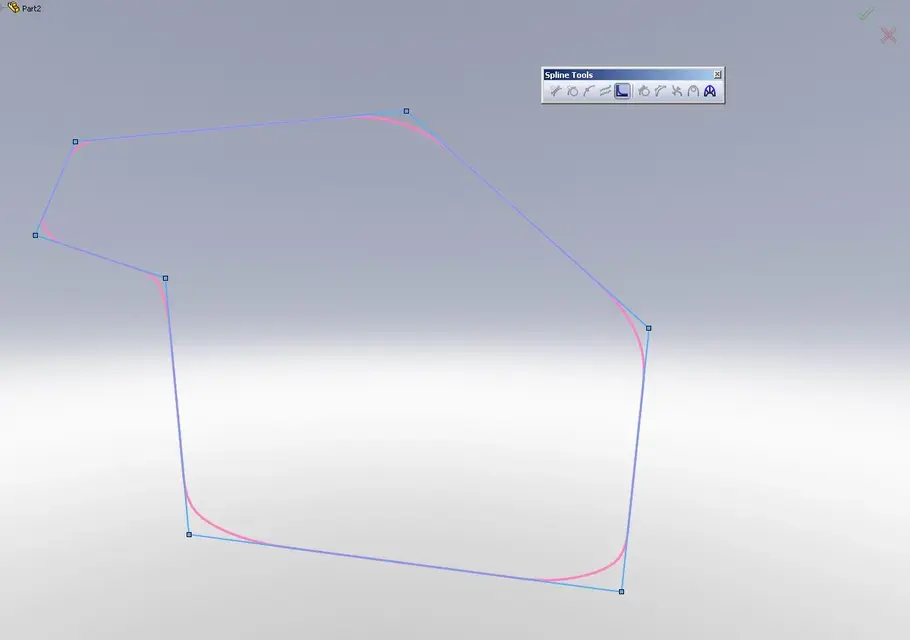
- (maybe starting from previous point) reverse your sketch.fig3
- polygonalizing the splines according to your offset (which represents the tolerance with which the piece must be made) in sw and then process it in the cam program.

in general I think that your problem is to the antipodes of what you get by designing sketches with basic entities such as lines and bows ( imagine a tape) (as in classical mechanics) and relegating your situation to semplication (tool simplify spline) and the final decision to human intervention (cams).

known that however something has improved from previous versions (I still use 2009) in spline management.

Good day,
dancer
 

Attachments

  • fig1.webp
    fig1.webp
    33.4 KB · Views: 7
  • fig2.webp
    fig2.webp
    30.1 KB · Views: 6
  • fig3.webp
    fig3.webp
    18.6 KB · Views: 5
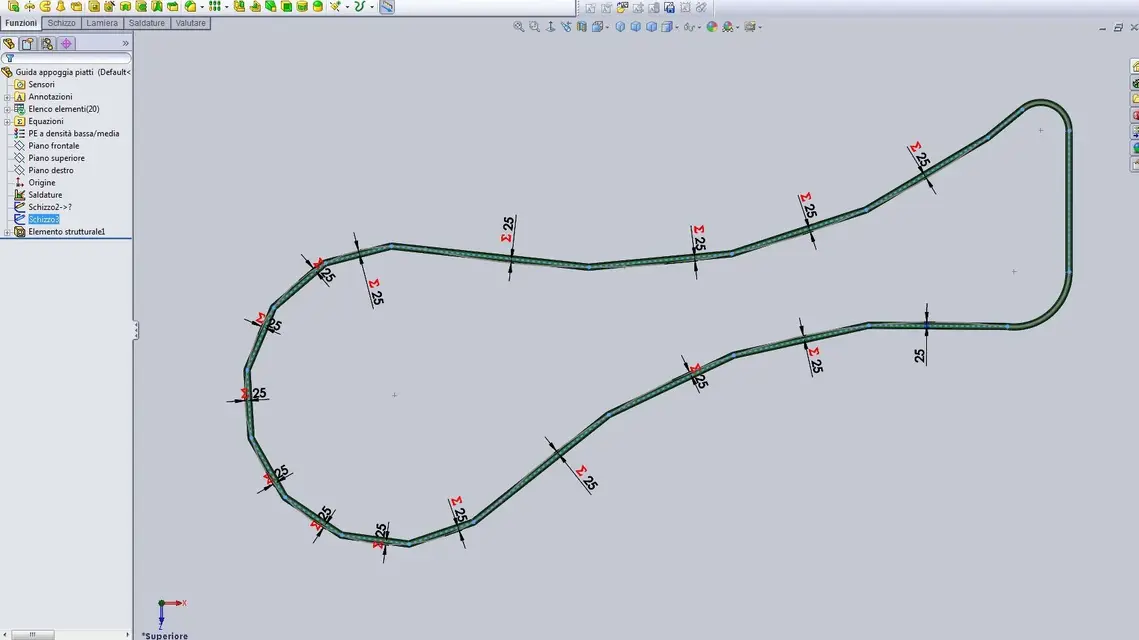
hi, having to proceed quickly, at the moment I chose the solution "to manina" assigning the arrow to each segment,

this evening I want to try also the command of the 2nd image:d
 

Attachments

  • poligonizzare.webp
    poligonizzare.webp
    67 KB · Views: 6
hi, having to proceed quickly, at the moment I chose the solution "to manina" assigning the arrow to each segment,
I would do it with "connect values" rather than with equations. do n times before where n is the number of segments you have to quote... :wink:

Hi.
 

Forum statistics

Threads
44,997
Messages
339,767
Members
4
Latest member
ibt

Members online

No members online now.
Back
Top