• This forum is the machine-generated translation of www.cad3d.it/forum1 - the Italian design community. Several terms are not translated correctly.

apply different textures to surfaces saved with the same material in archicad

  • Thread starter Thread starter pamela
  • Start date Start date

pamela

Guest
Hello everyone!
I am making renderings with artlantis 3 of a model created previously with archicad 14.
There are surfaces of the building that have been set in archicad with the same material...now, as on the rendering I would like to treat them differently (put different textures), is there a way to consider them individually? or do I have to go back to the archicad model and relocate the materials?

Maybe I was a little twisted.... .
thanks in advance

 
you can also do it from inside artlantis but it is a procedure we say "emergency" and not of practice.
go to "material" or "scene" having opened the editing window. find the tool to select in different ways the surfaces you want to change internally to artlantis.
Keep in mind that if you change it from there and then you have to adjust the model in archicad when you reimport it you lose the changes you made.
according to me it is convenient to edit directly in archicad.
 
In fact, I read late the discussion, that of jemmy, on how to use the reference file and is coming back useful. . .
cmq now I also try as you said, because sometimes, you have to do things a little faster. . .
Thank you!
 
Marcogean excuse, I opened the editing window, but it doesn't tell me anywhere where I can distinguish different materials. (I use arlantis studio 3).
I'll give you an example: I have 4 pillars, set with archicad all with the same material (white plaster). in artlantis I want to make 3 of these reds and 1 recompile it with a tiled texture of those present as shader in artlantis... but unfortunately artlantis recognizes them as part of the same category and when they select even one of the pillars to set up its materials, select all 4, as if it grouped them. . .
is there, then, a command in artlantis that allows me to select one by one the pillars, although they have the same material set in archicad?

Thank you.
 
Have you seen the selected arrow text?
Once you press the arrow key, you have the option to activate one of the different selection options. choose the one that suits your needs (make some tests) and click on the part of your interest.
Once selected, you can either use the bucket key or with the usual drag or directly edit the color in the material list where there is the pillar of your interest.
You should be able if I explained well.
 
to understand... what do you mean by selection key?
I attach the image of the toolbar. . .

I can select and apply a texture to any surface, only that selects also what I do not want to change, because in archicad I set them with the same material
 

Attachments

  • barra strum.webp
    barra strum.webp
    24.2 KB · Views: 22
if you go to expire or in object you should be able to open a menu (on mac the interface is different) and from them you should be able to select.
l?icona should be the "usual" arrow of selection.
 
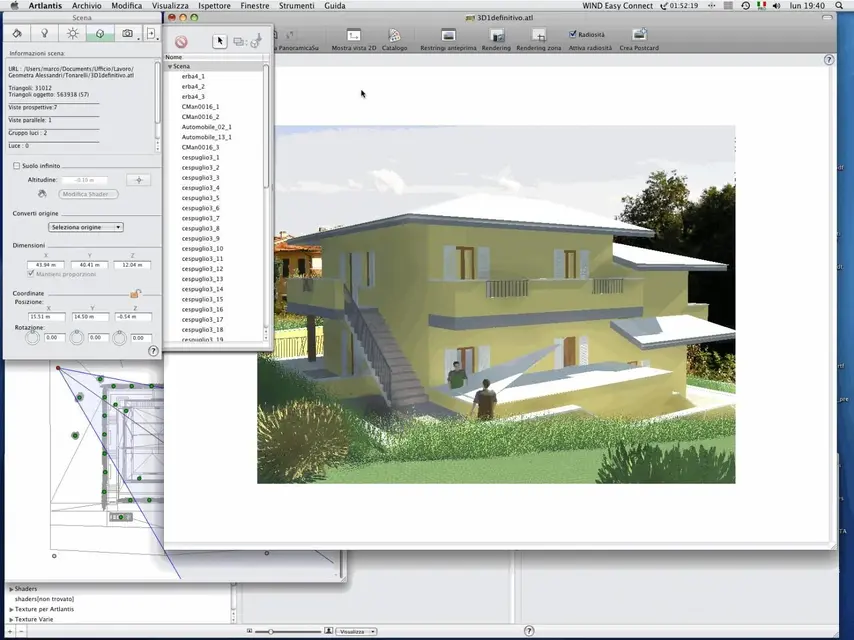
here is the screen of a draft. see in the open window "to flag" the arrow? ?
 

Attachments

  • Artlantis.webp
    Artlantis.webp
    138.8 KB · Views: 30
Maybe I didn't explain what my problem is.. .
I'll give you another example: in the image you put, there are more surfaces with yellow plaster. on archicad you set them all with the same material, I think, right?
Once you open the model with artlantis, to apply the yellow texture to all surfaces, have you selected them once at a time, or have you changed them all together because they were grouped (all walls of the cottage)?

Help! !
 
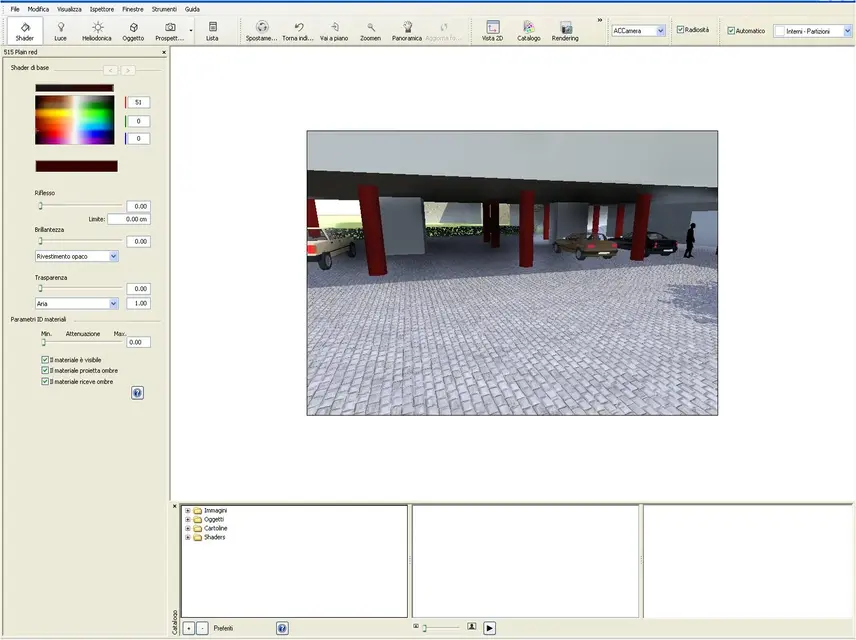
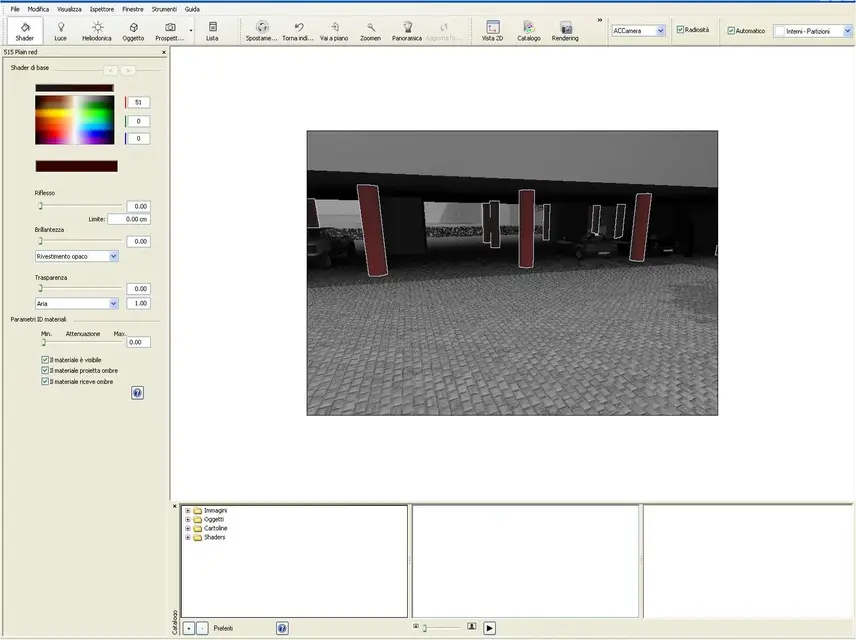
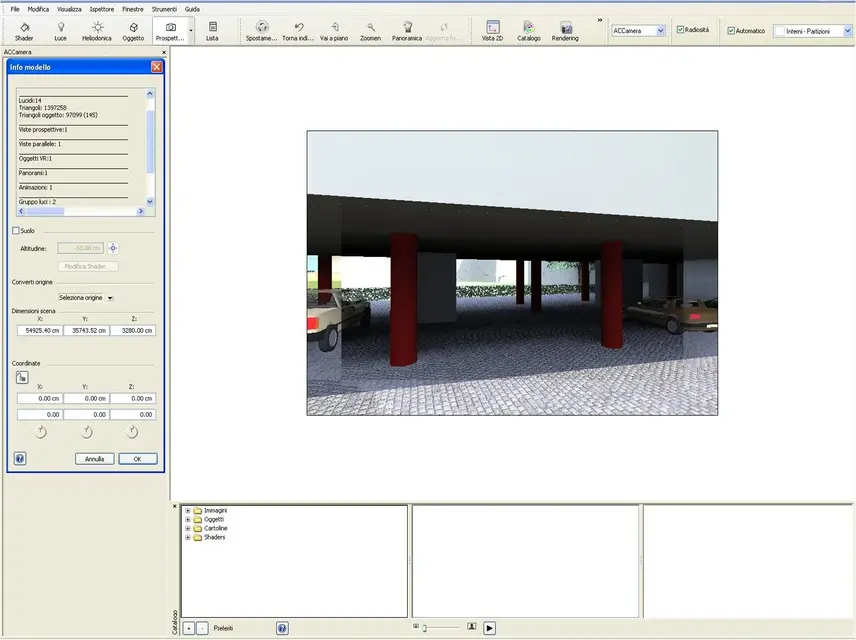
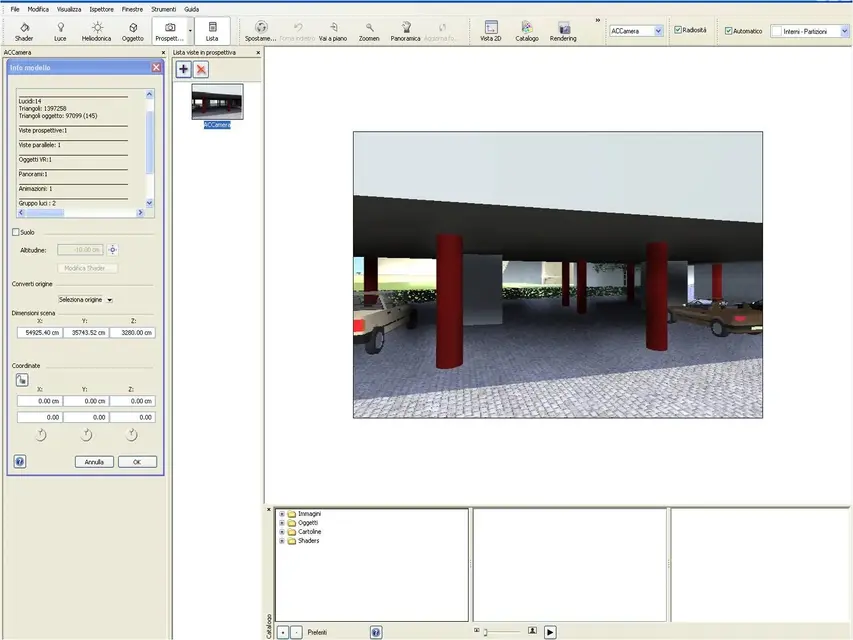
I put you two pictures to make you understand.
in image 1 the pillars are not selected. in image 2 instead yes.
as on archicad I set the same material to all pillars, automatically on artlantis me make them change all the same way
(in this case all red).
If I wanted to make only one of these for example yellow.. It doesn't make me select it individually. So, would there be a way to do that?
 

Attachments

  • Immagine1.webp
    Immagine1.webp
    120.8 KB · Views: 17
  • Immagine2.webp
    Immagine2.webp
    104.4 KB · Views: 12
Maybe I didn't explain what my problem is.. .
I'll give you another example: in the image you put, there are more surfaces with yellow plaster. on archicad you set them all with the same material, I think, right?
Once you open the model with artlantis, to apply the yellow texture to all surfaces, have you selected them once at a time, or have you changed them all together because they were grouped (all walls of the cottage)?

Help! !
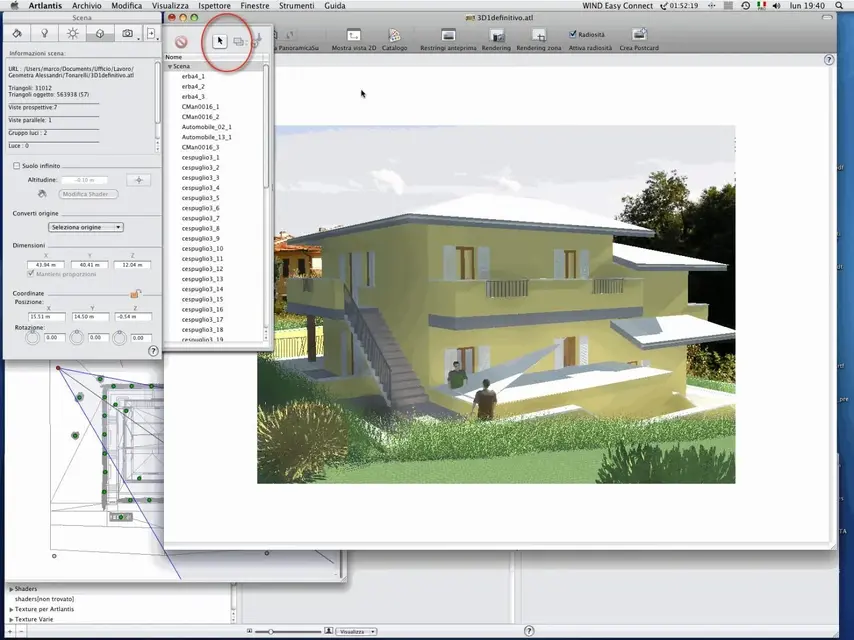
I understand what your problem is. Did you see that arrow in the image I put you?
once activated you have the option to choose different selective selection modes (see circled part in red). try what is most suitable for you to answer the problem. consider that those two buttons also find them in shader.
 

Attachments

  • Artlantis.webp
    Artlantis.webp
    139.7 KB · Views: 19
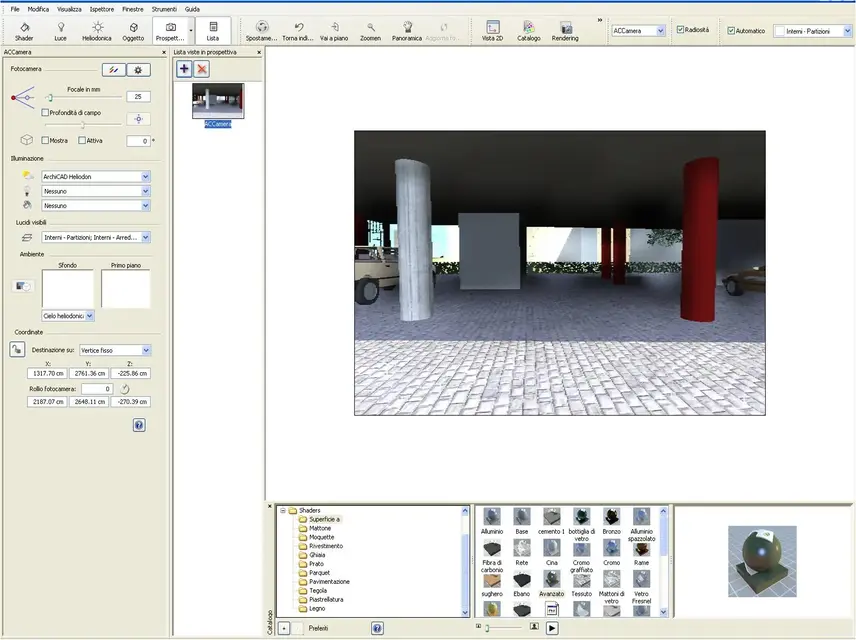
I clicked the list button and exit this...
 

Attachments

  • Immagine4.webp
    Immagine4.webp
    95.1 KB · Views: 11
Thank you so much marcogeo! I finally got it! ! !
 

Attachments

  • Immagine5.webp
    Immagine5.webp
    129.7 KB · Views: 12
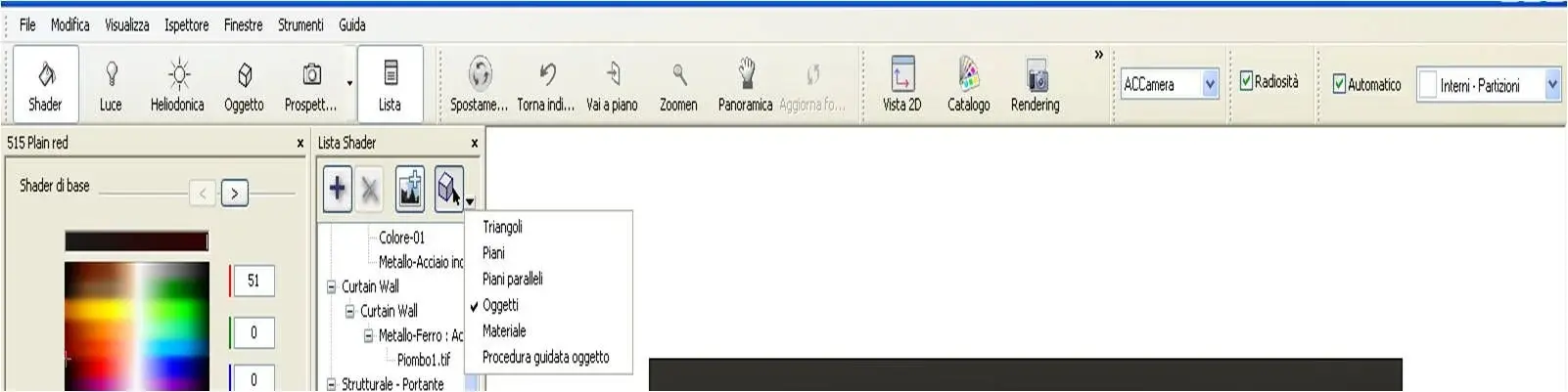
However, for those with the same problem, in windows, the procedure is:

list > shader > activate the cube icon with the black arrow > bring down the drop-down menu > select one of the possibilities (object, in my specific case of the pillar) > select the add texture icon > choose the desired texture.
 

Attachments

  • Immagine6.webp
    Immagine6.webp
    39.8 KB · Views: 15
I'm glad you fixed it. I'm sorry I didn't answer you but I had the influence of season and I didn't connect.
 
Good morning, guys, I add to this topic so as not to open new ones as I have more or less the same problem.
e.g. having imported a wall from archicad to artlantis with certain materials, I wanted to know if it is possible to create on the same surface of a wall, two materials of different type. or better to say I would like to insert a shader in one part of the wall and another shader on the remaining. thanks for the attention.
 

Forum statistics

Threads
44,997
Messages
339,767
Members
4
Latest member
ibt

Members online

No members online now.
Back
Top