• This forum is the machine-generated translation of www.cad3d.it/forum1 - the Italian design community. Several terms are not translated correctly.

autocad shadow

Ilaria@

Guest
Good evening to all,
I didn't find any posts that could solve my question about autocad shadows.
I am a student and I got autocad 2022 free version for students from the autodesk site.
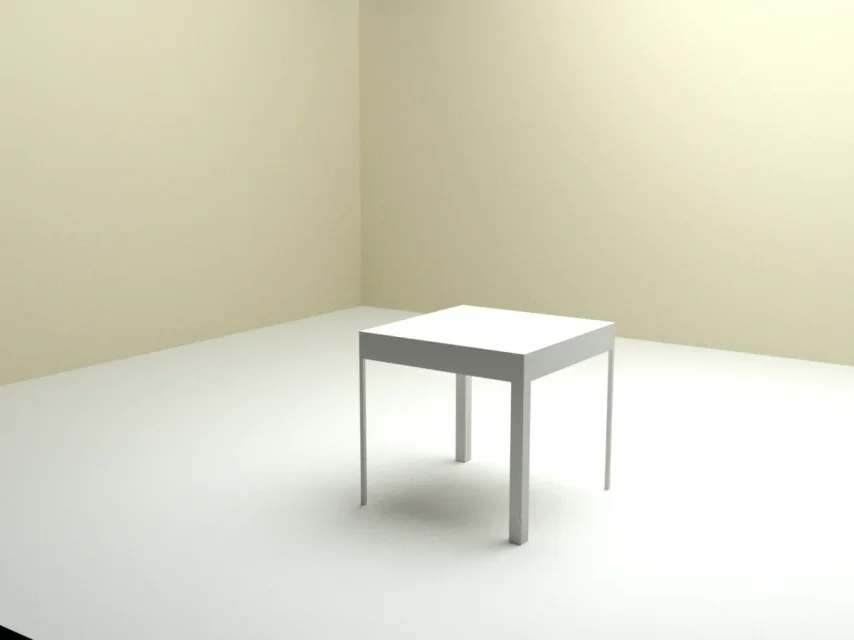
I ask if someone can help me know how to get a render with shaded and soft, instead of light shadows.
Useful information of my file:
- 3d solid model created in autocad 2022
-Applied material (steel)
-point lamps positioned
-created white background.
I can attach my file and my proof of rendering.
Thank you in advance.
olivia
 

Attachments

  • prova luci - render.webp
    prova luci - render.webp
    17.9 KB · Views: 18
  • prova luci.dwg
    prova luci.dwg
    1.9 MB · Views: 9
as tristan says, autocad is not suitable for rendering. If you want you can use it to create solids, but then you should rely on other software.
I would recommend blender (www.blender.it) that is a free software but with characteristics equal to those paid.... although with a learning curve not immediate; However it helps not little the fact that it is the most widespread and with thousands of tutorials on the web.
 
Hello olivia,

just use more than one light point with less intensity than the main light point (take inspiration from the lighting patterns using photographers) and then try to use web lights (network) that simulate the real light of the lamps.

if you do not meet the few .ies files that autocad offers try to download some of them at some manufacturer of lamps e.g.
martinelli luceI leave you links to a video lesson about how autocad photometric lights work:
 
thanks to all for the advice, I downloaded blender but I have to learn to use it and I do not think I will succeed shortly.
regarding the advice of using more lights in autocad, how do I solve the problem of net shadows? also using 3 lights with different intensity the shadows remain clean, not soft (and, in addition, I have overlaps of 3 shadows... :
However, should I use 3 dot lights? or should I use 3 spotlights?
question for "prismacad": what are web lights (network)?

Thank you so much!
 
thanks to all for the advice, I downloaded blender but I have to learn to use it and I do not think I will succeed shortly.
to learn how to use blender as you need years. and, unless you want to throw yourself into the entertainment world, it is the least logical choice. the world of archviz is going bullily on realtime rendering solutions (lumion, unreal, unity) combined with the bim, and you take the most winding road. I just wish you a good study!
 
the fact is that I just need to make renderings of products with "soft" shadow for a project, I don't think I will make so many other renderings in the future for work, so I was looking for a quick and acceptable solution. . I thought I'd find it in autocad because it's the only program I can use right now.
 
if you don't play the exact picture lighting and environment scheme you posted as an example, no software will provide you with those "soft" shadows. at that point you should make a rendering with alpha channel and the shadow insert it in photoshop increasing to dismix the blur
 
if you don't play the exact picture lighting and environment scheme you posted as an example, no software will provide you with those "soft" shadows. at that point you should make a rendering with alpha channel and the shadow insert it in photoshop increasing to dismix the blur
In fact. I had already thought of changing all shades with photoshop, but it would be long to do because the products are all different and different forms, so every time I have to work on a new shade.
while I thought it would be possible to create the environment and the scheme of lights (and I thought only one light would be enough!! :/ ) once and then insert my objects to render. but if you tell me that doing it is laborious better to let it go, I think it is above my current possibilities. . .
 
It is also good to autocad even if you have to hand out a little...
the softness of the shadow imposed during the insertion of light, parameter ombra, campionamento morbido, forma, sfera (the greater the sphere the more it accentuates the softness)
 

Attachments

  • prova luci-Temp0003.webp
    prova luci-Temp0003.webp
    162.3 KB · Views: 14
  • prova luci-Temp0005.webp
    prova luci-Temp0005.webp
    30.5 KB · Views: 15
It is also good to autocad even if you have to hand out a little...
the softness of the shadow imposed during the insertion of light, parameter ombra, campionamento morbido, forma, sfera (the greater the sphere the more it accentuates the softness)
Hello lattu,
I tried to do a lot of tests, but I just can't get the effect you got, especially in your second file (try -temp0005) lights. I can have a soft shadow but blinding light or vice versa, soft and beautiful light but shadow hard and clear... :
If I don't ask too much, can you tell me specifically what values you used and whether you used one or more lights? Thank you very much
 
I used only one dot light, positioned farther from the wall than yours, setting the intensity to 0.1 and the radius of the sphere that generates the shadow to 150.
I used the 2019 version
I'll get you the file I worked on
 

Attachments

Last edited:

Forum statistics

Threads
44,997
Messages
339,767
Members
4
Latest member
ibt

Members online

No members online now.
Back
Top