
You are using an out of date browser. It may not display this or other websites correctly.
You should upgrade or use an alternative browser.
You should upgrade or use an alternative browser.
beppino
Guest
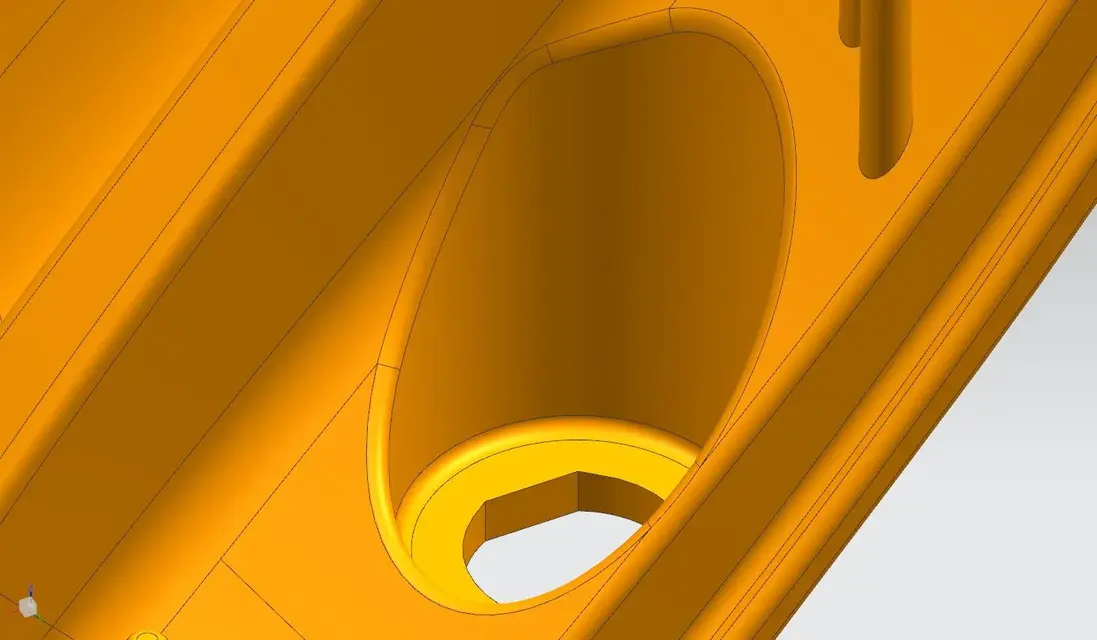
You can use a soft blend by building the edge curves you want.Can you tell me what kind of command you make a connection like this? seems constant despite the tilted plane. I would like to understand if it is feasible with my mach1 license (without using the variable radius)
supertramp
Guest
Hello drink, thanks for the interest. I don't think it's a soft blend because the whole piece is connected in this way and I doubt they took so much time for the fittings. I think there's a command he's been doing for himself. I'm curious to know what it is to understand what license I should have to do. However with the mach1 I can not even use the soft blend:frown:You can use a soft blend by building the edge curves you want.
Utente NX
Guest
which cad comes from?Can you tell me what kind of command you make a connection like this? seems constant despite the tilted plane. I would like to understand if it is feasible with my mach1 license (without using the variable radius)
Can you just attach a piece of this part?
matfio
Guest
you can use the face blend
matfio
Guest
in the attached file I made a fast construction with 5 radius solutions (premium that I did not deliberately put the soft blend because already proposed) and then I inserted 2 commands (styled blend and aesthetic face blend) that with mach 1 you do not have but in the meantime you can taste them....hihhihihihihihihihihi:tongue:
Attachments
Utente NX
Guest
the only one approaching is aesthetic face blend, but you have to change the option from 'rolling ball' to 'spine'.in the attached file I made a fast construction with 5 radius solutions (premium that I did not deliberately put the soft blend because already proposed) and then I inserted 2 commands (styled blend and aesthetic face blend) that with mach 1 you do not have but in the meantime you can taste them....hihhihihihihihihihihi:tongue:
matfio
Guest
was just an example of automatic function that unfortunately he cannot use because he must have at least one mach3the only one approaching is aesthetic face blend, but you have to change the option from 'rolling ball' to 'spine'.
Utente NX
Guest
what you ask you get with the aesthetic face blend command that in your license not contemplated.
I suggest you make an improvement request as this type of radius is present in catia and solidworks without special licenses.
I suggest you make an improvement request as this type of radius is present in catia and solidworks without special licenses.
The_Matrix
Guest
I don't have time to try... but what's the problem with making that connection with the hedge blend?
Utente NX
Guest
with the edge blend do not get the result shown in the attached image.I don't have time to try... but what's the problem with making that connection with the hedge blend?
Attachments

stef_design
Guest
just out of curiosity, the edge blend of nx how would he collect that detail?with the edge blend do not get the result shown in the attached image.
Hi.
Utente NX
Guest
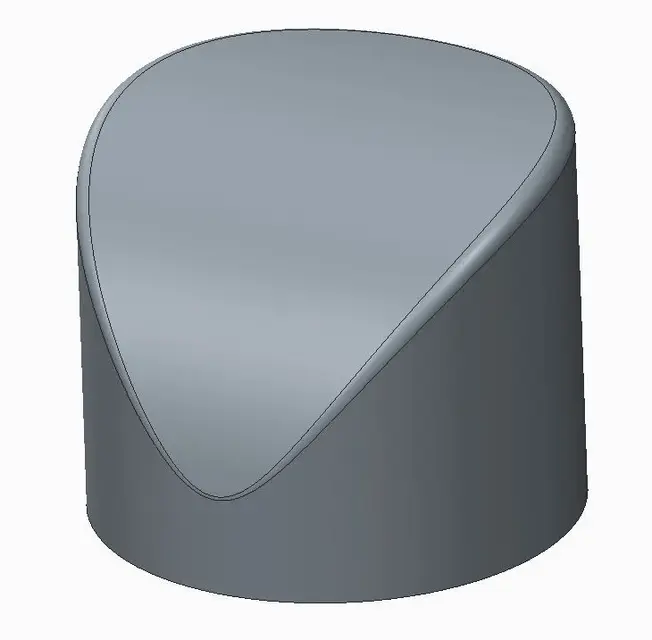
the edge blend of nx would collect like this.just out of curiosity, the edge blend of nx how would he collect that detail?
Hi.
Attachments
supertramp
Guest
thanks to all, cmq it is believed that they used the aestetic blend. question, can you buy a command? probably not but it would not be bad to be able to customize the license more flexiblely.
ceschi1959
Guest
a command no but a package yes type shape studio, at least a time ago it was so. but it cost an exaggeration, it had to explode the license and buy the single 'flottanti' packages.thanks to all, cmq it is believed that they used the aestetic blend. question, can you buy a command? probably not but it would not be bad to be able to customize the license more flexiblely.
Hi.
The_Matrix
Guest
I had a moment of time today.. .
the best method is to use face blend (which I think is included in all machs) with edge curves.
the edge curves are easily obtained with a tube and intersection with the solid.
... just one...
the best method is to use face blend (which I think is included in all machs) with edge curves.
the edge curves are easily obtained with a tube and intersection with the solid.
... just one...