• This forum is the machine-generated translation of www.cad3d.it/forum1 - the Italian design community. Several terms are not translated correctly.

calculate the oddly between two lines

  • Thread starter Thread starter Dize
  • Start date Start date

Dize

Guest
immagine1.webpGood morning

I should do, with autocad/c3d/dynamo, a file that exposes me of distances automatically.


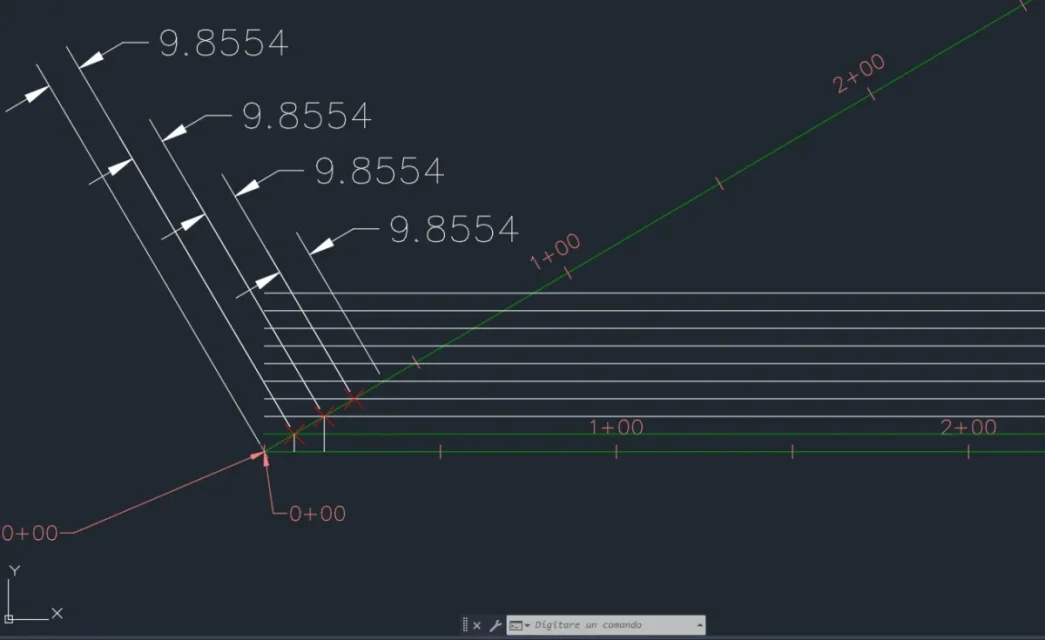
in image 1, there are two tracks (green ones)
white lines are offset (of 5cm) of that horizontal track

I have to create a file lisp that melts the distance (that of 9.8554 I said that only as an example) automatically. this distance is the one that generates every 5cm of shift between the two tracks. and then automatically export these distances; of course the distance will be different when the tracks are curved.

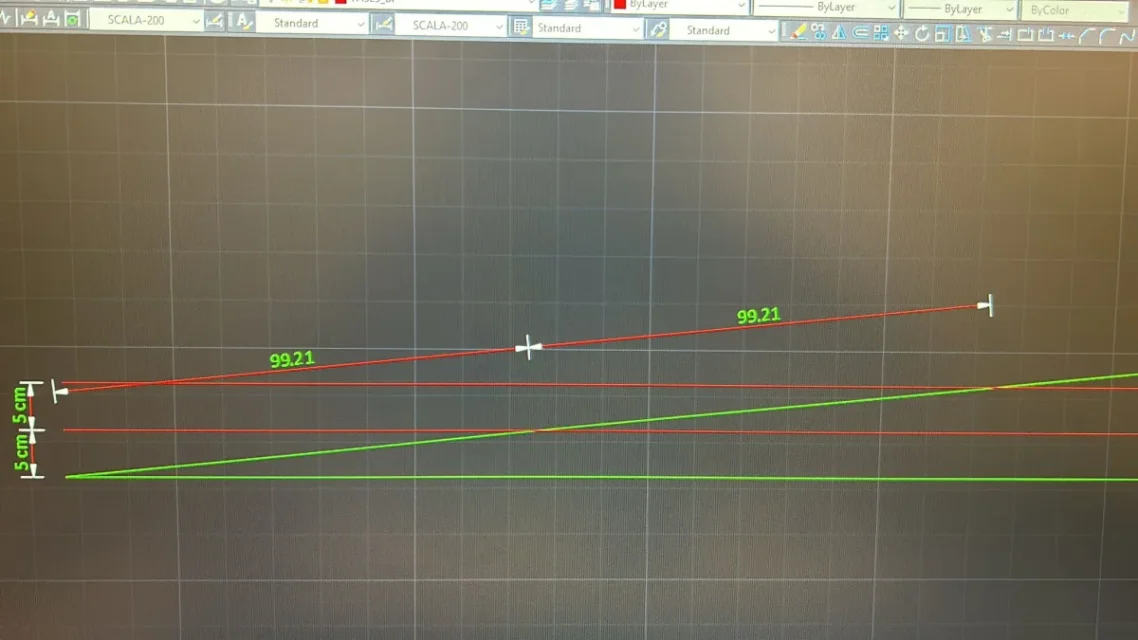
or in image2 (maybe you see better) there are the two tracks (green) and I need a file lisp, which melts the distance (99,21) that is generated every 5cm (these 5cm will be fixed).
Obviously if there are curved distance 99,21 will be different.immagine2.webp
 
Well you just need to search for the intersection point between the white lines (or red depending on the image) and the green path.
How?
selection of white lines (which will go into a selection group - ssget ti la dritta)
then select the green.
at this point by means of a loop cycle, you will search the intersection point between a white line and the green track. by memorizing the coordinates of this point in a variable (maybe better a list, so that you can by the time you reach the next points).
found the point you will pass to the next white line, repeating the search and storage, until the end of all white lines.
do this you will find in your list all the white/green intersection points and you will manage them as you best believe (export file txt, csv etc.)

My basic idea of routine is this, now you just have to study how to write a working lisp. . .
 

Forum statistics

Threads
44,997
Messages
339,767
Members
4
Latest member
ibt

Members online

No members online now.
Back
Top