• This forum is the machine-generated translation of www.cad3d.it/forum1 - the Italian design community. Several terms are not translated correctly.

change interface graphic creation plan

  • Thread starter Thread starter volaff
  • Start date Start date

volaff

Guest
Hello everyone, maybe my question will be an idiot but I have found nothing about it.

I need to create a normal plane at a curve to achieve a sweep function.

when I want to go to create that plan I am facing the graphic area (see figure 1 attached file) next instead of what I would like and that I would need (see figure 2 attached file).

How is it possible?
Where am I wrong? !
 

Attachments

Hello everyone, maybe my question will be an idiot but I have found nothing about it.

I need to create a normal plane at a curve to achieve a sweep function.

when I want to go to create that plan I am facing the graphic area (see figure 1 attached file) next instead of what I would like and that I would need (see figure 2 attached file).

How is it possible?
Where am I wrong? !
Hello, volaff.

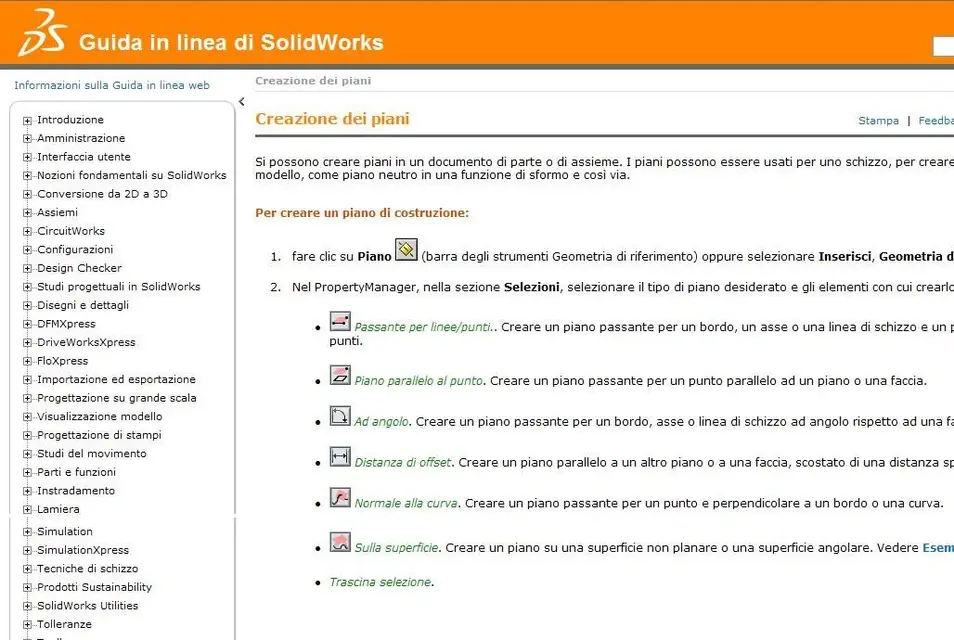
I'm sorry, but if I understand figure 2, it takes the solidworks guide to create a building plan, so what does it have to do with it? Here she is:guida_solidworks.webpthen it is normal that when you ask the input to create the plan, you will present the graphic area. It's just to give you the chance to select the elements that allow you to create the plan, otherwise you tell me how you make it? You have to select geometric elements, otherwise he can't create anything.

In your case, in the first image you have attached, the first reference will be the point at the end of your curve you will have to select and the second reference will be the curve itself.
selected these two entities, the program will have sufficient inputs to create your normal plan at the curve (the third reference in this case is useless) then just select the green check mark and the plan will be created.
 
Thank you very much for the answer. I wanted to understand why my interface is "different" than the guide... :-)
 
I don't understand, do you have a problem creating the plan or do you find the interface different?
the base of the guide is old, it is based on past editions is normal that
some info is not updated at an aesthetic/graphic level.

I'll put you a video anyway.

Hi.
[youtube]aziliis6ki&feature=plcp[/youtube]
 
Thank you very much for the answer. I wanted to understand why my interface is "different" than the guide... :-)
now I have no solidworks, but the icons that appear in the guide should appear once you clicked on the two references.
a little as it happens when you touch the two entities that you want to relate to each other, and automatically the constraints icons that you can apply appear.
i.e., the appearance of the icons is subordinate to the following selection of the entities necessary to the command.
 
tried but nothing...in the sense that I can create the plan I need but the interface is not that deggla "guide": mine was just curiosity!
 
tried but nothing...in the sense that I can create the plan I need but the interface is not that deggla "guide": mine was just curiosity!
I didn't understand one thing: you got solidworks o solidedge ??
 
tried but nothing...in the sense that I can create the plan I need but the interface is not that deggla "guide": mine was just curiosity!
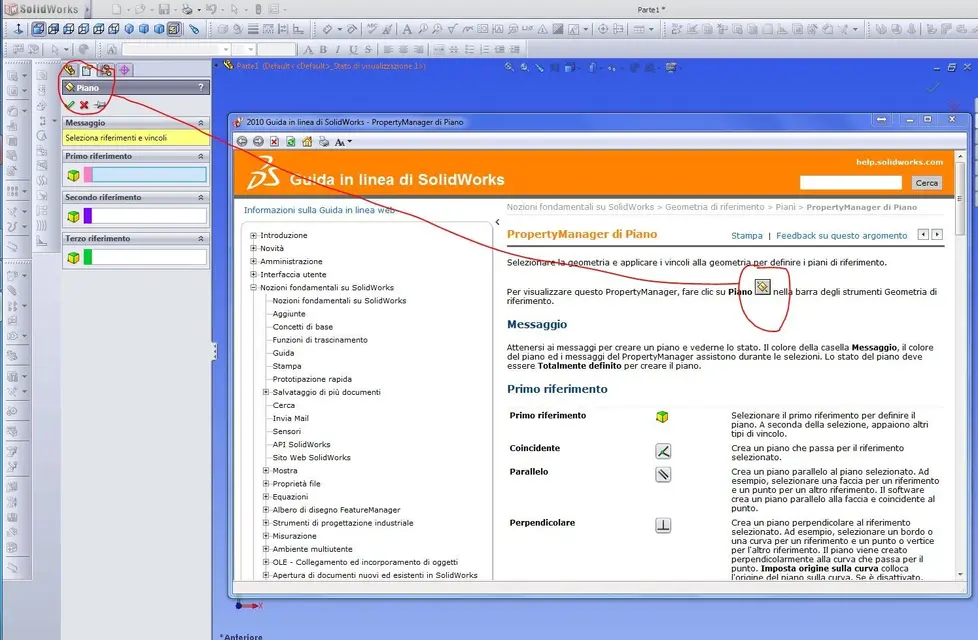
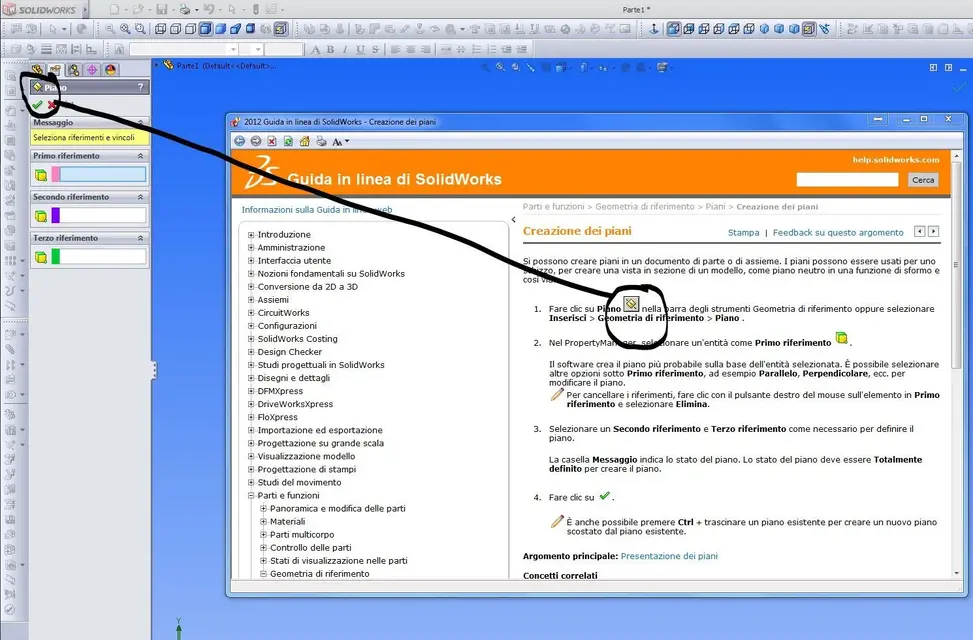
image swx 2010 and 2012 with relative guide, to me look the same icons... How do you see them?
post a screen.
solidworks. il prof ha cambiato software :-)
update the profile.. .
 

Attachments

  • 2010.webp
    2010.webp
    161.7 KB · Views: 5
  • 2012.webp
    2012.webp
    158 KB · Views: 4
yes this I know I said the interface that appeared to me does not bring things like "normal plan to the curve" ect ect but only the three references as to the left.

I just want to understand how to make that "classic" fill up all this!

Thank you very much for the answer!
 
yes this I know I said the interface that appeared to me does not bring things like "normal plan to the curve" ect ect but only the three references as to the left.

I just want to understand how to make that "classic" fill up all this!

Thank you very much for the answer!
Classic, classic, maybe you're confused with something else.
screen, that at least I learn something...:biggrin:
 
I meant this:
until 2009 it was so.
However it doesn't change much, now they have removed the icons with the "examples".
I have to say that at the beginning I was flattened, but I had removed it from memory.
:smile:
 

Forum statistics

Threads
44,997
Messages
339,767
Members
4
Latest member
ibt

Members online

No members online now.
Back
Top