cerveza
Guest
Good morning.
here is my situation:
I have to make a table of an explosive with its distinct parts.
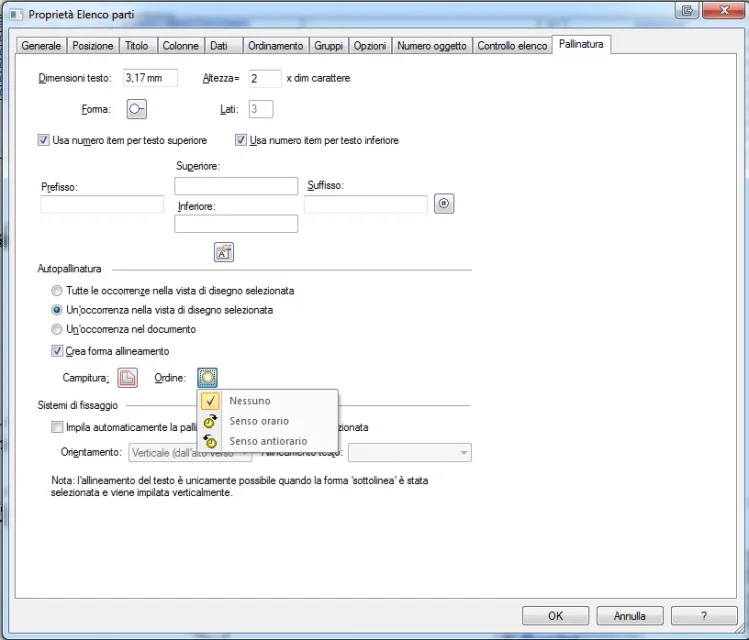
if I create one with the automatic ball, it gives me a random "graphically" order: in the section sorting options I can only choose according to the location of the file, name, author, etc. with result that graphically the pallinatures me find them "disordered", for example the 1 in the top right, the 2 in the bottom right..
I was wondering if there is a possibility to create a ball first with order graph to my pleasure (who knows, maybe clockwise), but still with increasing number (1,2,3 etc) and then connect the table maintaining the order di numerazione chosen by me.
I hope I could explain. .
Thank you.
here is my situation:
I have to make a table of an explosive with its distinct parts.
if I create one with the automatic ball, it gives me a random "graphically" order: in the section sorting options I can only choose according to the location of the file, name, author, etc. with result that graphically the pallinatures me find them "disordered", for example the 1 in the top right, the 2 in the bottom right..
I was wondering if there is a possibility to create a ball first with order graph to my pleasure (who knows, maybe clockwise), but still with increasing number (1,2,3 etc) and then connect the table maintaining the order di numerazione chosen by me.
I hope I could explain. .
Thank you.