• This forum is the machine-generated translation of www.cad3d.it/forum1 - the Italian design community. Several terms are not translated correctly.

cleaning of properties with macro

  • Thread starter Thread starter hokuto84
  • Start date Start date

hokuto84

Guest
Good morning
I'm desperate enough... I'll explain the situation.
I have a horrible historical archive of files with chaotic properties... I would like to give a turn to storage to do that I set the tab schedule to perfection though working with old files I have problems has eliminate old properties useless.. .
in your previous discussion I found this macro that eliminates all the properties both customized and single configuration. . .www.cad3d.it/forum1/threads/47492-remotion-proprietà-personalized-da-piu-files/page2a bomb is beautiful but I miss a passage that manually is simple but I would like to automate it! !

I'll explain. I open file start the macro and I delete everything open the tab of custom properties to the right of solid and I find the properties that I still want written premo applies and he writes to me those present... this last phase how can you insert it into the macro?
 
at macro level you do not go to simulate the opening of menus to apply properties.
If you have the list of properties to insert post, as soon as I can change the macro.
the properties that "fresche" to add are white or have a value?
if they have a value, then we impose it.
 
thanks for the answer... Actually the properties are already inside the file....
what would serve is to erase everything except the following properties
namefile
Description
code
weight
order
translation
treatment
material
must remain only in custom configurations must be eliminated
I just need an example of how to do it then I can experience a little myself... I'm not an expert on macros, but I've made some eyeballs....

I don't know how to thank you. . .
 
thanks for the answer... Actually the properties are already inside the file....
what would serve is to erase everything except the following properties
namefile
Description
code
weight
order
translation
treatment
material
must remain only in custom configurations must be eliminated
I just need an example of how to do it then I can experience a little myself... I'm not an expert on macros, but I've made some eyeballs....

I don't know how to thank you. . .
Hi.
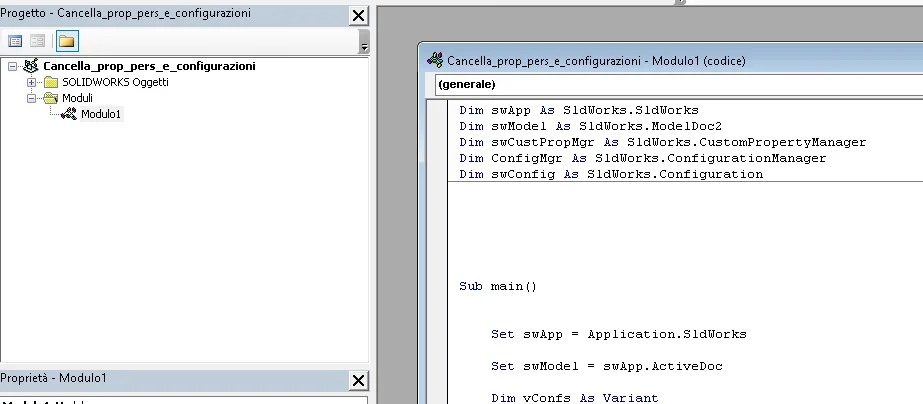
Attached I bring back the macro do what you need, delete all properties in configurations and leave the custom according to the select houses.
for those who want to deepen the select case is a method to filter the data according to the set case, in this case the name of the property.
 

Attachments

You read me in the thought... would have been the next question.. .
the macro is perfect!! and working 100%... magnificent

the possibility to throw it backgroud then is divine... I'll try and let you know... .

Thank you jenuary
 
I tried it right away I wasn't in the skin.... it's amazing... I had to fix only writing some properties in the macro to make them coincide exactly to my own but it all works great.... .

Only swallow I found in all these programs is that in saving pdf and dxf when we have multiple sheets table always skips the last sheet... Can you tell me why?


I can be brazen... Since the backgroud works at the fairy tale... is there any way to assign a macro to the table that replaces the old sheet format with the new one according to the sheet size...? ?
 
Sorry I did a lot of tests and I realized something... macros are perfectly working... the backgroud 50% or... if manually open the file and save the macros also work but if you activate automatism with a list of files do not go.. .
Also remains the problem that when creating pdfs of a table with multiple sheets always stays outside the last sheet... (cmq this is not of fundamental importance to me)
I still have a little bit left to remove that if you could automate it would be fantastic
is there any way to assign a macro to the table that replaces the old sheet format with the new one according to the sheet size...? ?
 
Sorry I did a lot of tests and I realized something... macros are perfectly working... the backgroud 50% or... if manually open the file and save the macros also work but if you activate automatism with a list of files do not go.. .
Also remains the problem that when creating pdfs of a table with multiple sheets always stays outside the last sheet... (cmq this is not of fundamental importance to me)
I still have a little bit left to remove that if you could automate it would be fantastic
there is way to assign a macro to the table that replaces the old sheet format
 
Sorry I did a lot of tests and I realized something... macros are perfectly working... the backgroud 50% or... if manually open the file and save the macros also work but if you activate automatism with a list of files do not go.. .
Also remains the problem that when creating pdfs of a table with multiple sheets always stays outside the last sheet... (cmq this is not of fundamental importance to me)
I still have a little bit left to remove that if you could automate it would be fantastic
there is way to assign a macro to the table that replaces the old sheet format
definitely the macro associated with the savebackground does not work because you have to rename the module name according to the specification you find in the installation download, you will see that then turns.
this because you could have multiple modules in one macro and he wouldn't know which to launch.

for the speech carts see this discussion, should do your casehttps://www.cad3d.it/forum1/threads...n-automatico/page2?highlight=cambio+cartiglio
 
already renamed both main and module1... in fact doing save manually works.... is when I load multiple files that do not go
 
I solved!!!I don't know why... but putting the macro in the post-save works....

for creating pdf multiple sheets can you do anything?

If you want I can give you my opinion for a possible rev of the program?
npn know if only I have this need but it would be spectacular if he created a pdf a dwg and a dxf for each sheet and named the files with "namefile_namesheet"

this because each sheet contains information for example different suppliers and each one sends the correct table... What do you say?
remains the fact that it is a fabulous program and saves a lot of time. .
Congratulations! !
 
Hi.
Attached I bring back the macro do what you need, delete all properties in configurations and leave the custom according to the select houses.
for those who want to deepen the select case is a method to filter the data according to the set case, in this case the name of the property.
hi the macro and very useful but you can also choose what not to delete in the configuration specification
 

Forum statistics

Threads
44,997
Messages
339,767
Members
4
Latest member
ibt

Members online

No members online now.
Back
Top