• This forum is the machine-generated translation of www.cad3d.it/forum1 - the Italian design community. Several terms are not translated correctly.

compatibility rhino - lantek?

ChiaraMJ

Guest
Hello, everyone!
I am new to the forum, pleasure to meet you. I write because I would need your help with lantek.
I am a product designer and I am approaching for the first time at lantek expert (a bit agée version) because we need to make plasma cuts. I happened that importing on lantek a dwg file generated with rhino7 did not read circular holes as cuts to be made; practically 18 cuts correctly read me the external track and one internal but not the others (then two); my colleague generates the same file with autocad and importing it does not present this problem. Is it possible that it is incompatibility between the two programmes? or maybe I'm wrong with export/import?
 
could be a problem of how to codify rhino layers; open the rhino dwg from your colleague and verify that the layers are correct
 
My colleague has no idea.. practically he exports them easy in autocad 2000 and lantek reads everything without problems.
 
generates them on autocad and exports them to dwg (autocad version 2000); I also tried the afternoon with the same procedure and I did not find any problems; as soon as I gener them with rhino lantek it makes me trouble: I don't read circular shape cuts
 
generates them on autocad and exports them to dwg (autocad version 2000); I also tried the afternoon with the same procedure and I did not find any problems; as soon as I gener them with rhino lantek it makes me trouble: I don't read circular shape cuts
I repeat:
generates the dwg file with rhino
open the dwg with autocad
verify that all layers are correct.
 
I wouldn't be surprised if the ignored circles weren't looking.
rhino 7, by default, at the selection of a curve, activates the modification points.
If by chance one of those points has been moved, the resulting geometry may not be exported as a circle.
you could attempt an export in dxf mode in r12 lines and arches.
 
I did as suggested by both, but raga is an absurd thing. I generated the files with rhino redesigning the circles because they were actually made up of dots (securely because of one of the thousand wrong exports) and I tried all possible exports:
-dxf r12: lines and arcs: on rhino itself reopens with fragmented curves
-dwg r12 lines and arcs: on rhino itself reopens with fragmented curves
-dwg 2007 lines: on rhino itself reopens with fragmented curves
-dwg cam metrical: it opens correctly both on rhino and on autocad
-dwg r12 natural: it opens correctly both on rhino and on autocad
-dwg 2007 polylines: opens correctly both on rhino and on autocad
-dwg imperial cam: it opens correctly both on rhino and on autocad
-dwg 2007 solid: it opens correctly both on rhino and on autocad
-dwg 2007 natural (with sett. acad 2000): opens correctly both on rhino and on autocad;

of all these, those that I managed to import on lantek are the versions:
-dwg r12 natural
-dwg imperial cam
-dwg cam metrical;

or tell me: "string or binary data would be truncated" with next message attached, or "invalid group code, format error".

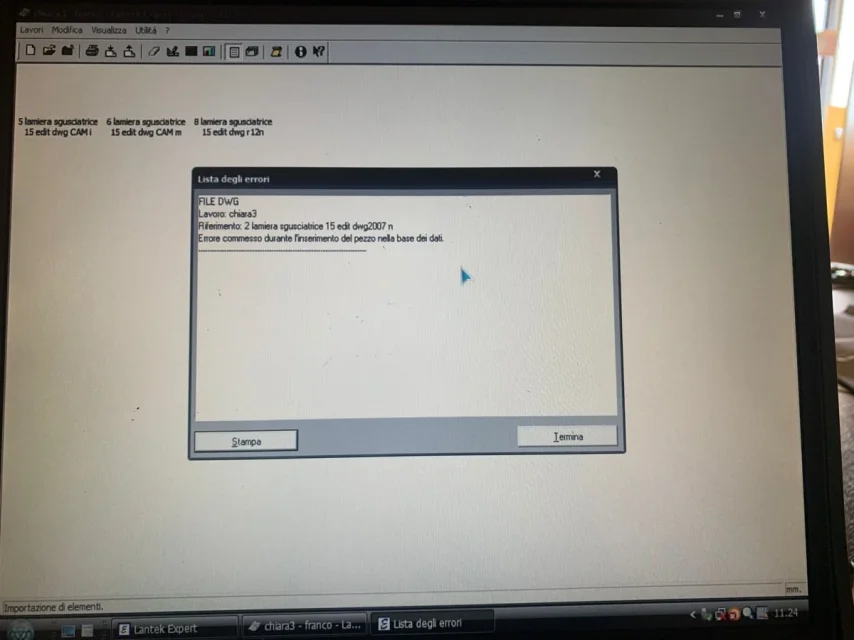
However, the problem is not solved, because as you see in the attached image, in those that I have managed to import, there is no preview, and when it opens there is nothing. If I go into nesting and processing there is the cosmic vacuum.
 

Attachments

  • WhatsApp Image 2022-08-10 at 11.31.08.webp
    WhatsApp Image 2022-08-10 at 11.31.08.webp
    80.7 KB · Views: 7
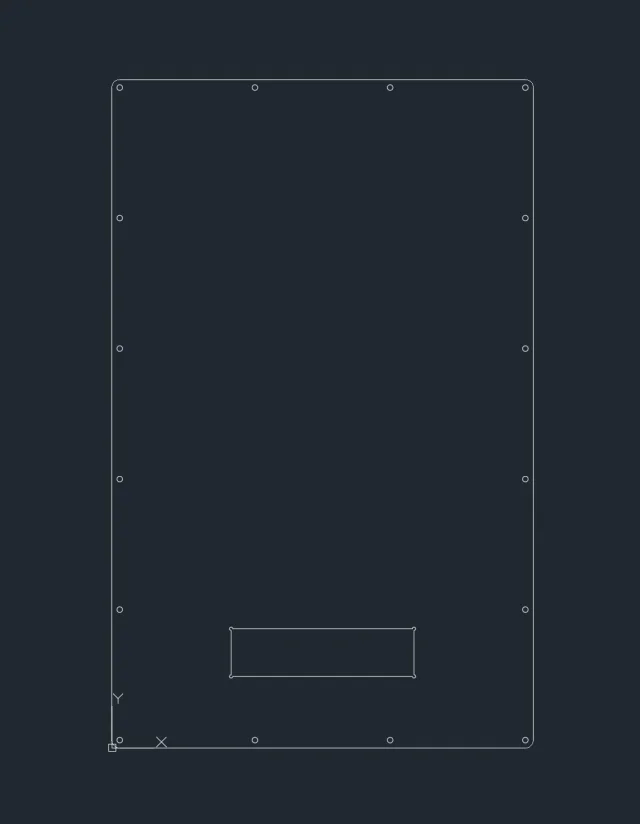
I did another test: I opened the generated file with rhino on autocad (and it's perfect), I opened a new file on autocad and I beautifully covered the curves from one file to another (and it's perfect); except for the new file in dwg 2000. amount on lantek, finally it doesn't give me import problems, you see even preview, open file and, ahimé, is not perfect. I packed the holes (I attach photos: in the screenshot there is how it should be, in the photo there is how lantek matters). I'm exhausting, I don't know what to do anymore.
 

Attachments

  • Immagine 2022-08-10 121105.webp
    Immagine 2022-08-10 121105.webp
    6.7 KB · Views: 7
  • WhatsApp Image 2022-08-10 at 12.03.36.webp
    WhatsApp Image 2022-08-10 at 12.03.36.webp
    95.9 KB · Views: 7
Good day to all! I am very happy because I finally solved the problem
and I want to share the solution because it might also come useful to others.
the first problem were the circles, because during one of the incorrect exports were no longer read as such but rather as two united arches (if you type _what with the selected piece comes out the nature of the curve); the big problem was the version of rhino not updated that gave problems with the mirror, therefore if the same problem happens do the update; If you can't prefer to draw the curves by omitting commands as mirrors (I, exhausted by how I was, I also omitted copy and arrey, but I think it's just mirror what created problems, for those who use it in Italian is equivalent to "specifying copy". export as dwg r12 natural (also wanting the imperial cam and metrical versions could go well with lantek). the fact that you did not see the design in the version that had finally imported was a babbarious, that the design was not put perfectly at the origin, therefore perhaps make sure that a point of the design corresponds to the origin (0,0,0).
Please, you are welcome;)
 
really useful and complete analysis. I had imagined that the circles out of place had been obtained with a transformation that had lost in conversion, but not having a solution I refrained from responding to the discussion.
thanks for the information!
 

Forum statistics

Threads
44,997
Messages
339,767
Members
4
Latest member
ibt

Members online

No members online now.
Back
Top