• This forum is the machine-generated translation of www.cad3d.it/forum1 - the Italian design community. Several terms are not translated correctly.

Constraint elimination

emanuele grasso

Guest
Hi.
Is there a setting that allows me, when I delete a pocket or hole (in general a command), not to eliminate the offset bond between the faces?
more than a problem is a nuisance because to put back the bond it employs us very little but it would be the top if it did not eliminate itself just
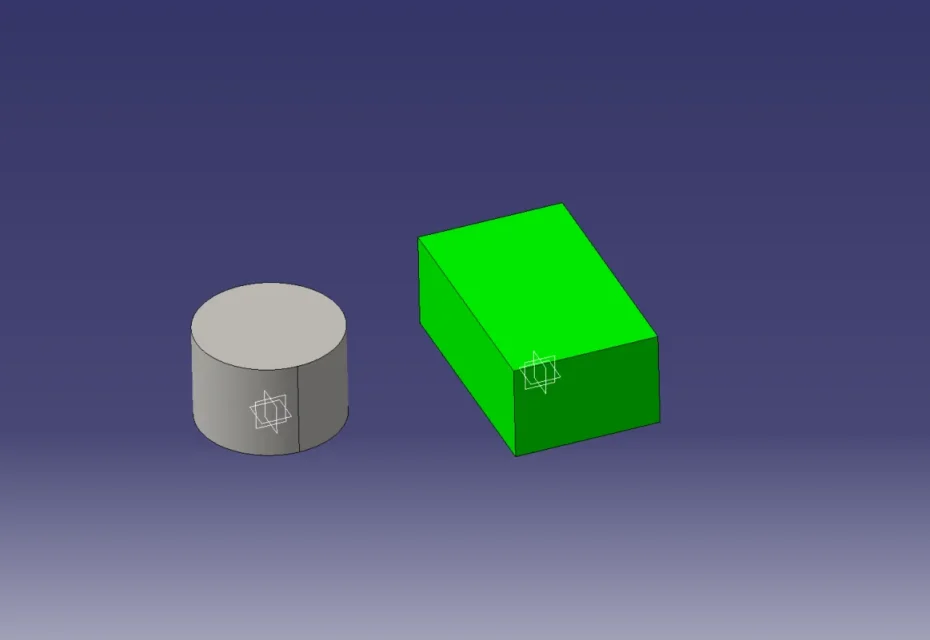
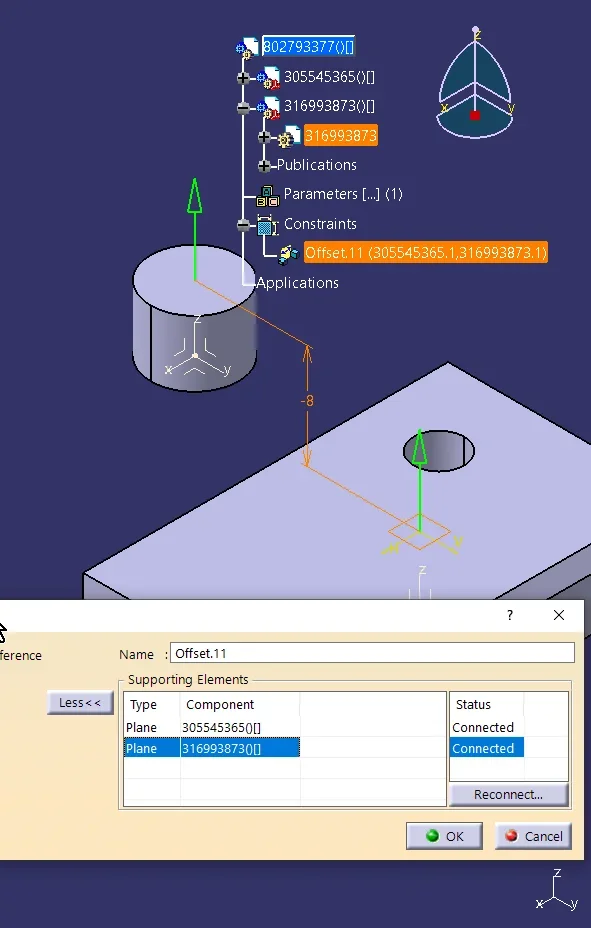
Annex 1 : I put the 10mm offset bond between two components
Annex 2 : I remove the hole on the green component and also eliminates the offset bond
thanks in advance
 

Attachments

  • 1.webp
    1.webp
    12.5 KB · Views: 7
  • 2.webp
    2.webp
    11.2 KB · Views: 7
I can actually reproduce the same thing even with v5r32 sp2 hf26.

It seems very strange.
I don't remember having this kind of problem in the past.

Could it be a regression?
 
if you apply a plan to the upper surface and use this as reference for the 10mm bond it works.

with the plan is more stable because the inside of identification of caia for the surface remains unchanged. what happens if you eliminate the hole > all the surface is attributed a new internal identification (I believe).
Snag_1580074.png
 
sisi this thing to put a plan I had already tried it and it actually works. .
However, I am allowed to say, that is a very uncomfortable way
Thanks anyway for your answer. .
 
I find it a true boiata:-(
But go explain to the ds.

Plus, I did a test with public elemnts, but it doesn't even work.

I'm very surprised at the malfunction.
 
the right system not to lose constraints.. is to publish your face.
public elements serve precisely for this purpose.

publish your face and if you go to delete the hole.. do not lose constraints
of course you have to redirect the new face (with the deleted hole) into the public elements of your captpart
 
the right system not to lose constraints.. is to publish your face.
public elements serve precisely for this purpose.

publish your face and if you go to delete the hole.. do not lose constraints
of course you have to redirect the new face (with the deleted hole) into the public elements of your captpart
It's what I tried but it didn't work
 
I find it a true boiata:-(
But go explain to the ds.

Plus, I did a test with public elemnts, but it doesn't even work.

I'm very surprised at the malfunction.
I tried with the publication, and you're right. not working
 
to me it works both on the 2019 version and on the 2023 version
1689773689831.pngdeleting the hole appears the exclamation point on the published face and its constraint in the catproduct
1689773747257.pngjust redirect the public element into the catpart by touching the new face without hole and everything works
1689774136872.pngconclusion
the public elements are fundamental and allow to replace a piece with another, completely different, without losing the constraints in the catproduct
 
Last edited by a moderator:
to me it works both on the 2019 version and on the 2023 version
View attachment 68776deleting the hole appears the exclamation point on the published face and its constraint in the catproduct
View attachment 68777just redirect the public element into the catpart by touching the new face without hole and everything works
View attachment 68778conclusion
the public elements are fundamental and allow to replace a piece with another, completely different, without losing the constraints in the catproduct
And does that sound right?
You need to cuff every time you cancel something.

We're talking about high level software.

God as I turn:-(
 
And does that sound right?
You need to cuff every time you cancel something.

We're talking about high level software.

God as I turn:-(
I find it logical. changes the reference face because the one before had a hole, and therefore an area in mm2 different, but also a ray on the edge. to remember everything would need huge system resources.
This problem exists with other cad. If you have a sphere you cannot expect to have the same positioning references as a cube.
Instead...with public elements you can replace a sphere with a cube without losing constraints and this is not little.
It's just a good plan at first what you need.
He gets slew when he doesn't plan
 
Last edited by a moderator:
if you give the same exercise but you create dappeima the bond and then the hole on the bound face, everything works.

without public elements and nothing else.

but the surface is diminished in mm
 
You're right. on the surface mm2 I said a bullshit. surely if you remove or add lost references.
In my opinion, public elements are cool.
I could change my work quickly and in group work I could change an object with another without the colleague having to worry about reassigning the constraints
I would add that as position references..it is always better to use plans,points,assis and reference frames. .publishing
 
Last edited by a moderator:
the usefulness of public elements is not discussed.

the fact that I have to go out despite repeating despite the use of the public elements leaves me quite stunned.

What if on the plate you have various holes and after binding it you delete a pair for various reasons?

or not?

the mm of the surface change.

Can you take a test?
 
the usefulness of public elements is not discussed.

the fact that I have to go out despite repeating despite the use of the public elements leaves me quite stunned.

What if on the plate you have various holes and after binding it you delete a pair for various reasons?

or not?

the mm of the surface change.

Can you take a test?
Surely you lose them.
I never use the faces for this experience.
or I create points or plans that do not change with the change of form.
better still terne d'assi..
in one blow you only have all the constraints
 
you are what we recommend too.

Nevertheless I am very surprised at the behavior of the sw
 
I'm surprised at the catdrawing. despite the countless releases. They were chained to the pole.
 

Forum statistics

Threads
44,997
Messages
339,767
Members
4
Latest member
ibt

Members online

No members online now.
Back
Top