
Hi.
I would like to copy a feature group in a position to my liking, I do not find clear the explanation of the help and not even the exercise reproduced on youtube.
I would like to copy the group (red) in the center of the cyano circle, how do I? What are the steps? thanks in advance
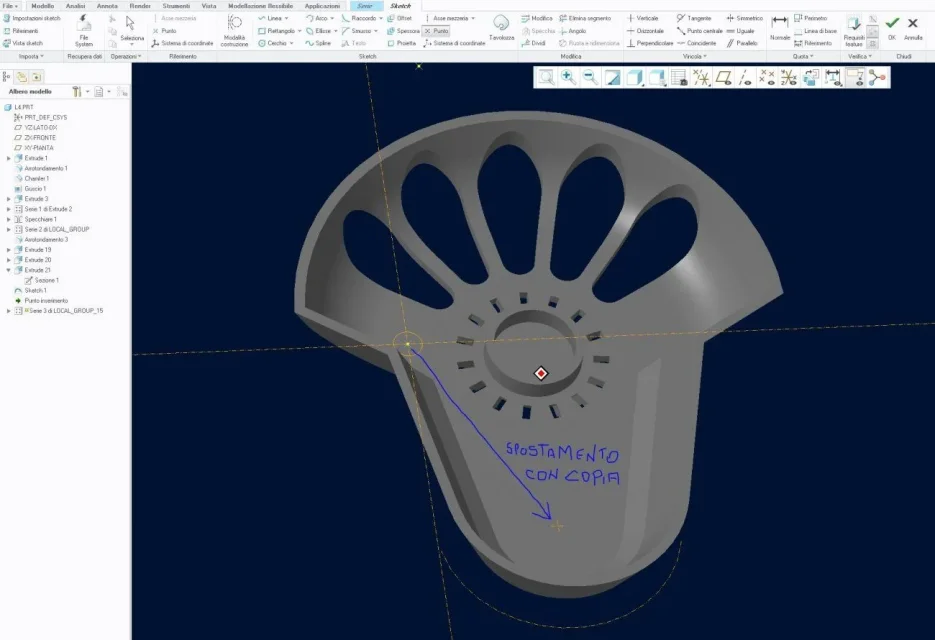
Well, I recreated it...
returning to the copy of the group I used special copy/paste + apply movement/rotation transformation.
I performed the movements giving as reference two orthogonal edges to the piece, I wonder, and if you had not had them as you proceed to get references for correct positioning?
Thank you.
there are several possibilities:
- if you are on the same floor, you can use the series via points
- if you are on different planes, there is the special copy-> paste option, you must select the third option of the first screen that appears, from there opens the menu of all references of the copied features, of course in this case, you must have prepared the starting features, so that the new references that you give, are consistent, otherwise it is impossible to apply the new references, attention that then the copied features, can be dependent or independent from the originals (you have to decide
the copy is on the same floor, so I make series>pointsketch inside where I identify the new point ... but I don't understand what to do on the new shetck:
- Put a point in the new position? I have no indication of how to proceed