• This forum is the machine-generated translation of www.cad3d.it/forum1 - the Italian design community. Several terms are not translated correctly.

correction of a thermal bridge

  • Thread starter Thread starter ocraM999
  • Start date Start date

ocraM999

Guest
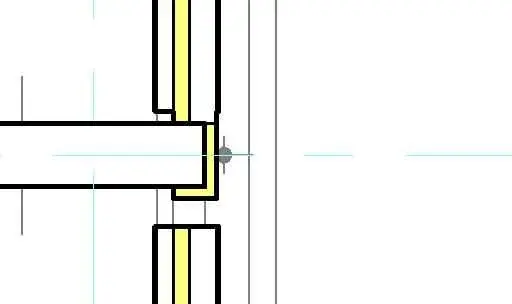
I would like to correct a thermal bridge between wall and pillar, attach images:
1 here is a first problem, the wall crosses the structural pillar;
2 cut a stretch of wall and wrap the pillar with a (muro) insulation;
3 extending the wall to the pillar;
4 "and voilà" the result.
Mar
 

Attachments

  • 1.webp
    1.webp
    2.5 KB · Views: 27
  • 2.webp
    2.webp
    2.6 KB · Views: 17
  • 3.webp
    3.webp
    2.4 KB · Views: 18
  • 4.webp
    4.webp
    2.3 KB · Views: 19
a solution can be:
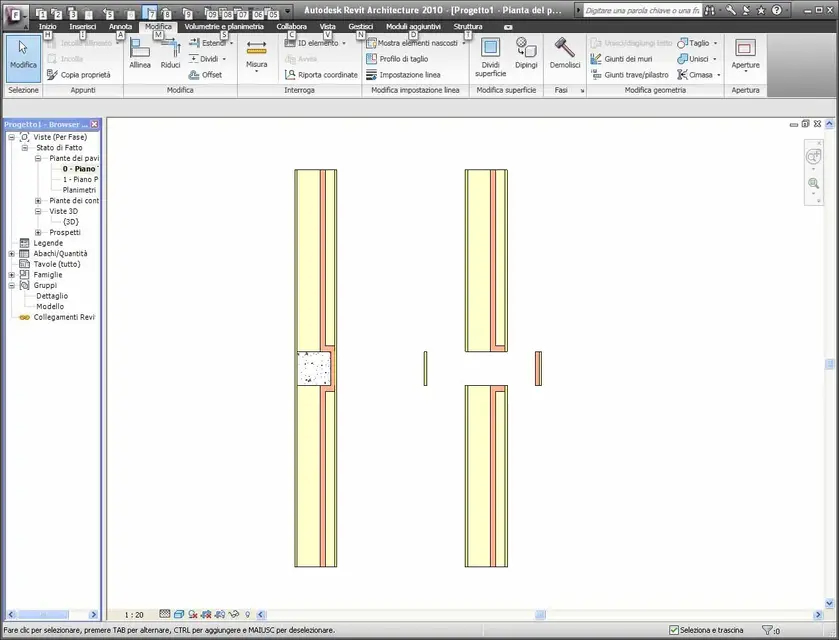
- the wall behind the pillar must be considered and designed as a type other than the side to the pillar, as it happens in reality.
the side walls will have "the insulating" that folds at the ends, while the wall behind, composed of other stratigraphy, no (fig. 1)
p.s. to continue the wall, without folding at the ends, add (follow) with a duplicate of the same wall, without turning on the fold (fig.2)
p.s.s for the internal layers will not activate the fold at the ends that, however, being in the direction of the fold selected (outside) will not be implemented (fig.3)
 

Attachments

  • Muro.webp
    Muro.webp
    64.5 KB · Views: 47
  • MuroB.webp
    MuroB.webp
    60.3 KB · Views: 39
  • MuroC.webp
    MuroC.webp
    63.6 KB · Views: 32
Last edited:
If I understood correctly I should make two walls that combine, one with isolation and one without. )
the fact is that I would like to use a composite block (of a firm note) which is composed of all the necessary stratigraphy in a single stroke.
I attach a catalog image.
If I have understood well with revit it is not possible to create only type of wall whose internal stratigraphies behave as in the particular attachment? i.e. the internal one slammed against the pillar, the insulation is fitting (in some way) with the insulation around the pillar, the stretch layer stops against the isolation and the plaster continues?
Thank you
 

Attachments

  • Immagine 1.webp
    Immagine 1.webp
    8.9 KB · Views: 42
you can do, as above.
Remember the "motto di revit" : <disegna come="" costruisci=""></disegna>
 

Attachments

  • MuroB.webp
    MuroB.webp
    63.4 KB · Views: 32
Honestly, I'm a little tired of doing this.
the start seems ok (but with the settings attached).
when I close.......disastro.
Obviously something is not clear to me.
Mar
 

Attachments

  • 1.webp
    1.webp
    2.6 KB · Views: 13
  • 3.webp
    3.webp
    42 KB · Views: 18
  • 2.webp
    2.webp
    3 KB · Views: 11
for the side walls to the pillar, select the joint button (pallino blù) and clikka on : prevent joint
 

Forum statistics

Threads
44,997
Messages
339,767
Members
4
Latest member
ibt

Members online

No members online now.
ciao
Back
Top