• This forum is the machine-generated translation of www.cad3d.it/forum1 - the Italian design community. Several terms are not translated correctly.

define boundary blend in tangency condition

  • Thread starter Thread starter calacc
  • Start date Start date

calacc

Guest
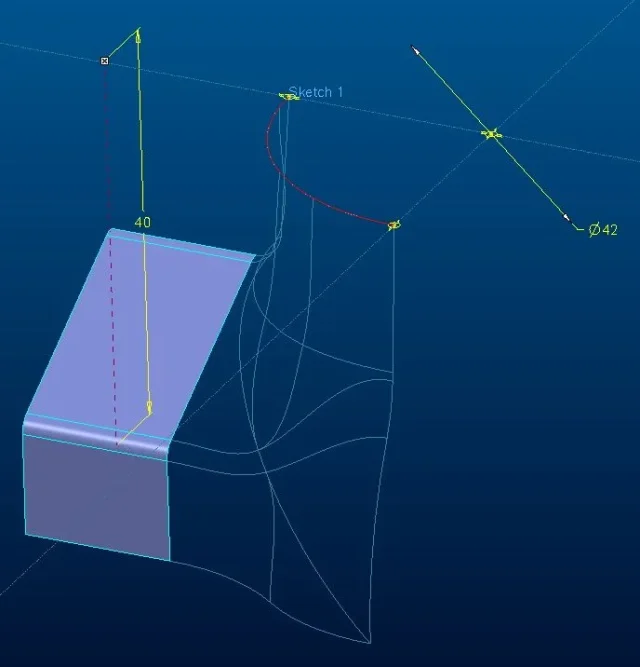
hello to all, I have to design a piece that will be made for molding and to do this I ventured into modeling for surfaces. I started with defining limit curves (by sketch or by point curve) but unfortunately given my little experience I can not get an acceptable surface.
I put the model I created with I create 1 in hope that someone can help me even with advice.

p.s. for reasons of symmetry I worked only on 1/4 of geometry because once I created the surface that I need the intent is to make mirrors and merges to get to the whole piece.

Thank you, a greeting
 

Attachments

you can't do boundary blend mainly for 2 reasons:
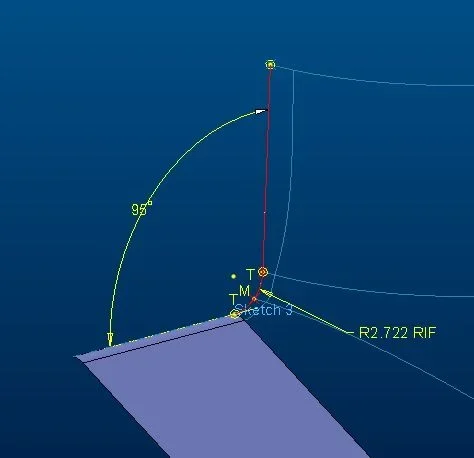
- the tangency/normal edge conditions are not congruent with what you want to achieve (the sloping sketch with conical radius 0.4 and the 2 profiles on the Cartesian planes cannot create a "soft" surface)
- you have to try to split the patch you want to do in a few areas with 4 boundary curves ( easier to say than to do)
If you give me a few tips about how you'd like me to try and make some sense. to do so I would need to know:
-The sketches on the reference planes have that geometry for a specific reason or have you hypothesized them to make the patch correct?
-What are the floors on which you would mirror the surface to get the finished piece?
-The two sloping surfaces that form a living edge can be collected or should remain like this?
 
hello, luca, thank you very much for the interest.

First of all, what I would like to achieve at the end is the fitting of a three-way valve modeled with a somewhat warlike and presentable surface (not so...). 0958_03022015.webp
-The sketches on the reference planes have that geometry for a specific reason or have you hypothesized them to make the patch correct?
the sketches that I would like to keep as contour are:sketch11001_03022015.webpsketch21001_03022015 (2).webpsketch3 (not binding)1022_03022015.webpand if possible (for aesthetic reasons) I would like to be able to control the geometry ofsketch41002_03022015.webpsketch51026_03022015.webp
-What are the floors on which you would mirror the surface to get the finished piece?
mirroring floors are front, right, e top
-The two sloping surfaces that form a living edge can be collected or should remain like this?
can be collected

I also attach the updated cad file.
Thank you very much, a greeting
 

Attachments

Hi.
Honestly, I did the job, and I took off some curves.
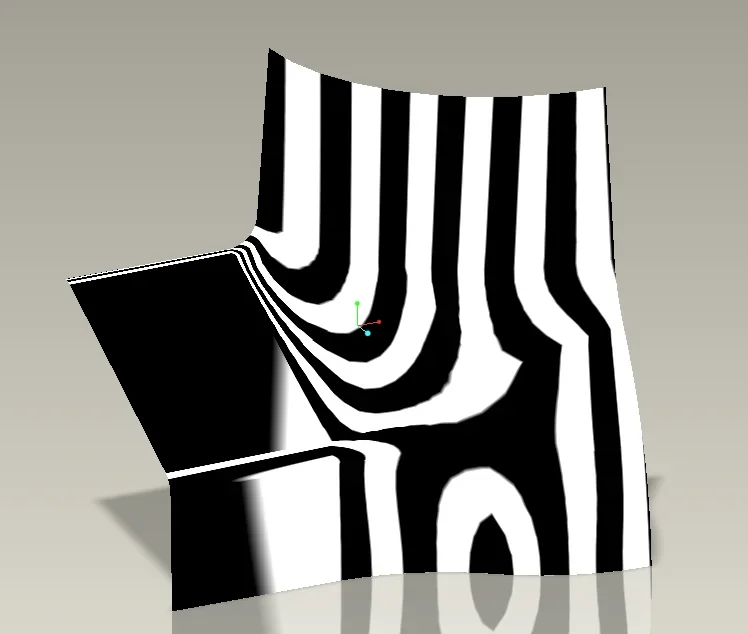
Everything is perfectly tangent even when you mirror.
I think you have to create before the surfaces, letting it be arranged (poke support curves)
and then after you found the closing of the tangences you can add more for greater control.
I didn't read everything you wrote.Cattura.webpCattura2.webpRemember when you create the blends to select the edges and corners intent, not the curves or sketches otherwise you will never get tangency.
also uses control points to decrease patches.
 

Attachments

Thank you so much mad! Too bad that I only have creo 1 and that therefore can not edit the features... I'll try and rebuild it myself as soon as I can devote myself. Your advice will be precious to me, thank you, soon
 
I'm gonna unload the 1.0 tonight and I'm gonna do it with that. It took me a little while.
 
Thank you so much! The only problem is the mirroring of the top floor I saw that it doesn't because it says that there are no references... bah:confused:
 
I send you the file with the mirror on the top floor.
I don't mind. send me your file with the failed feature?
I don't know if it's the case that the surfaces are short and so you have to extend and then trim.
 

Attachments

I'm perplexed... Actually, there's something weird.
I'm working with your last file and when I mirror I select union 3 first, then the plan, and finally it gives me error! to note the name in the card passes by mirror mirror ad join. will I be wrong or is there something more serious? ! ?
[youtube]a0a0c-k8fxy[/youtube]
 
from the video it seems to me to understand that you select the feature union and then make mirror. Is that right? Usually when working with mirror surfaces always merge surfaces and never features.
try to click on the surface with the right button, select "lists" and choose surfaces unions. now select the mirror command so it should work.
 
from the video it seems to me to understand that you select the feature union and then make mirror. Is that right?
Yes, exactly.
try to click on the surface with the right button, select "lists" and choose surfaces unions. now select the mirror command so it should work.
I tried so too and it gives me the same mistake... also selecting the union by making dx key, choose from list, then mirror always brings me to the feature union 3. then follows the same conclusion
 
Try to do that. put in the surface unions selection filter.
then select the surface and make mirror.Cattura.webpthe concept is that it mirrors geometry, not features as it was said.
 

Forum statistics

Threads
44,997
Messages
339,767
Members
4
Latest member
ibt

Members online

No members online now.
Back
Top