Maurog
Guest
hello and thanks to those who will help me. I follow this site but I always have a lot of difficulty entering the discussions in the right place. I also wanted to attach an excel file to clarify what I was asking but it does not allow me.
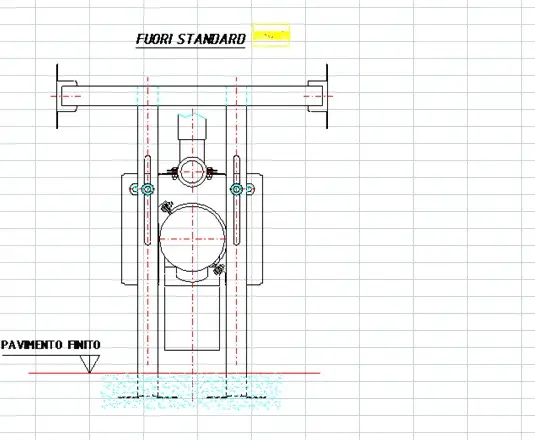
I created a table in inventor and then translated into autocad.
My purpose is to be able to insert it into an excel sheet also as an image with simple quotas.
example a column with height h1 (under floor), height h2 (over floor), height tot (h1+h2).
I would like to insert in the sheet excel h1 h2 and h tot is obtained with formula between cells, sum h1+h2
the values that I insert in excel I would like to see on the quotas of the column (I do not want to change geometrically but only visually the text)
Until now I have tried to insert an image but this covers my cells below it and I can't edit them. (see un editable cell files) how can I do it?
the only thing I managed to do is insert the image without quotas and draw them in a second moment in excel....but it's not what I wanted. (see compromised file)
Thank you very much
I created a table in inventor and then translated into autocad.
My purpose is to be able to insert it into an excel sheet also as an image with simple quotas.
example a column with height h1 (under floor), height h2 (over floor), height tot (h1+h2).
I would like to insert in the sheet excel h1 h2 and h tot is obtained with formula between cells, sum h1+h2
the values that I insert in excel I would like to see on the quotas of the column (I do not want to change geometrically but only visually the text)
Until now I have tried to insert an image but this covers my cells below it and I can't edit them. (see un editable cell files) how can I do it?
the only thing I managed to do is insert the image without quotas and draw them in a second moment in excel....but it's not what I wanted. (see compromised file)
Thank you very much