Ielenio
Guest
Good morning to all,
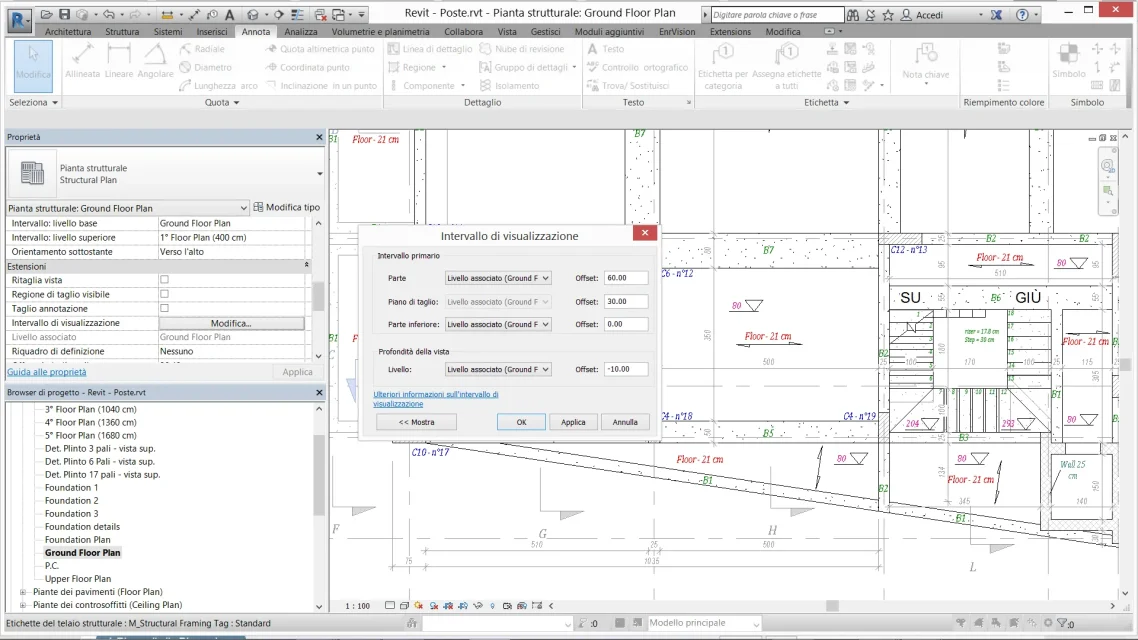
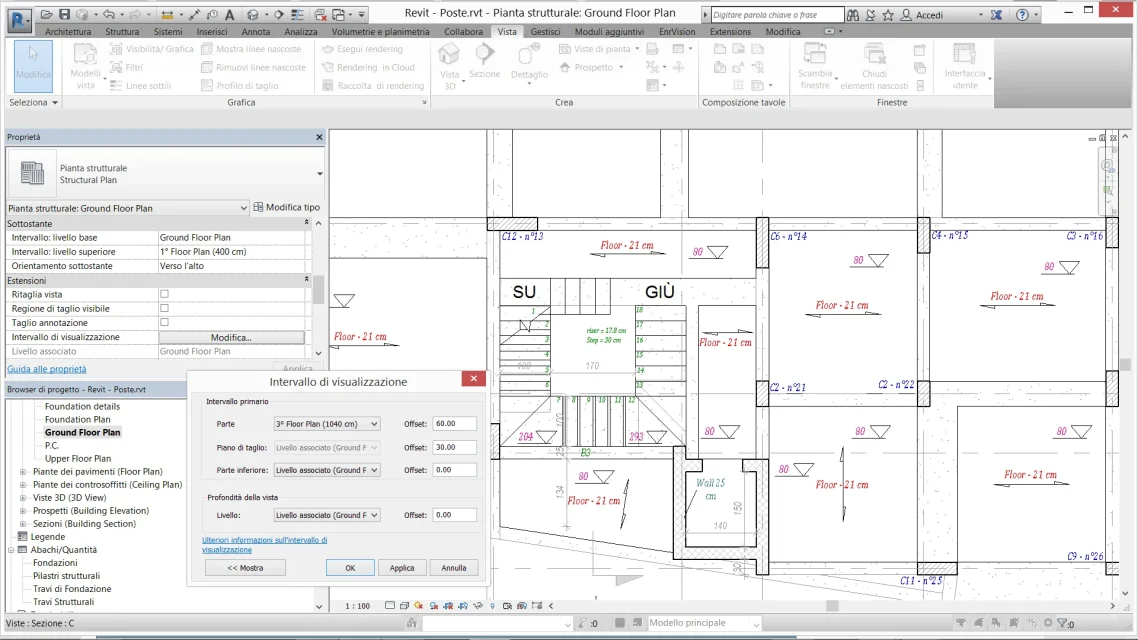
I have a problem with the viewing range in the first floor plan of an exercise I am doing.
I created, on the ground floor, a scale different from any of the 1st floor.
in the plan of the 1st floor unfortunately you see also the staircase below.
I tried to go to "visual/graphical replacements", but by popping up the various voices of "scale" I can't make it disappear.
I think I've been able to manage the "properties" range, but I'm probably wrong in something.
I hope I have been able to explain the problem correctly, some pious soul could help me, please.
Thanks always.
I have a problem with the viewing range in the first floor plan of an exercise I am doing.
I created, on the ground floor, a scale different from any of the 1st floor.
in the plan of the 1st floor unfortunately you see also the staircase below.
I tried to go to "visual/graphical replacements", but by popping up the various voices of "scale" I can't make it disappear.
I think I've been able to manage the "properties" range, but I'm probably wrong in something.
I hope I have been able to explain the problem correctly, some pious soul could help me, please.
Thanks always.