• This forum is the machine-generated translation of www.cad3d.it/forum1 - the Italian design community. Several terms are not translated correctly.

draw a curved surface inscribed in a rectangle

  • Thread starter Thread starter sergiorustici
  • Start date Start date

sergiorustici

Guest
Hello everyone
....
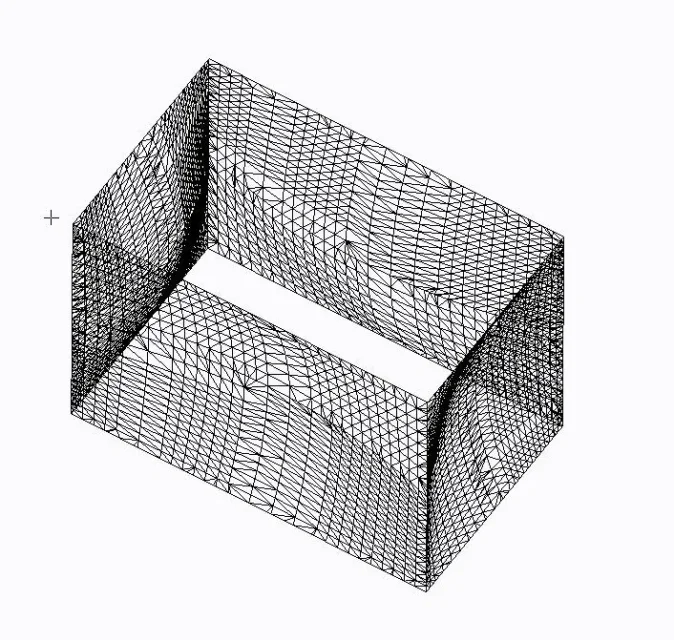
I have to draw a surface (with autocad 2013 ) curve but closed by a rectangle ( allego photo of example )
If you can help me please. I have the dxf in 3d, but I can't create the surface,
They gave me the photo but they don't want to explain how they did it, thank you very much for those who wanted to help me I'm desperateIMG_7606.webp
 
Last edited by a moderator:
Hello everyone
....
I have to draw a surface (with autocad 2013 ) curve but closed by a rectangle ( allego photo of example )
If you can help me please. I have the dxf in 3d, but I can't create the surface,
They gave me the photo but they don't want to explain how they did it, thank you very much for those who wanted to help me I'm desperate
"surface curve but closed by a rectangle" is such a vague definition that it is essentially meaningless.
If they gave you the photo attach that, it goes there, that from the image you posted you do not understand what you need
 
Hi.
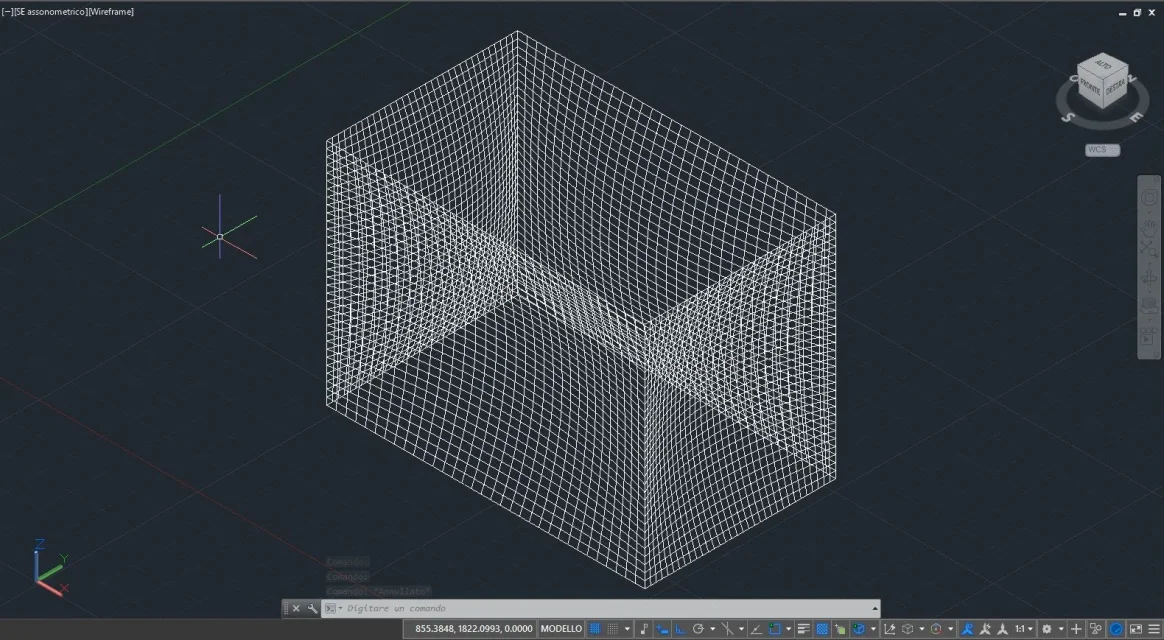
Thanks for your interest, the cube is convexed on 4 sides, I attach photo of the dwg and 1 that I made a test in autocad,
But I can't create this kind of surface, all should be a solid (tilt for numerical control), edges must remain straight.
I hope I've explained better,
Thanks againDWG.webpprova.webp
 
Hi.
I tried them all a bit, even using the loft command
nothing happens, I use the 2d well but with the 3d I would need a little help
I saw a lot of videos, but nothing about it
Thank you.
 
Hi.
I'm sorry.
Would you have any ideas, please?
or link with some demonstration
Good day
Thank you.
 
How?[video]https://screencast.autodesk.com/embed/timeline/15e851b2-27c1-4230-9640-5d6b9ae5ab2a[/video]
 
Thank you.
for your concern to my problem,
already solved with Mr Tristan
Good evening
 
Hi.
sorry if abuse of your kindness, your video was very helpful :finger:
I would like to ask you one last thing, because my mesh is not so thick as (the ones of the boy that as I explained to you does not want to tell me anything )IMG_7622.webpLE MIE MESH.webp Thank you very much
Good evening
 
mine is a superfice loft, and even exploding it remains so, already tried now,
Thank you.
 
you should try changing the value of the facetres variable
this system variable allows to redefine the mesh density, the valid values are between 0.01 and 10.0.
Hi.
 
hello thanks for your interest
I have tried with your advice, but I do not see any difference in cad, but I see it when I go out in stl, for machine processing, of course when I do even thicken,
But my design is in superfice loft, not in mesh.
Thank you.
 
Hi.
I'm still here to disturb you.
I attach 3 photos, one with increase isolineee and transformed into stl for processing with autocad, one in processing but there are red spots that are not good (because they are read as different thicknesses ) , while the third I imported the simple dwg created as you had excellently explained in rhino and saved in stl without any modification and in working as you see in the third photo is perfect. but what I see in the drawing that I was sent the lines are composed differently do not turn out to squares, I hope to have explained , is that I can not understand, according to me it has not only used transversal drawings.
Anyway I solved with your explanation and transformation into rhino.
thanks and good eveningaumento ISOLINEEE U-V.webpIN LAVORAZIONE CON TRASFORMAZIONE DI RHINO.webpSTL IN LAVORAZIONE.webp
 
the design they sent you is composed of mesh. how the mesh was created we cannot know. . .
 
Hi.
Thank you for the answer,
In fact, it is as I imagined, however, as you have seen from the drawings I solved, but still thanks to your initial help.
Thanks again
Good weekend
 

Forum statistics

Threads
44,997
Messages
339,767
Members
4
Latest member
ibt

Members online

No members online now.
Back
Top