
graziano-g
Guest
hi, I find the use of equations to change the components in extreme utility sheet both for the first modeled body and for those that differ from it in some sizes so they will be new codes in the same together or in different assemblies. Of course, the code I refer to, alphanumeric, is the code assigned in pdm.
I noticed, however, that, starting from a basic flange tab to which I apply a flange of the edge, if I change the flange profile by intervening the appropriate function activated by the button under the flange parameters box, then I modify the flange geometry, eliminating the geometric relationships and inserting angles and dimensions to the various segments, the values inserted do not appear among the values shown in the table equations therefore to change that geometry
if I do not change the flange of the edge as described above what for me is a problem does not arise.
Am I wrong? Does anyone have any idea how to solve it then see all the parameters that contribute to the modification of the solid sheet ?
Thank you.
sw2020
I noticed, however, that, starting from a basic flange tab to which I apply a flange of the edge, if I change the flange profile by intervening the appropriate function activated by the button under the flange parameters box, then I modify the flange geometry, eliminating the geometric relationships and inserting angles and dimensions to the various segments, the values inserted do not appear among the values shown in the table equations therefore to change that geometry
if I do not change the flange of the edge as described above what for me is a problem does not arise.
Am I wrong? Does anyone have any idea how to solve it then see all the parameters that contribute to the modification of the solid sheet ?
Thank you.
sw2020
Attachments
-
 Immagine 2022-05-19 220549.webp19.7 KB · Views: 6
 -
 Immagine 2022-05-19 220630.webp26.6 KB · Views: 6
 -
 Immagine 2022-05-19 220717.webp21 KB · Views: 6
 -
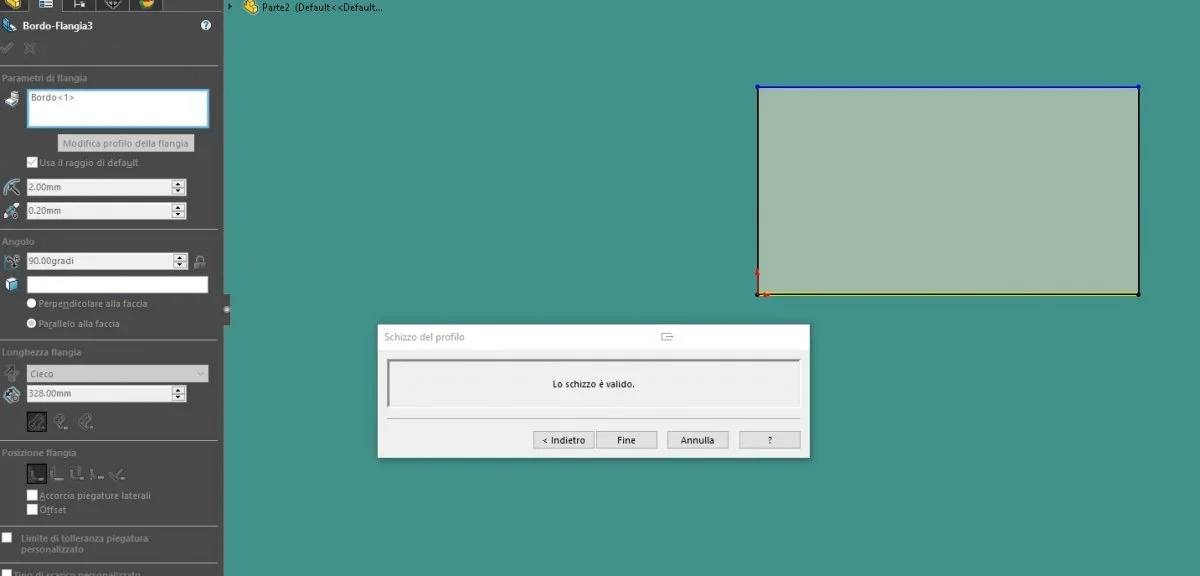 Immagine 2022-05-19 220806.webp16.2 KB · Views: 6
 -
 Immagine 2022-05-19 221220.webp19.9 KB · Views: 5
 -
 Immagine 2022-05-19 221500.webp22.6 KB · Views: 4
 -
 Immagine 2022-05-19 221618.webp18.4 KB · Views: 4
 -
 Immagine 2022-05-19 221638.webp25.7 KB · Views: 6