
Virgundo
Guest
Good morning to all,
I have a problem about creating a sweep using creo 2.0.
I would like to create this particular that is not another aluminum profile that then in reality is fallen.
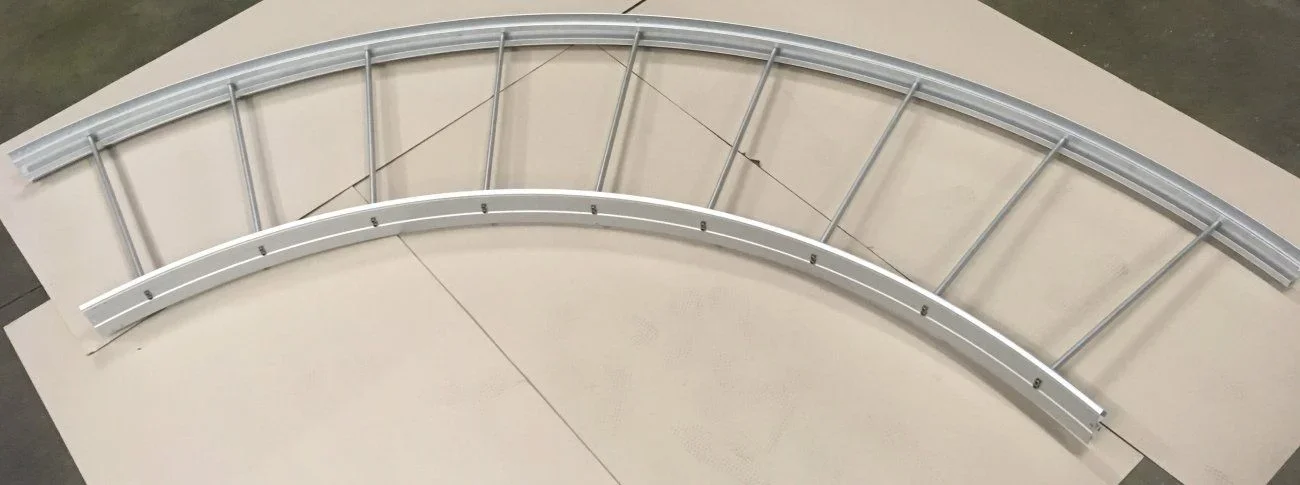 so I proceed like this:
- amount drawing sketch from a .dwg file;
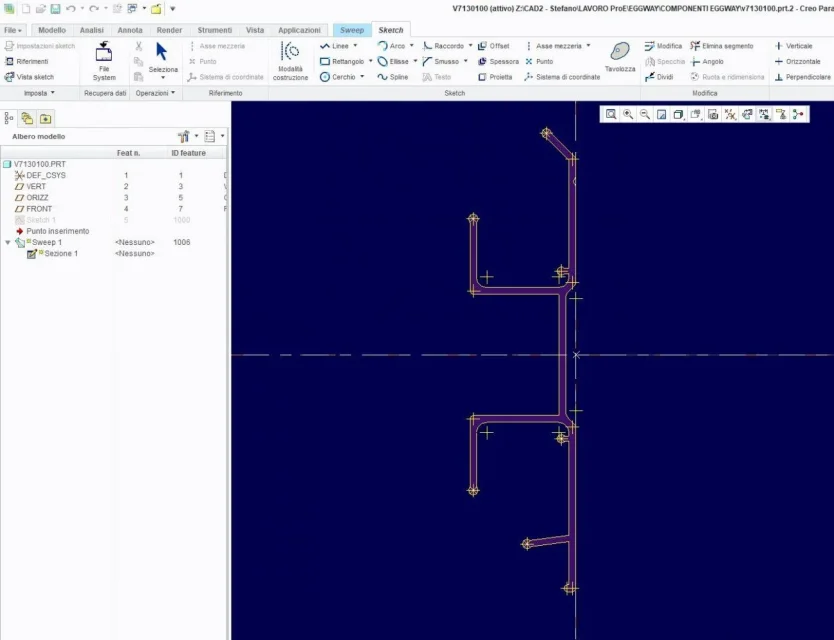 - I open the sweep and create the trajectory that is nothing but a ray;
 - and practically as you can see from the photo the curve comes out all spigolosa;
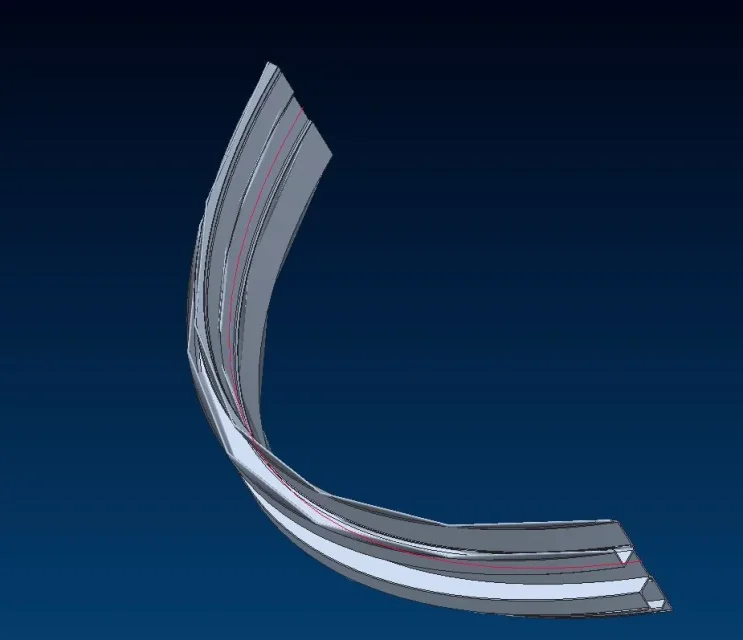 You know where I'm wrong? the error is given to me only if I use it as a display option "shaded with edges" because in case I go to choose another option that is not "shaded" the errors are not there.
Here's the picture.
 I thank you and hope I have not broken any rules of the forum.
stefano.
I have a problem about creating a sweep using creo 2.0.
I would like to create this particular that is not another aluminum profile that then in reality is fallen.
so I proceed like this:- amount drawing sketch from a .dwg file;
- I open the sweep and create the trajectory that is nothing but a ray;- and practically as you can see from the photo the curve comes out all spigolosa;You know where I'm wrong? the error is given to me only if I use it as a display option "shaded with edges" because in case I go to choose another option that is not "shaded" the errors are not there.Here's the picture.
I thank you and hope I have not broken any rules of the forum.stefano.
