
You are using an out of date browser. It may not display this or other websites correctly.
You should upgrade or use an alternative browser.
You should upgrade or use an alternative browser.
LaboratorioDieci
Guest

MassiVonWeizen
Guest
you do not need to cheat, also because it is assumed that the exam previews the clean use of the software.
the method is trivial even if not intuitive.
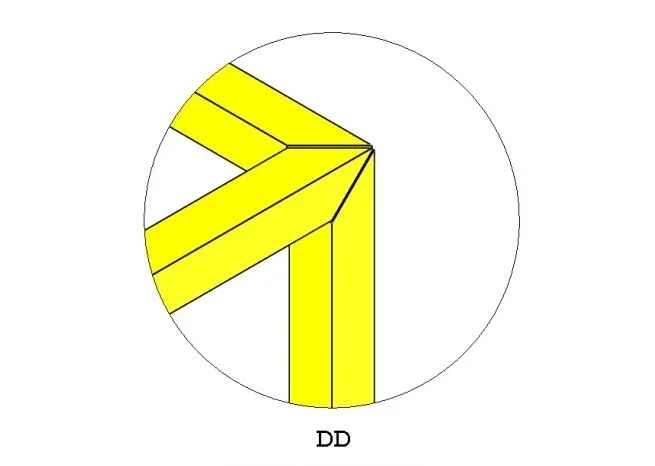
you do the sketch of the three strokes
the structural elements function
in the first group you put the two upper sections, you set angle shortening and you put the game of 3 mm
in the second group puts the vertical section.
do not close the function
Now, if you be careful, at the intersection of the three sections you see a purple ball. Clicking on it appears a window that allows to manage the type of intersection between the tubes. because when you do an automatic shortening then you can also decide, without having to do the short/sleeping function, to do it head or 45°. just set the first 45° shortening, then switch to the second, changing the order parameter of shortening, which will be automatically set to 45° as the first (in this case it is an unchangeable parameter).
I hope to have been clear, I cannot post pictures at the moment
the method is trivial even if not intuitive.
you do the sketch of the three strokes
the structural elements function
in the first group you put the two upper sections, you set angle shortening and you put the game of 3 mm
in the second group puts the vertical section.
do not close the function
Now, if you be careful, at the intersection of the three sections you see a purple ball. Clicking on it appears a window that allows to manage the type of intersection between the tubes. because when you do an automatic shortening then you can also decide, without having to do the short/sleeping function, to do it head or 45°. just set the first 45° shortening, then switch to the second, changing the order parameter of shortening, which will be automatically set to 45° as the first (in this case it is an unchangeable parameter).
I hope to have been clear, I cannot post pictures at the moment
LaboratorioDieci
Guest
simple and elegant! congratulations! !you do not need to cheat, also because it is assumed that the exam previews the clean use of the software.
the method is trivial even if not intuitive.
you do the sketch of the three strokes
the structural elements function
in the first group you put the two upper sections, you set angle shortening and you put the game of 3 mm
in the second group puts the vertical section.
do not close the function
Now, if you be careful, at the intersection of the three sections you see a purple ball. Clicking on it appears a window that allows to manage the type of intersection between the tubes. because when you do an automatic shortening then you can also decide, without having to do the short/sleeping function, to do it head or 45°. just set the first 45° shortening, then switch to the second, changing the order parameter of shortening, which will be automatically set to 45° as the first (in this case it is an unchangeable parameter).
I hope to have been clear, I cannot post pictures at the moment
gianniturbina
Guest
Thanks massive! you were very clear.
ok there are; but it is possible to do so with the function of shortness/extensions?
or do you have to choose from the first welding function?
I have tried and tried with shortness/extended having already the upper frame to rectangle cut to 45° with 3mm game but I did not manage to add the vertical leg cut to 45 compared to the two tubulars.
as described by you boulders I tried and managed!
ok there are; but it is possible to do so with the function of shortness/extensions?
or do you have to choose from the first welding function?
I have tried and tried with shortness/extended having already the upper frame to rectangle cut to 45° with 3mm game but I did not manage to add the vertical leg cut to 45 compared to the two tubulars.
as described by you boulders I tried and managed!
I'm afraid that you don't have the automatic cut of the profiles that was the ultimate goal of the exercise.I have no experience, but having done the basic course recently I imagine it is necessary to cheat a little...
Attachments

Last edited:
LaboratorioDieci
Guest
If it's for the cut, my method works. but the right method is that of mass, it does not rain!I'm afraid that you don't have the automatic cut of the profiles that was the ultimate goal of the exercise.
Attachments
MassiVonWeizen
Guest
nok there are; but is it possible to do so with the function of shortness/extensions?
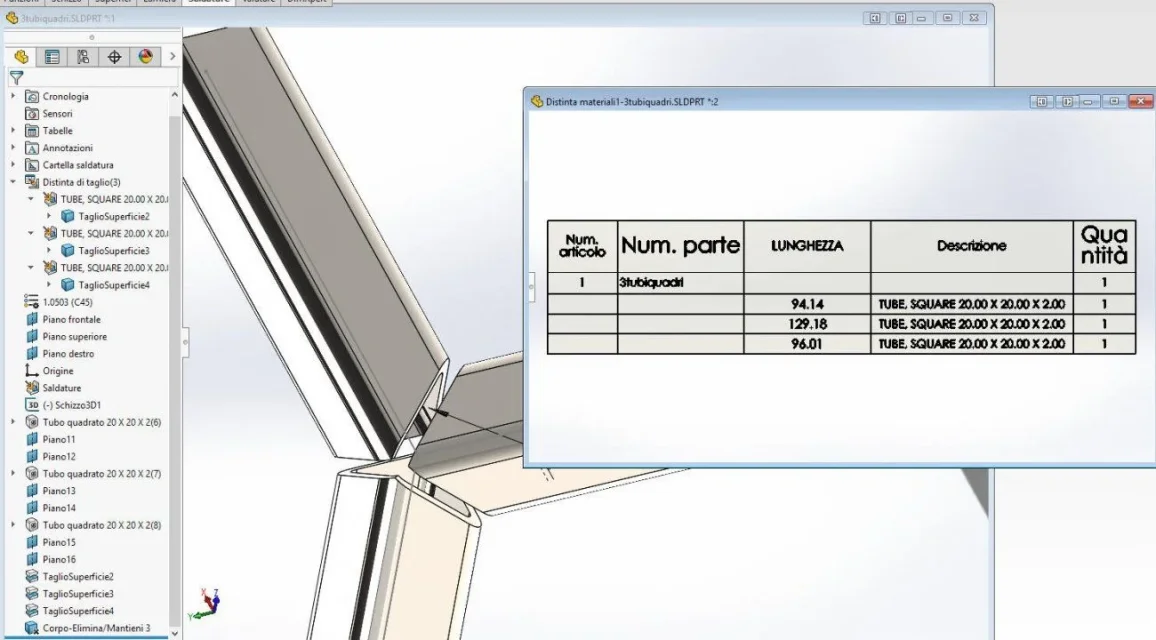
the properties of the structural element, meaning those that are automatically compiled and which are length and angle1, angle2 and total length (from 2016), are created and managed autonomously and automatically detect geometry regardless of the functions that are done on it. if you add a cut the length varies accordingly; if you add material that changes the angle of one of the ends this property will change.In this way I'm afraid that you don't have the automatic cutting of profiles
just a little to verify it: make a framework structural element 100 long, on one of the side faces drawn a triangle, quote the catetus and the corner, extrude it to the opposite surface and put the tick to join result; in the properties you will see that they will be changed compared to before
gianniturbina
Guest
ok perfect; Clear. thanks to all