Solid User
Guest
Good afternoon to all.
I have native rhino .3dm files that I must export and then open in solid edge.
I downloaded rhino7, evaluation version valid 90 days.
Once you open the file in rhino, this looks like a set of different objects on different layers. And that's what I expect.
to export: select the components that interest me and then export to .stp, select the ap214 format.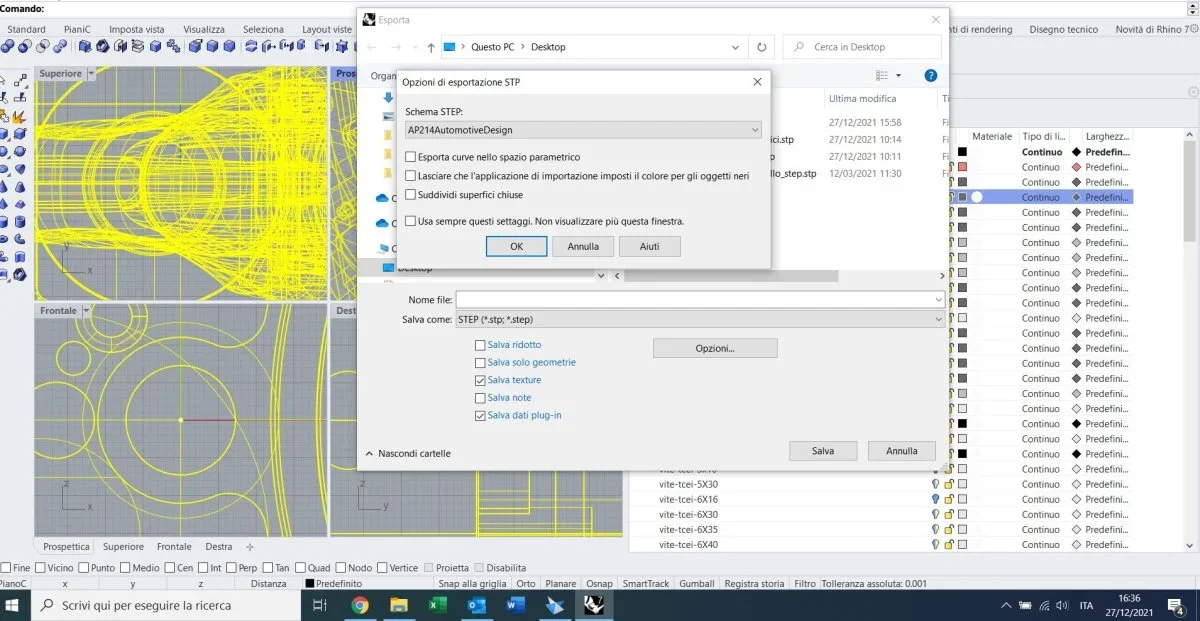 when I open the .stp file in solid edge, I find myself a single piece. This piece consists of the only external skins (i.e. if I make a section the components are empty) "fuse together", I no longer have a tree where I can select the individual objects.
Does anyone know how to help me export the file made up of a set including all the separate components?
thanks in advance to all!
I have native rhino .3dm files that I must export and then open in solid edge.
I downloaded rhino7, evaluation version valid 90 days.
Once you open the file in rhino, this looks like a set of different objects on different layers. And that's what I expect.
to export: select the components that interest me and then export to .stp, select the ap214 format.
when I open the .stp file in solid edge, I find myself a single piece. This piece consists of the only external skins (i.e. if I make a section the components are empty) "fuse together", I no longer have a tree where I can select the individual objects.Does anyone know how to help me export the file made up of a set including all the separate components?
thanks in advance to all!