• This forum is the machine-generated translation of www.cad3d.it/forum1 - the Italian design community. Several terms are not translated correctly.

extrapolation problem

  • Thread starter Thread starter Oxcart12
  • Start date Start date

Oxcart12

Guest
Good morning to all,
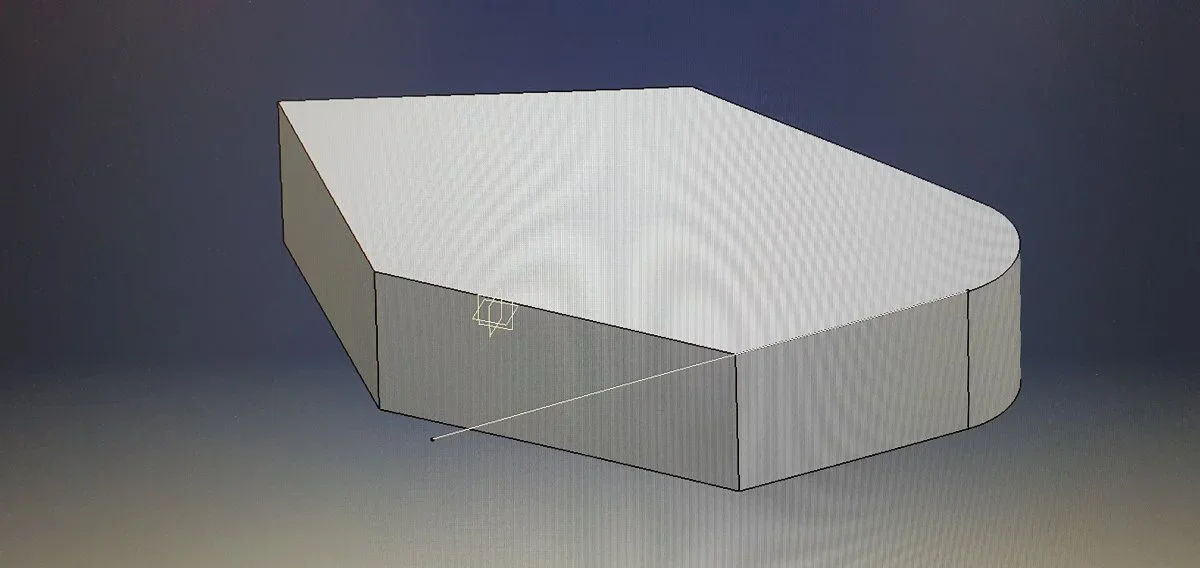
I have a problem with extrapolations in gsd. when for example they select a point on the surface or part and then the relative edge to extrapolate the edge itself, if it is tangent to the adjacent one, the estrap lengthens the edge in wireframe on the side of the point but it propagates automatically on the opposite side by joining everything that is tangent.
You know where I can fix this?
 
attach an image, otherwise you understand little...

the extrapolar command
(for a surface) accepts the edge selection and then the surface and extrapolates the surface
(for a curve) accepts the point selection and then the curve and extrapolates the curve
and if you do not have them as wireframe consider the geometry of the surface itself,
I now believe that in your case the geometry of the surface is in tangency for which it propagates and maybe you should extract the wireframe and cut it where you need it, but without seeing it hard to understand.
 
Hi, gianni,
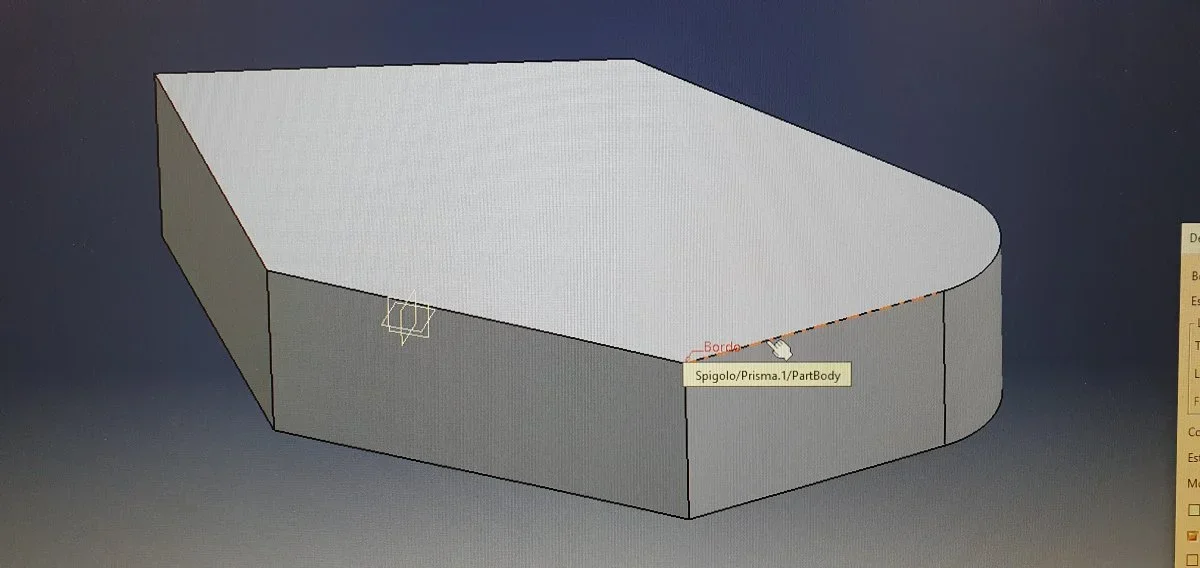
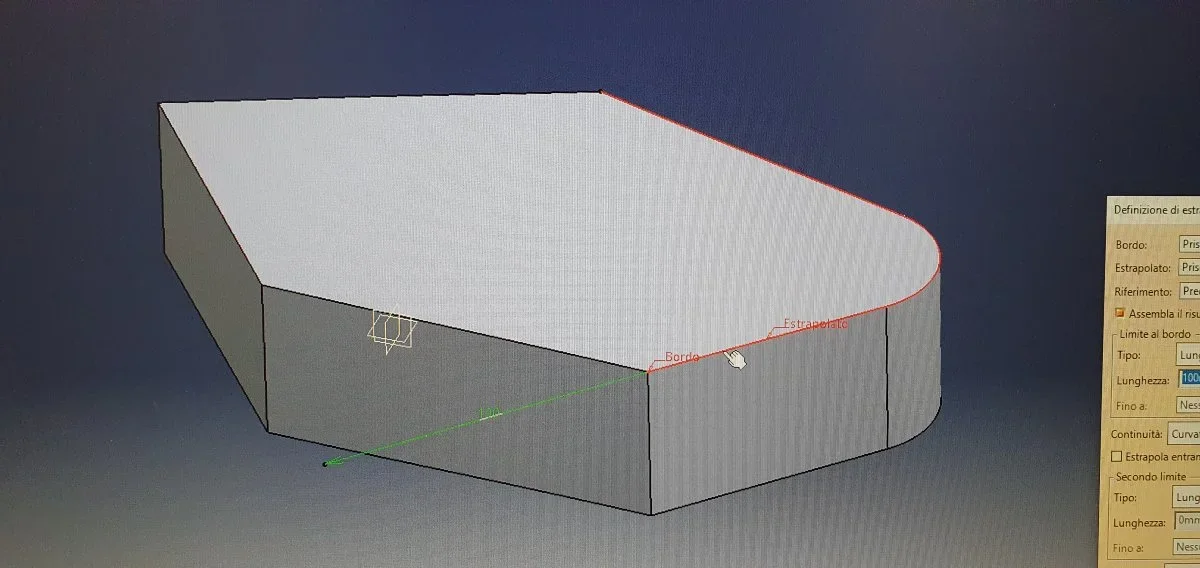
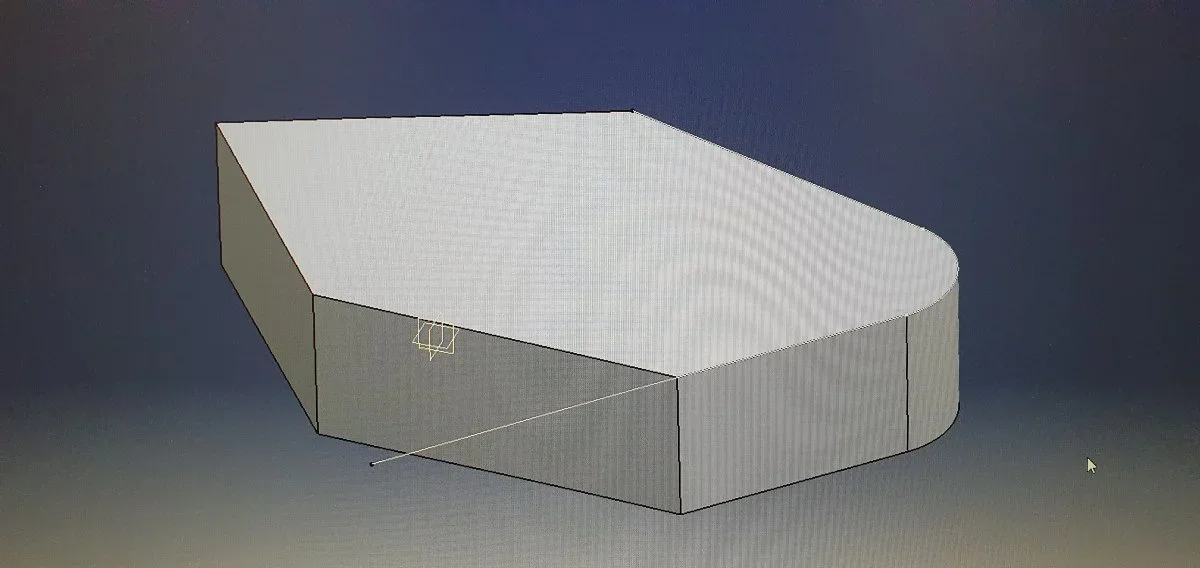
if you follow the sequence of images below attached, see how the program behaves right now. if I want to extrapolate an edge through one of its vertices, at the end of this will give me the elongated edge of the chosen quota, but propagated in tangence with adjacent edges.
20240216_083430.webp
20240216_083437.webp
20240216_083443.webp
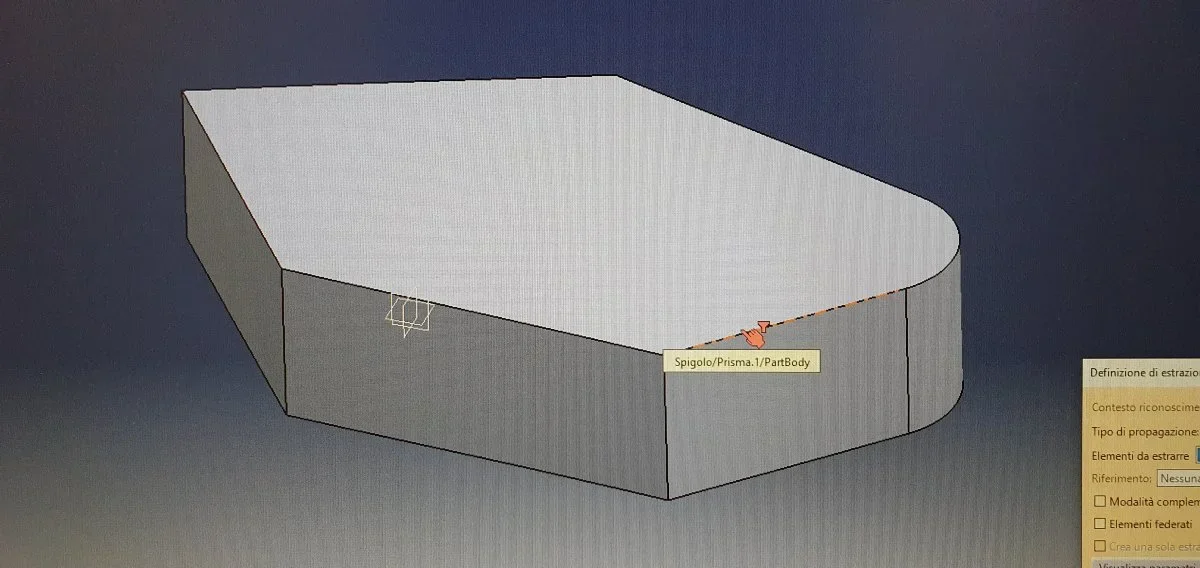
20240216_083450.webpif instead I use the context menu I can get the simple extrapolation of the selected edge only. But I have an extra step and I don't explain why now do this.
20240216_083559.webp
20240216_083513.webp
20240216_083532.webp
20240216_083537.webpWhat is that red hand with the hourglass?
 

Attachments

  • 20240216_083437.webp
    20240216_083437.webp
    63.1 KB · Views: 4
hi, the red hand with the hourglass is due to the fact that you have an active user selection filter (in case the filter secondary elements.
I have reproduced your case, and it does not propagate to me. I use r21 and you? I wonder why your command has different modifiers. . .
 
try to postpone the images so that you see the full command, maybe by acting on the parameters you limit propagation
 
Hi, gianni,
you will not believe it, but today there is no more the user selection filter activated and not even the problem that I reported you no more...I don't know home tell. Mysteries of Catia v5
 
Hi, gianni,
if you follow the sequence of images below attached, see how the program behaves right now. if I want to extrapolate an edge through one of its vertices, at the end of this will give me the elongated edge of the chosen quota, but propagated in tangence with adjacent edges.
View attachment 70439
View attachment 70441
View attachment 70442
View attachment 70443if instead I use the context menu I can get the simple extrapolation of the selected edge only. But I have an extra step and I don't explain why now do this.
View attachment 70444
View attachment 70445
View attachment 70446
View attachment 70447What is that red hand with the hourglass?
If I do an extrapolation so on the side that it varies of the solid and then instead of extruding the solid for 35-40 mm I extrude it for 100mm, to me, generally, the first thing that appears during a "update" is a window in which he asks me to re-check the point.
 
It must be a full update or not. in the sense that in the update the edge changes completely and therefore the program does not know which must be taken as a point. I hope I explained.
 

Forum statistics

Threads
44,997
Messages
339,767
Members
4
Latest member
ibt

Members online

No members online now.
Back
Top