hunter81
Guest
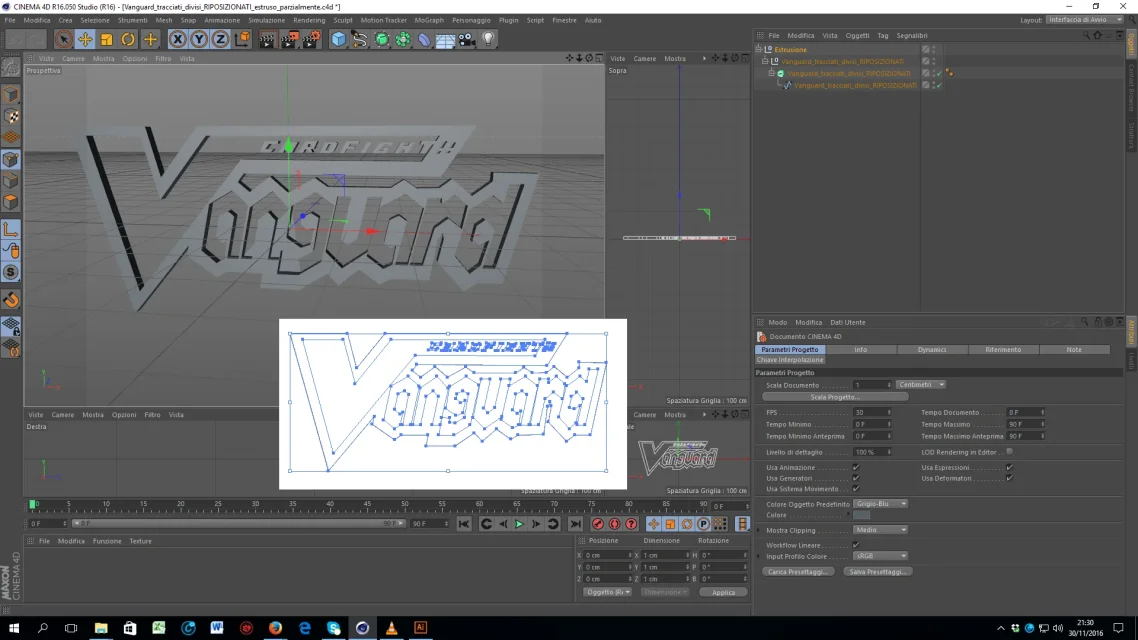
It's the first time I've been citing myself with the comendo of extrusion, and what I wanted to accomplish is given by the jpg I referred to.
What I wanted to know is:
1) you can directly extrude a jpg image? (in the sense that it is not enough for me to give it a thickness, from the jpg in addition to the red front, there are white, blue, and dark blue edges. )
I wanted to do so to extrude those areas (actually the red facade would have remained the main one, the other two would have been the "oblique" areas created by the bevelling cap effect, and then there would have been the extrusion that would have given thickness to the writing)
2) if you could not do it, you would help me understand the way to color it by making sure that:
- the main facade is red
- the oblique area created by the "smusing cap" either white or blue (I arrange with the color, I just wanted to understand how it acts on that area of the writing)
3) you have noticed from the jpg that the "v" of the writing, is stretched over the other letters. is it possible to make a change of that kind on a single letter? (Tell me how, thank you)

What I wanted to know is:
1) you can directly extrude a jpg image? (in the sense that it is not enough for me to give it a thickness, from the jpg in addition to the red front, there are white, blue, and dark blue edges. )
I wanted to do so to extrude those areas (actually the red facade would have remained the main one, the other two would have been the "oblique" areas created by the bevelling cap effect, and then there would have been the extrusion that would have given thickness to the writing)
2) if you could not do it, you would help me understand the way to color it by making sure that:
- the main facade is red
- the oblique area created by the "smusing cap" either white or blue (I arrange with the color, I just wanted to understand how it acts on that area of the writing)
3) you have noticed from the jpg that the "v" of the writing, is stretched over the other letters. is it possible to make a change of that kind on a single letter? (Tell me how, thank you)