• This forum is the machine-generated translation of www.cad3d.it/forum1 - the Italian design community. Several terms are not translated correctly.

first printing, other problems

  • Thread starter Thread starter zetadierre
  • Start date Start date

zetadierre

Guest
Good morning.

I did my first print. to print I used paper 90 gr in a plotter at university (a hp 800 ps), and of course the machine was a repentum iv with beard and long nails. .

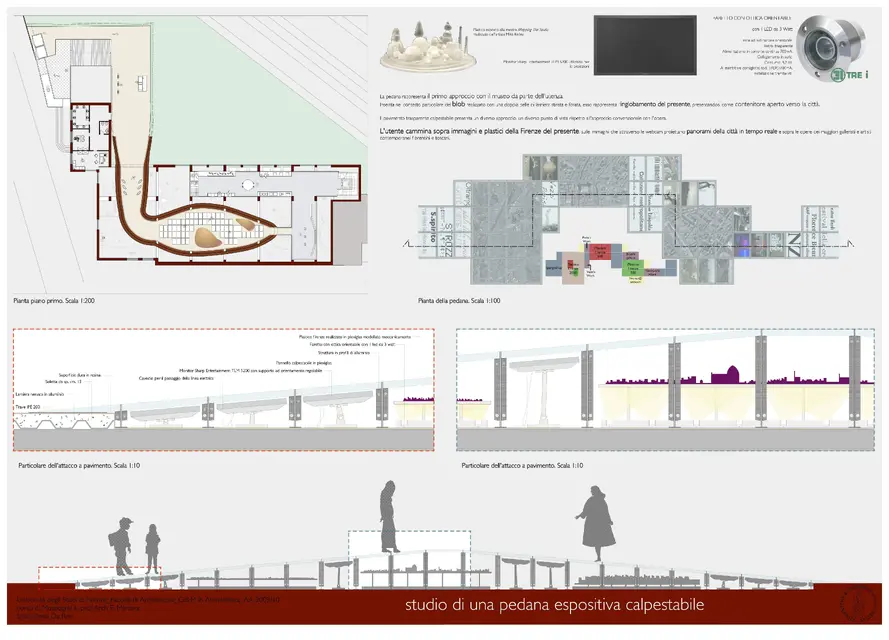
I tried to print it in pdf but the plan of the pedana (the blue thing that you see at the top right) is a group formed by 3 or r viewport and to load it the piv did not want to know.

I then opted for a tiff, with the wise consequence of loss of color loyalty.

how can I save a pdf without levels, as if it were just an image, directly from vectorworks? It's clear that he had some information in that carriola computer reader 6 couldn't handle... for me it is important to understand this because now for the thesis I should buy me paper and cartridges but if from the laboratory of the unit I can not print in pdf I would leave. . .

Besides, I noticed that he lost the info of a character, and that it is not possible to give antialaising to the text... What I would love to do.. .

can these problems be solved? thanks and good spring start to all
 

Attachments

  • Revisione 26 marzo.webp
    Revisione 26 marzo.webp
    837.5 KB · Views: 22
from the mac, give the "print" command and choose "record as pdf" (in the pdf button). In this way the press is rasterized. problems you see are probably caused by the postscript interpreter of the plotter, which often goes into crisis with the complexity of pdf data created by vectorworks.
the other proof you can do is use the native vw pdf and use the non postcript driver (if in the pc is installed). This way you should get the best quality possible.
 
from the mac, give the "print" command and choose "record as pdf" (in the pdf button). In this way the press is rasterized. problems you see are probably caused by the postscript interpreter of the plotter, which often goes into crisis with the complexity of pdf data created by vectorworks.
I didn't think about it.
the other proof you can do is use the native vw pdf and use the non postcript driver (if in the pc is installed). This way you should get the best quality possible.
What are you talking about? of vw file viewer? :confused:


Thank you.
 
the hp 800ps we also had it here and is old, and I remember the problems with pdf "rich" of special effects;-)
the problem is not having a pdf with or without levels, but eliminating the information contained in the pdf itself that the rip fails to process.
The only way is to raster him. But you shouldn't have any color problems, I think it's weird. export a good quality pdf, so you do not have too much data loss.
I do.
 
excuse but to raster a pdf or make a tiff does not change anything I imagine. . .
 
I can't do it anyway. .

if I go from file>print> record as pdf and save after giving it the format a1 from the print format menu generates me huge files. .

uff.. can I ask someone to tell me step by step what to do starting from the table in the presentation layer?
 
I show the settings, maybe it's something I miss

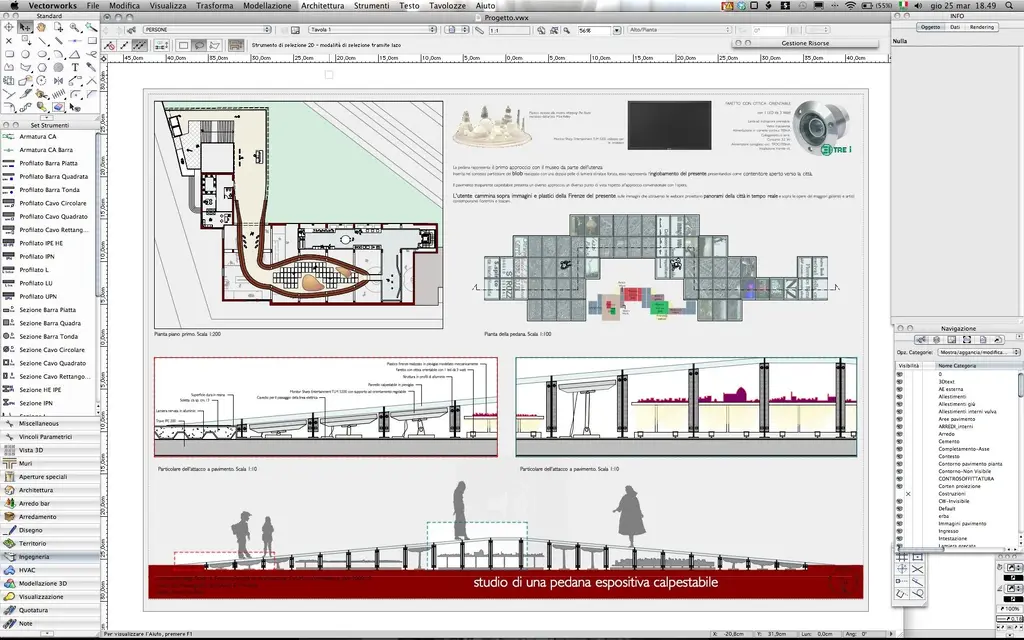
1) presentation layer in vw
2) print settings with the horizontal a1 format set by me
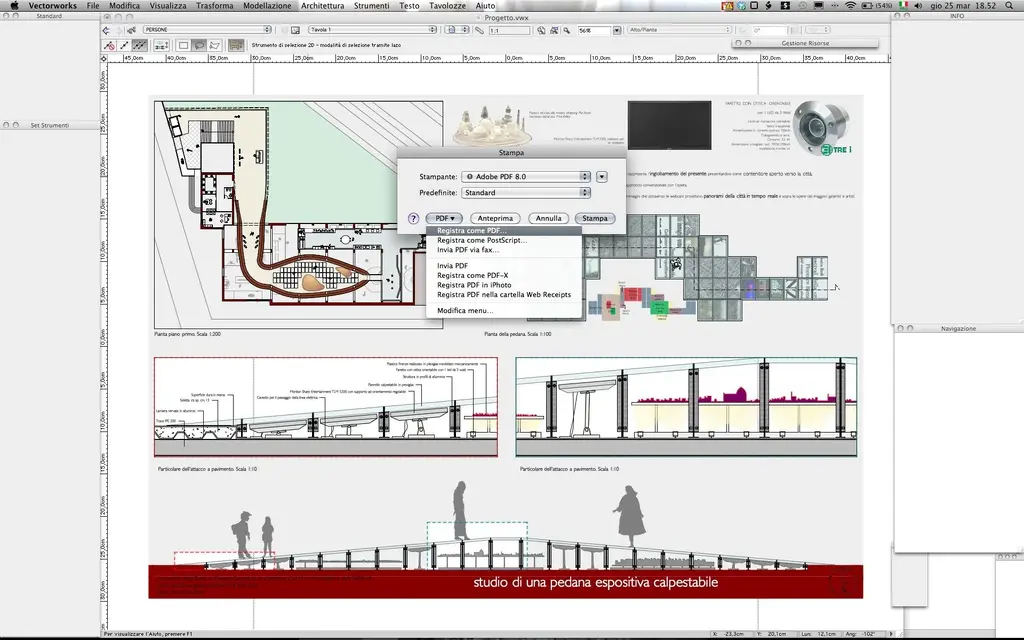
3) pdf printing window dialog

the process is always that

first part well, then the temporary pdf file arrives at 50 mb, then it blocks everything and I am forced to make a forced exit
 

Attachments

  • 1.webp
    1.webp
    285 KB · Views: 10
  • 2.webp
    2.webp
    200.3 KB · Views: 10
  • 3.webp
    3.webp
    198.9 KB · Views: 8
If you use the virtual adobe printer you don't need to go to save in pdf. "record pdf" generates a pdf from system. the adobe printer from distiller. It's two different things.
the system tends to make pdf rather full (and in fact there is always the tail of colleagues in front of my computer.. . ).
I don't know how he's so heavy. how much does your file weigh?
I know that rasterizing is not the best, but if the plotter doesn't make it, I'd say you have no other solution.
 
If you use the virtual adobe printer you don't need to go to save in pdf. "record pdf" generates a pdf from system. the adobe printer from distiller. It's two different things.
the system tends to make pdf rather full (and in fact there is always the tail of colleagues in front of my computer.. . ).
I don't know how he's so heavy. how much does your file weigh?
I know that rasterizing is not the best, but if the plotter doesn't make it, I'd say you have no other solution.
I think I miss the notions to be behind all the speech.

1) rasterizing pdf means making a tiff? or means to maintain a pdf without levels... because the second one would be good

2) the file weighs 14 mega, the vector file. But no come on, it's stupid. I don't think that's what

the fact is that I used this method also for ps prints... in fact I remembered it.. and there I did bad things... a0 to 200 dpi 3 minutes and shot her.. with 500 mega table... I'm sure or I'm wrong or it's the software that has some problem. I would opt for the first hypothesis given my ignorance in the matter :biggrin:
 
the pdf exported by vw keeps vector data. You can see it zooming: you will notice that the design lines remain thin and, unlike the images, you will never see the pixels.
since the information contained in the pdf annoy the older postscript interpreters, who are not able to translate them correctly, there is nothing left to simplify their life by giving them "predigested" information that is rasterized files (in essence images), where, in fact, there are no more vector data or / and descriptions of transparencies, shades, etc... but only pixels, the only data that can chew safely.
So, yes, it does a nice high quality jpg (minimum compression) and feed it to it.
 
And I think I'll do that. .

Anyway... I would like to understand why if I make "export pdf" it exports me easy, and I with my mac I put 2 seconds to see it all from preview, with the levels of... vector but if I want to "print" a pdf with machine I can't print it. . .

to tell the truth in one of the attempts tonight something must have printed.. I sent in the press with adobe I don't remember that 8.0 was there half an hour without asking myself or to ne ba and then finished but I don't know where it ended.

At this point you go off topic... how do I convert my pdf created with export pdf to a pdf without levels? Argh. next time I install the plotter on the mac and party over.. .
 
but if I want to "print" a pdf with machine I can't print it. . .
There is a certain difference between displaying and printing. printing is a process of "translation" where what you imagine is transformed into data for printing. I'm just an architect. I can't tell you more.
I sent in the press with adobe I don't remember that 8.0 was there half an hour without asking myself or to ne ba and then finished but I don't know where it ended.
If you're on snow leopard that printer doesn't work anymore. You can delete it.
how do I convert my pdf created with export pdf to a pdf without levels? Argh. next time I install the plotter on the mac and party over.. .
the levels have little to do, except that there will be only one, unless you have exported the pdf by vw telling him to keep your classes.
are not the levels that disturb the plotter, but the transparencies, the retini, the nuances, maybe the most recent fonts.. .
rasterizing pdf all these elements lose their characteristics and become simple pixels.
I do.
 

Forum statistics

Threads
44,997
Messages
339,767
Members
4
Latest member
ibt

Members online

No members online now.
Back
Top