
You are using an out of date browser. It may not display this or other websites correctly.
You should upgrade or use an alternative browser.
You should upgrade or use an alternative browser.
GiGa
Guest
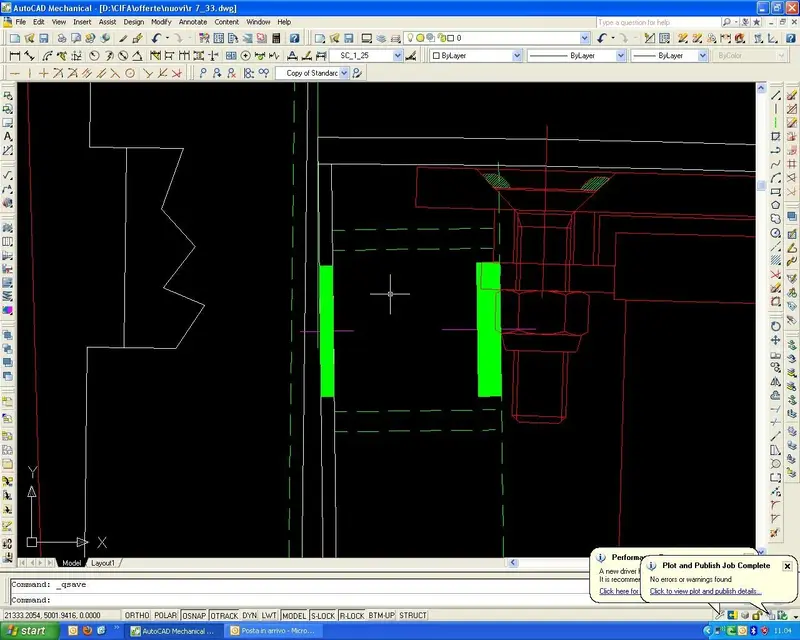
But you mean the two green rectangles?
...and so I've done a lot of structures in many years, but I don't remember ever seeing holes in that way... I admit my ignorance.. .
...and so I've done a lot of structures in many years, but I don't remember ever seeing holes in that way... I admit my ignorance.. .
jim78b
Guest
Yeah, green ones, well, I'm fine with your quick method. . .
MFT
Guest
As far as I can see, it is not because the cross (as you call it x) we used it in certain technical offices to indicate to explain the side where the head of the vine or nut came, but it is called prehistory.
Mar
Mar
GiGa
Guest
Mah... If you want them just like that, I think making a dynamic block (with variable diameter and depth) is fast enough to handle.Yeah, green ones, well, I'm fine with your quick method. . .
Otherwise, to have single geometries, I think of the good old command "_solid" and an axis line, maybe customized (at that point usable even with mechanical controls). .
Now that you think about it, actually x to indicate the head of the screws is not new to me... but it seems more like a tecnigraph expedient to avoid having to draw bolted connections... but we talk about a method not really "fashion". . .As far as I can see, it is not because the cross (as you call it x) we used it in certain technical offices to indicate to explain the side where the head of the vine or nut came, but it is called prehistory.
jim78b
Guest
I know little about dynamic blocks how to do it short, always if you want to tell me!thank you!
Forum statistics
ciao