
MORENO100
Guest
Bye to all,
I use creo 2.0 and I look for a solution to my problem.
I have a folded sheet metal model (see image "folded model.jpg") that I would like to obtain laser cutting and bending.
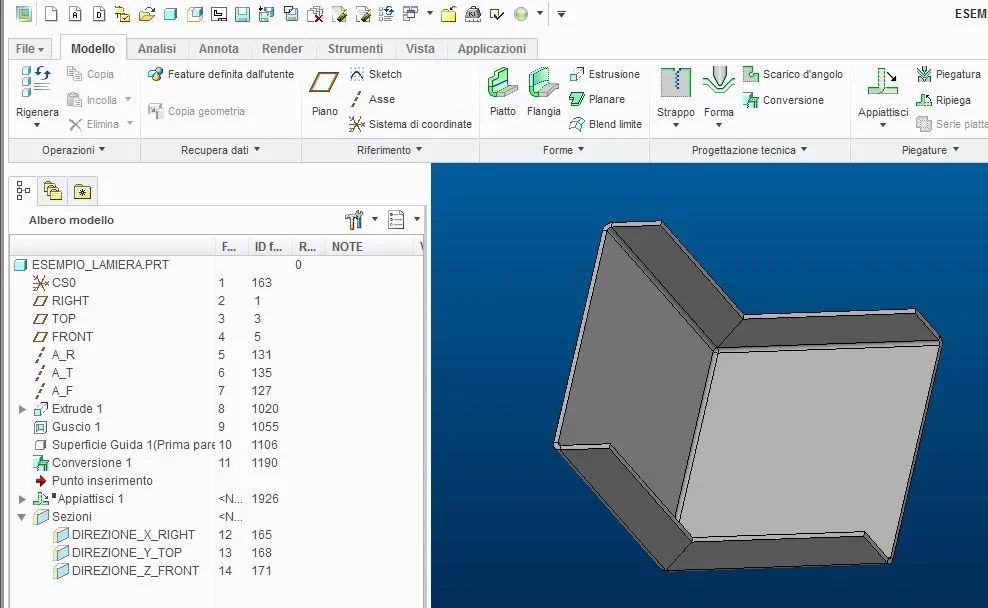 my problem is that to get the development as shown in the attached file "develop.jpg" I have to make a gabola in defining the conversion feature.
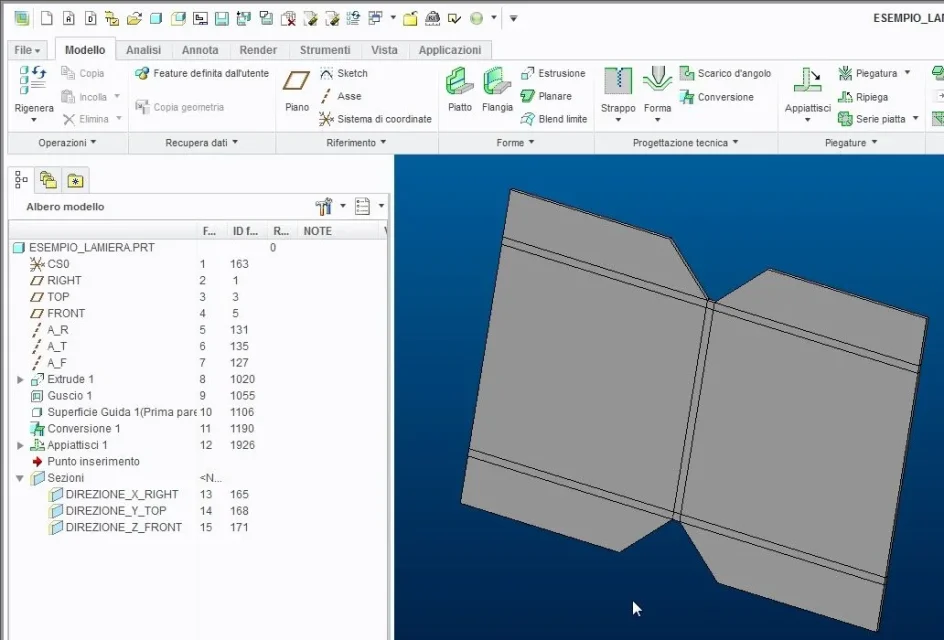 the only way I've found to get the two "ripping connections" is by creating a temporary espionage laceration in this way:
- "gabola1.jpg" file set bending edges and edge laceration
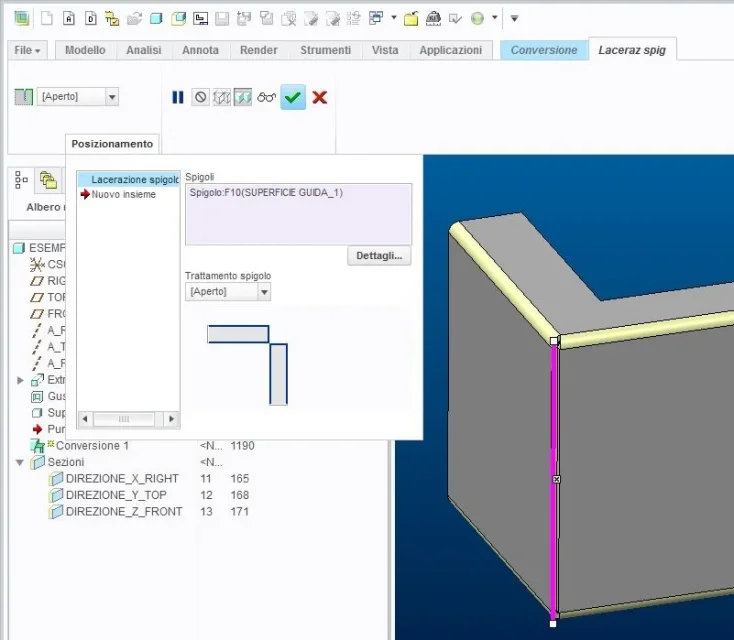 - file "gabola2.jpg" I define the two "ripping connections"
 - file "gabola3.pg" gates the edge laceration created in gabola1 and conclude the conversion
 - and finally, as if it wasn't enough...., I also touched to bring the precision of the piece from 0.0012 to 0.00012 to get the development....
I hope that there is a more "official" method to solve my problem, perhaps allowing me to set up and view the corner drains.
p.s. I also attach the model "example_lamiera.prt"
thanks for the attention and good gioranta to all
I use creo 2.0 and I look for a solution to my problem.
I have a folded sheet metal model (see image "folded model.jpg") that I would like to obtain laser cutting and bending.
my problem is that to get the development as shown in the attached file "develop.jpg" I have to make a gabola in defining the conversion feature.the only way I've found to get the two "ripping connections" is by creating a temporary espionage laceration in this way:- "gabola1.jpg" file set bending edges and edge laceration
- file "gabola2.jpg" I define the two "ripping connections"- file "gabola3.pg" gates the edge laceration created in gabola1 and conclude the conversion- and finally, as if it wasn't enough...., I also touched to bring the precision of the piece from 0.0012 to 0.00012 to get the development....I hope that there is a more "official" method to solve my problem, perhaps allowing me to set up and view the corner drains.
p.s. I also attach the model "example_lamiera.prt"
thanks for the attention and good gioranta to all
