• This forum is the machine-generated translation of www.cad3d.it/forum1 - the Italian design community. Several terms are not translated correctly.

hopper and folds at the bottom

  • Thread starter Thread starter themole
  • Start date Start date

themole

Guest
hello to all I attach a hopper but in the final part I should attack 4 folds (one by side) from 25mm exactly to 90 degrees regarding the plane

but in the example as you can see they fail.

Where am I wrong?

Do I have to create alternative plans?

thanks in advance. ...
 

Attachments

hi themole, I can't open your file. What versions do you use?? Anyway, maybe you post some pictures so you can help. . hi and good evening!!! :biggrin:
 
hi I attach file step...or added 4 lembi from 25 at the bottom but for having them perpendicular (90grades) on the hopper floor it is possible in phase of construction flap ? since the final parts of the hopper are not perfect especially in the corners.

Thank you.
 

Attachments

not being able to determine the angle precisely, instead of using the flange command, I used the flange command
_foto__110.webp
 

Attachments

thanks for the answer you can please do it again with all 4 folds because so I can not understand how you did.very kind
 
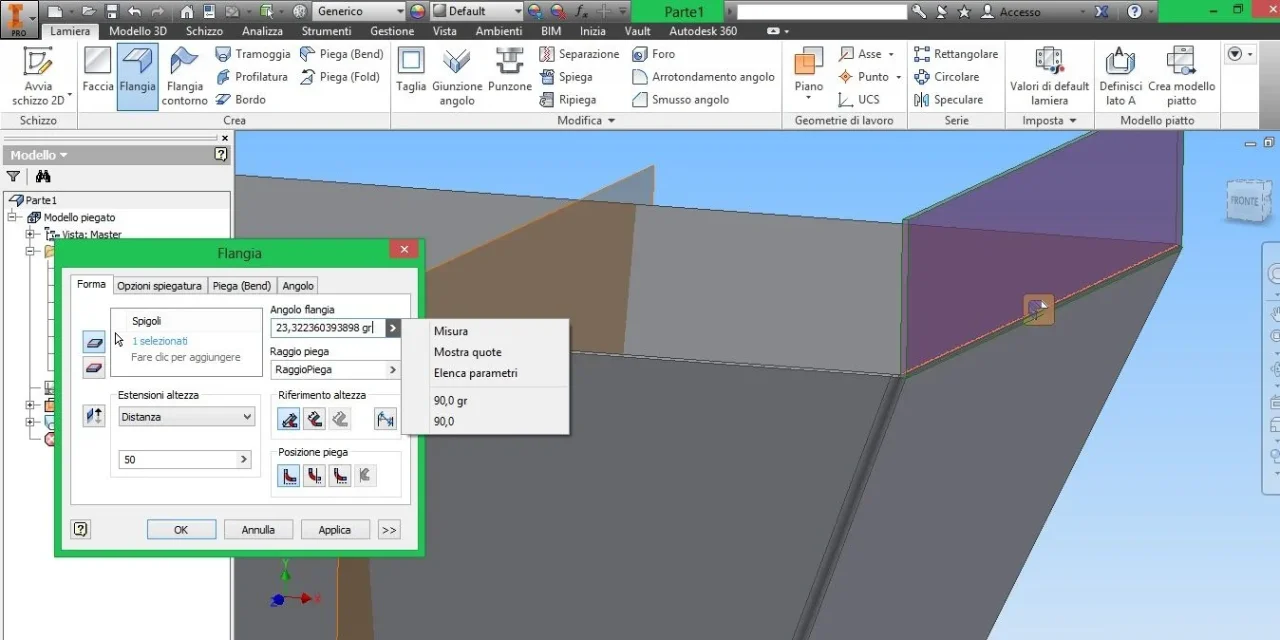
to make that kind of fold I take as reference the plans. therefore make an orthogonal plan visible to your fold, then open the command "flangia". select the edge and go to select the arrow of the menu in the field "angle flange" option "measure". then the command allows you to select the face of your fold, and then select the reference plan. . .

hi and good evening:finger:
 
in the previous post I attached the zip with the 3d model so see how it is done.
Open it?
 
I'll get you the picture. as references you have to take the plan (orange) and the side of the sunset.. :finger:

Good day
Piega.webp
 
I understand everything and thank you very much. last doubt and then subject to me closed:

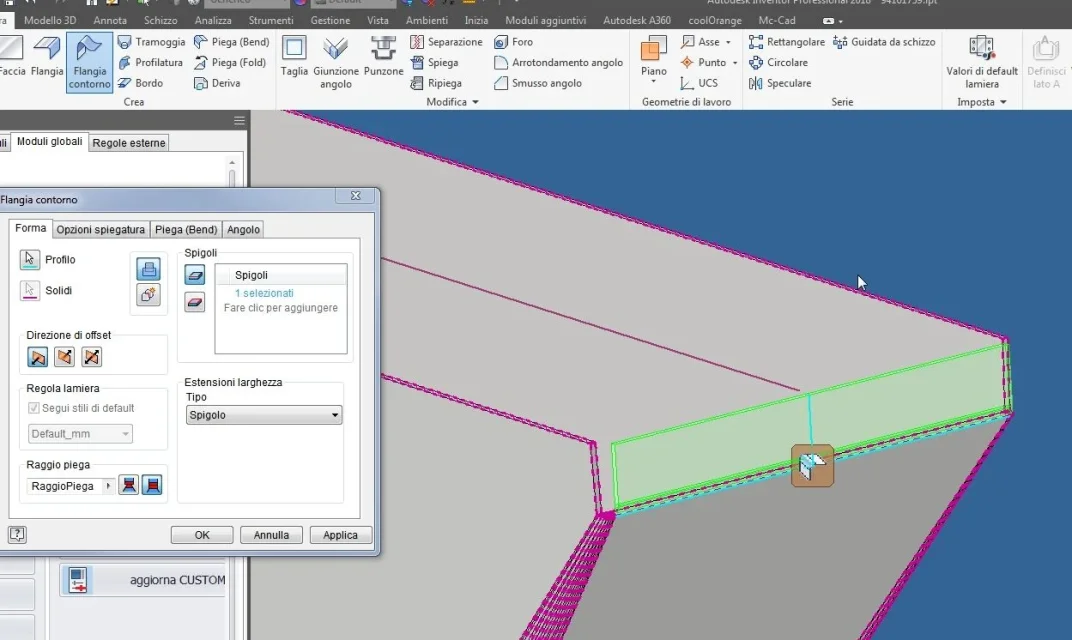
- in the development phase in the corners of course the sheet creates that swelling that prevents me from closing the corner with the appropriate command. As long as it is necessary to act on every corner, removing the swelling more or less well (a rather boring and unsuccessful operation) it is possible to use a command (technical) that avoids this? in the tramoggia is present the button "convergence" but stops the curvature much before the vertex. allego photo pdf.

greetings
 

Attachments

I understand everything and thank you very much. last doubt and then subject to me closed:

- in the development phase in the corners of course the sheet creates that swelling that prevents me from closing the corner with the appropriate command. As long as it is necessary to act on every corner, removing the swelling more or less well (a rather boring and unsuccessful operation) it is possible to use a command (technical) that avoids this? in the tramoggia is present the button "convergence" but stops the curvature much before the vertex. allego photo pdf.

greetings
I don't understand what you have to do, if you tighten the air between the folds, or change the angle where all the folds converge. If your intention is this last option, the question is: why?? ? ? ?
 
Hi, tighten the air between the folds but using the command to close the corner, the swelling where all the folds converge prevents me from developing the piece.solution?

greetings
 

Forum statistics

Threads
44,997
Messages
339,767
Members
4
Latest member
ibt

Members online

No members online now.
Back
Top