
ceschi1959
Guest
Good morning to all,
in the simplified representation of a toothed helical wheel, I would like to represent the teeth through a sketch and then quote the various diameters.
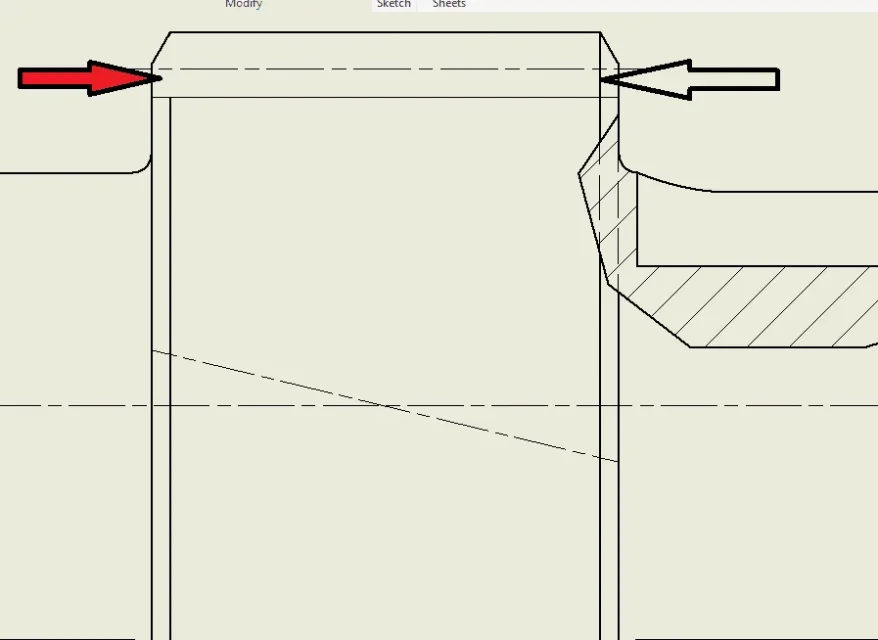
The problem that I can't solve is how to remove a line part of the model due to the bevel.
in the image that I attach to right you see the line, to left is like I would (I took it with paint...)
thanks in advance of the help.
in the simplified representation of a toothed helical wheel, I would like to represent the teeth through a sketch and then quote the various diameters.
The problem that I can't solve is how to remove a line part of the model due to the bevel.
in the image that I attach to right you see the line, to left is like I would (I took it with paint...)
thanks in advance of the help.