• This forum is the machine-generated translation of www.cad3d.it/forum1 - the Italian design community. Several terms are not translated correctly.

icon position of the allgamater command

  • Thread starter Thread starter SheWolf
  • Start date Start date

SheWolf

Guest
hello to all:smile:
Can you tell me where it is, in the drop-down menu, the "layer axe"? has this icon allmat.webpand also in which toolbar is located. I need to associate a material with the layers.
I just can't find him:

autocad 2012

Thank you:
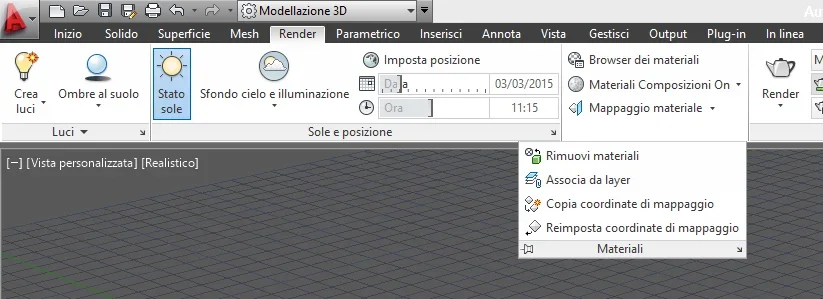
 
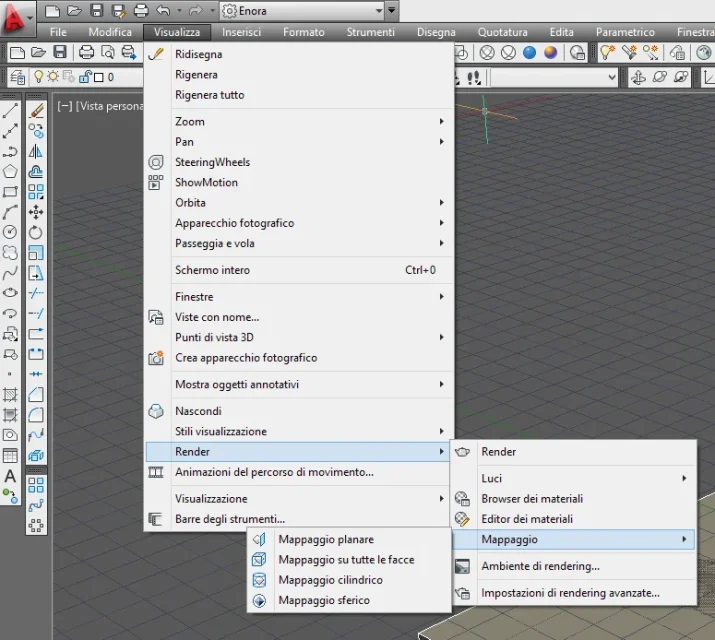
if I remember from the menu render the curtain of the material menu completely parade and there you find the command.
in any case keyboard: _materialattachach
 
found, however only if I put the interface of the last autocad.. .
imm2.webpIf I stay with that old one, like cad14 to understand, with classic drop down menus I can't find it
imm1.webp
 
I am nostalgic I prefer the old one:biggrin:
found it was found, if then someone can tell me even where it is in the old interface even better:wink:

Thank you! :biggrin:
 
It makes perfect sense. autodesk now from 6 versions is migrated to new interfaces based on .net4. Why should you still keep the old ui with menu and toolbar? among other things in autocad 2015 the work area "autocad classic" is also disappeared, while in other products such as architecture and civil3d has been raised for at least 3 years. You want that command? Customize the menus and toolbars with the command.
 
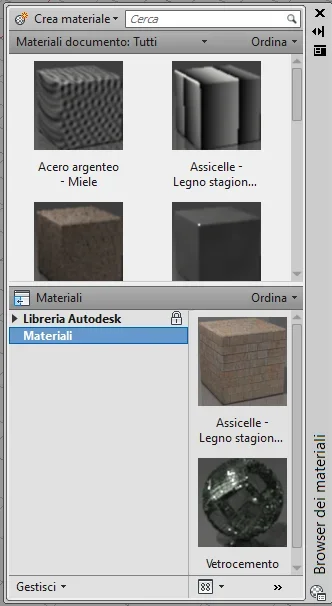
if I go to the browser opens this window, but there is no command associated with layer :confused:
Immagine.webp
 
is true excuse, there is not in the browser of materials. but don't you like to add the corresponding icon? or do you not use icons?
 
I mean insert the icon manually along with the side ones that you already see. in the lower left you have free space, exploit it
 
I would gladly insert it but in tools->barre of the tools->autocad I do not find the bar that contains me this icon :frown:
 
right click in the gray bar free from icons --> customize --> look for the command "associa da layer" and drag it between existing icons
 

Forum statistics

Threads
44,997
Messages
339,767
Members
4
Latest member
ibt

Members online

No members online now.
Back
Top