
• This forum is the machine-generated translation of www.cad3d.it/forum1 - the Italian design community. Several terms are not translated correctly.

icons and file names placed at the table

  • Thread starter Thread starter Esselle
  • Start date Start date

Esselle

Guest
good morning attached an example of how I see the table setting screen:
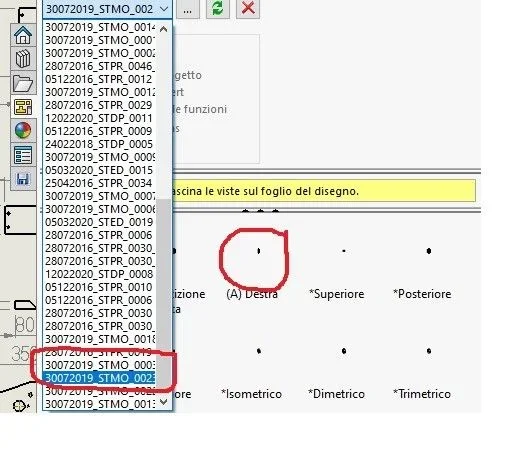
Immagine.webpcan you see complete the name of the file I'm placing?
Can you see the preview bigger?

Thank you!
 
the preview depends on the part model or together. verify that the optimized zoom displays the model correctly.
As far as the window is concerned, it is not possible to adapt it. How come you have so many open files? don't slow down the software?
 
I checked the optimized zoom reempees the screen, so it should be ok.
the table covers a structure of a machine consisting of a tubular frame and several sheet metal parts, about 60 different pieces in total.
to make the construction of the building easier, in the same table (a0), I put all the necessary views and all the developments or details of the pieces that compose it. therefore there are parts with size 1500x500 and other 50x30, that is why perhaps the previews are small for small pieces.
I have all those open files, why do they appear every time I open the table for changes or anything, there's a way not to let them open?
 

Forum statistics

Threads
44,997
Messages
339,767
Members
4
Latest member
ibt

Members online

No members online now.
Back
Top