• This forum is the machine-generated translation of www.cad3d.it/forum1 - the Italian design community. Several terms are not translated correctly.

incorrectly deleted files recovery

  • Thread starter Thread starter TorMec
  • Start date Start date

TorMec

Guest
good morning to all, I wanted to ask you where I end the files that are mistakenly deleted inside a folder any and especially if there is the possibility to recover them.thanks

 
like all files: in the basket if it was in a folder of the pc, in the green cyber pastures if it was in another pc.
if it was in the pc, but it did not end in the basket: if you have been wise and have set backup copies of soloworks maybe recover them in the designated folder, otherwise hope to succeed in doing so through some data recovery program (as Recover for example)
if you were in another pc: if you have a daily backup system you find it in your destination, otherwise I think it is impossible
 
Unfortunately I eliminated it by mistake a new colleague who started today, good start.cmq file was on the company server but the backup settings of that solidworks license were not updated and the file did not find it.what settings do I recommend using?
 
if it is a business server should have a daily backup system, obviously I don't talk about solidworks, and then the latest backups should be analyzed. if the company does not have a backup system it is time to do so.
you can try to search in the server basket, but it is so much to leave nothing intent.
even attempting recovery with special programs can be a solution
 
but it was a twenty-piece axieme, it recounts in ten minutes. I wonder if in the sw settings I could do qls to avoid it in the future, at least to protect the colleague who just started and has little familiarity.
 
.I asked if in sw settings I could do qls to avoid it in the future
activate backup copies.
you can also think of copying the project locally and overwrite it at the end of the day or at the end of development
 
with backup pairs in solidworks settings you can choose the backup number to maintain and then overwrite. is a very useful function.
if you work with network files and want more performance save backups locally and not on the network.
 
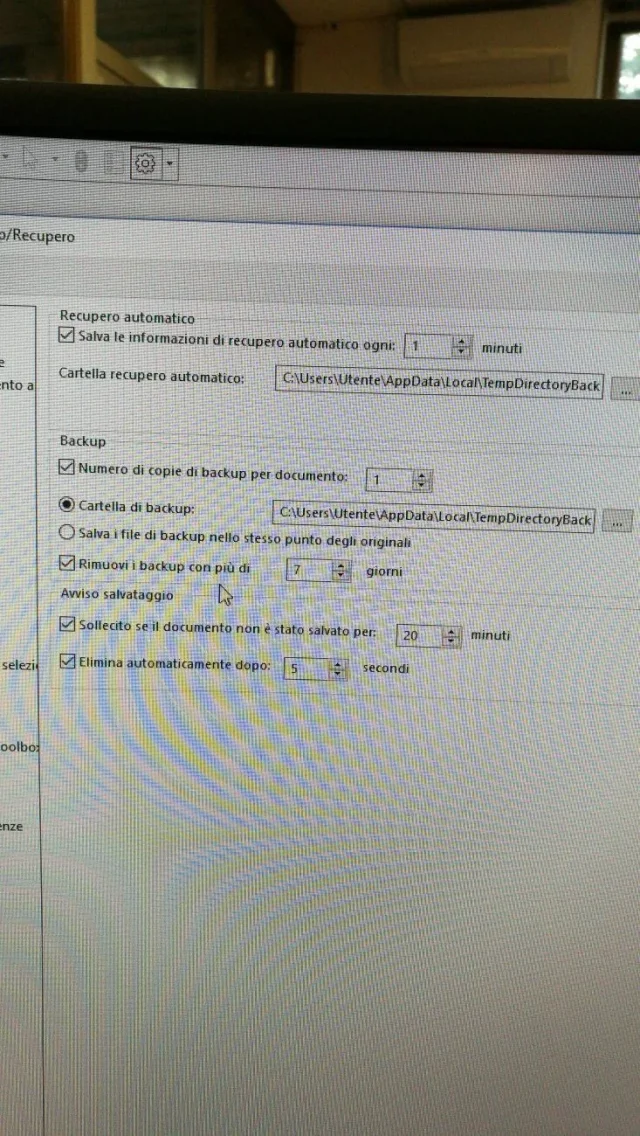
in system options, backup/recovery there are these settings.you know how to tell me if they are okay?
 

Attachments

  • 1550560152798-236922744.webp
    1550560152798-236922744.webp
    255.3 KB · Views: 10
I would put more backup copies so I can go back some saves.
Weekly deletion would say I turned it off. I do cleaning when I say... Or maybe I miss something I need.
 

Forum statistics

Threads
44,997
Messages
339,767
Members
4
Latest member
ibt

Members online

No members online now.
Back
Top