riccardo.toscani
Guest
Good morning.
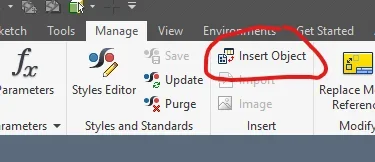
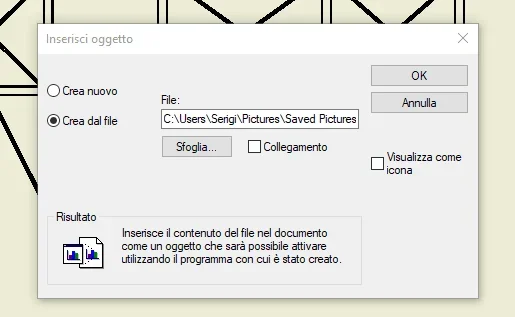
new day new problem! as from title I have the problem of where to put in some puts on the table, for some manuals and informative leaflets, pictures, photos and clipart. I ovviato to the problem creating a solid and using the command "decalcomania" but, at the time of printing or exporting in pdf, the "base" on which I inserted the photo assumes the color of the material set and if I try to use a transparent material also the photo will be practically transparent. that you know there is the possibility to directly insert a photo, image or clipart directly on the table without having to use the decal command?
thanks for answers/recommendations
new day new problem! as from title I have the problem of where to put in some puts on the table, for some manuals and informative leaflets, pictures, photos and clipart. I ovviato to the problem creating a solid and using the command "decalcomania" but, at the time of printing or exporting in pdf, the "base" on which I inserted the photo assumes the color of the material set and if I try to use a transparent material also the photo will be practically transparent. that you know there is the possibility to directly insert a photo, image or clipart directly on the table without having to use the decal command?
thanks for answers/recommendations
 )
)