• This forum is the machine-generated translation of www.cad3d.it/forum1 - the Italian design community. Several terms are not translated correctly.

lentezza layout

  • Thread starter Thread starter tanticapelli
  • Start date Start date

tanticapelli

Guest
Good morning to all,

a question, just to change. . .

I am using autocad lt 2018 to manage a two-dimensional file that inside it contains some layout cards of which one of these particularly complex (which contains dozens of windows).

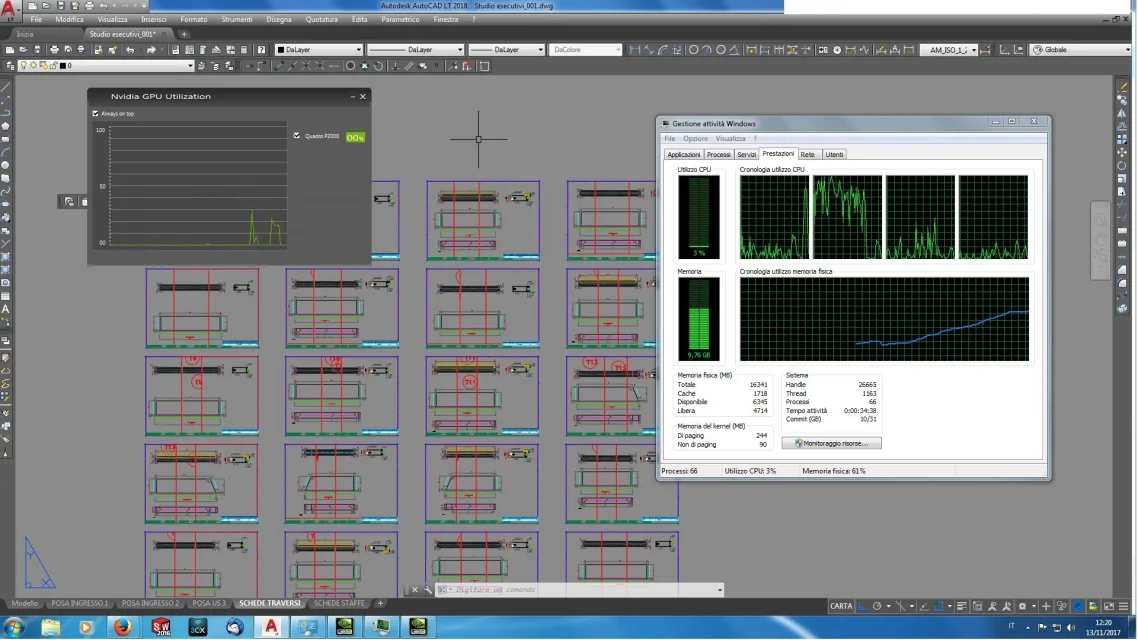
when selecting the above layout card the pc slows down badly despite the graphics card nvidia picture p2000.

monitoring the resources however I noticed that the board is exploited no more than 50% while the total 16gb ram is exploited up to 12-13 gm overall and the processor also gives us in a lot.

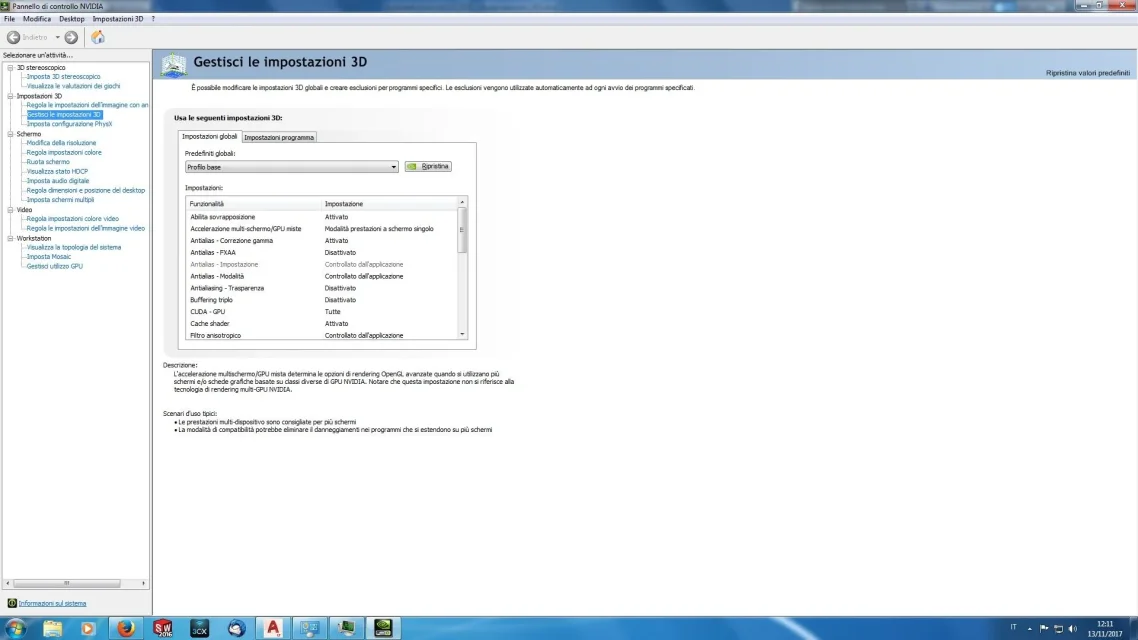
I slew in the nvidia control panel to try to figure out if there was any low-consumer setting or anything but it seems to me that it is set with "sprecone" setting where I should get the most out of nvidia.

I try to send a couple of screenshots if they can serve.

Thank you.

so many hairs
 

Attachments

  • NVIDIA Setting 1.webp
    NVIDIA Setting 1.webp
    93.6 KB · Views: 6
  • NVIDIA Setting 2.webp
    NVIDIA Setting 2.webp
    93.3 KB · Views: 5
  • NVIDIA Setting 3.webp
    NVIDIA Setting 3.webp
    95.2 KB · Views: 3
  • Utilizzo risorse.webp
    Utilizzo risorse.webp
    194.4 KB · Views: 9
the main problem are the many windows within the layout, if you then have external references and many autocad layers get tired! I have looked for several online solutions as well as I recently but unfortunately there are no, it is a limit of the program as the pc does not work 100%.
the only optimization you can do is the usual: updated video drivers (and possibly certified), updated program with the latest official hotfixes and patches and enable hardware acceleration.

we hope that selfdesk will optimize. . .

edit: I forgot... even retini, hatch, sampling (dir si want) weigh down the layouts a lot!! !
 
the main problem are the many windows within the layout, if you then have external references and many autocad layers get tired! I have looked for several online solutions as well as I recently but unfortunately there are no, it is a limit of the program as the pc does not work 100%.
the only optimization you can do is the usual: updated video drivers (and possibly certified), updated program with the latest official hotfixes and patches and enable hardware acceleration.

we hope that selfdesk will optimize. . .

edit: I forgot... even retini, hatch, sampling (dir si want) weigh down the layouts a lot!! !
Thank you.

all this will mean that the manufacturer no longer invests on such a platform still very useful but in fact without a future?

so many hairs
 
the manufacturer no longer invests on such a platform still very useful but in fact without a future?
the producer of what? pc, video card, autocad?
more than anything else you have to see how the file is made to say whether it is the design or software fault.
all programs have limits and you cannot expect to manage 50mb files as if they have four lines; there are methods to lighten file management (blocks, xref, optimize layers, keep the design clean enough to tell someone)
 
the producer of what? pc, video card, autocad?
more than anything else you have to see how the file is made to say whether it is the design or software fault.
all programs have limits and you cannot expect to manage 50mb files as if they have four lines; there are methods to lighten file management (blocks, xref, optimize layers, keep the design clean enough to tell someone)
Of course, as you say, cleaner is the design and better, but considering that the software is not free and even cheap it would be useful at least to keep it up with the latest technologies (intensive as for example optimization for the exploitation of the cores of the cpu). In some cases, for example, between xref and personal layers I happen to work, even in 3d, with an infinity of layers as well as blocks and various elements and I bother to see the program fatigued while the pc is them quiet and relaxed (or almost).... all in all with the 2018 version have made everything more stable we hope that the next step is what is said above.
 

Forum statistics

Threads
44,997
Messages
339,767
Members
4
Latest member
ibt

Members online

No members online now.
Back
Top