Tarkus
Guest
Hello everyone,
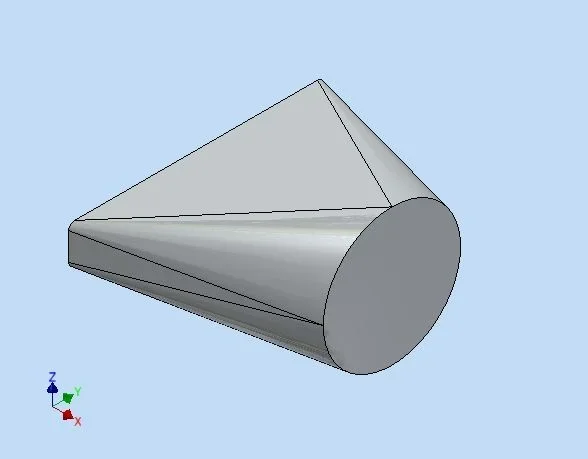
Maybe I'm losing, but if I make a banal loft between a rectangle and a circle comes out,
so:
(loft 1).
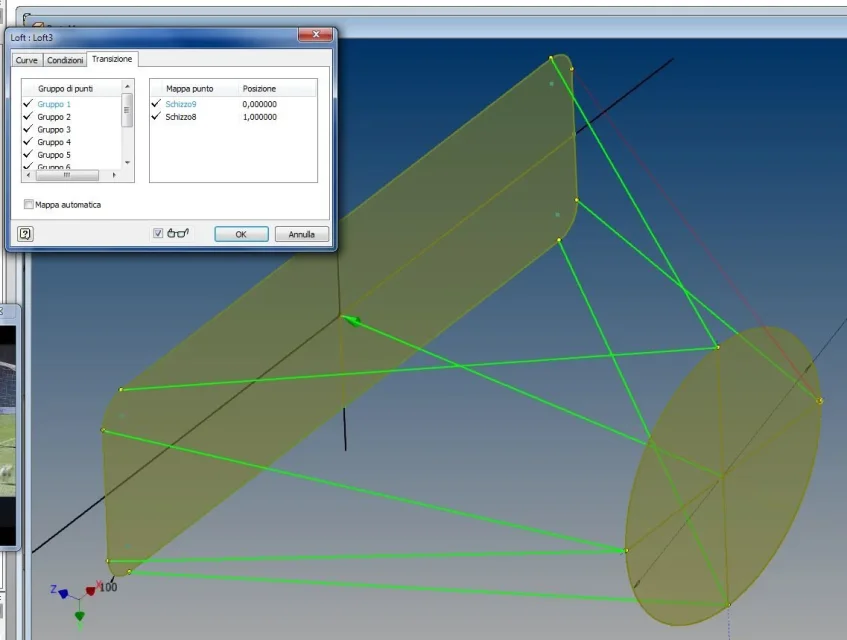
I would like it to be like this (travel loft), that is, with the various faces or convexes, or bombed, just as you get in the sheet environment with the hopper command.
now, without going to shake the hopper command to get internal faces like surfaces and close a solid, how can you do to get the same result with the loft?
I tried to cuff some command variables, but I got nothing good:redface:
Maybe I'm losing, but if I make a banal loft between a rectangle and a circle comes out,
so:
(loft 1).
I would like it to be like this (travel loft), that is, with the various faces or convexes, or bombed, just as you get in the sheet environment with the hopper command.
now, without going to shake the hopper command to get internal faces like surfaces and close a solid, how can you do to get the same result with the loft?
I tried to cuff some command variables, but I got nothing good:redface: