• This forum is the machine-generated translation of www.cad3d.it/forum1 - the Italian design community. Several terms are not translated correctly.

make two parts a unique body

  • Thread starter Thread starter Marvel
  • Start date Start date

Marvel

Guest
Hi guys, I'm making a joystick to print later in 3d which is composed of two parts, a handle with graft and a "head" where the button will house. finished making the two components I assembled them in a set to finish modeling them completely (but they are still two parts).

question: Is there a way to transform them as if they were a unique body and then print them in 3d?

I then emailed a first sketch of the joy to a couple of companies that print 3d online to have a quote, but they told me that the pieces presented open edges and therefore needed correction with special program.
Is that possible? solidworks did not give me error messages when I generated .igs and .step files to send them via email... .

other question: is there a function in diagnostic sw to verify this type of errors or is there another type of software required?

thanks for your answers. Hello!

Mar
 
if you have to create a unique body you must necessarily work in part environment.
then save the assieme as part
open the created part and find you with two bodies
use the matching function.
if the function gives you error you have to review the model because there might be geometries to be settled.

for the second problem:
solidworks has the import diagnostic that checks that the open neutral file has no geometries problems. but it can be useful only to check where you create games in your export (in practice carry out in step and then open the step with solid and do diagnostics)
as part verifications you can try control e geometry analysis, both under the tools menu. I never used them, so I have no idea what they do and how they're used.
 
Hi, it's been a while but I managed to make a unique body from two parts as explained by massivonweizen, even the diagnostic went to good end and in the last I pulled out the stl file that I gave to print.

When the piece comes I take two pictures to post what came out.

Thank you. Bye!

Mar
 
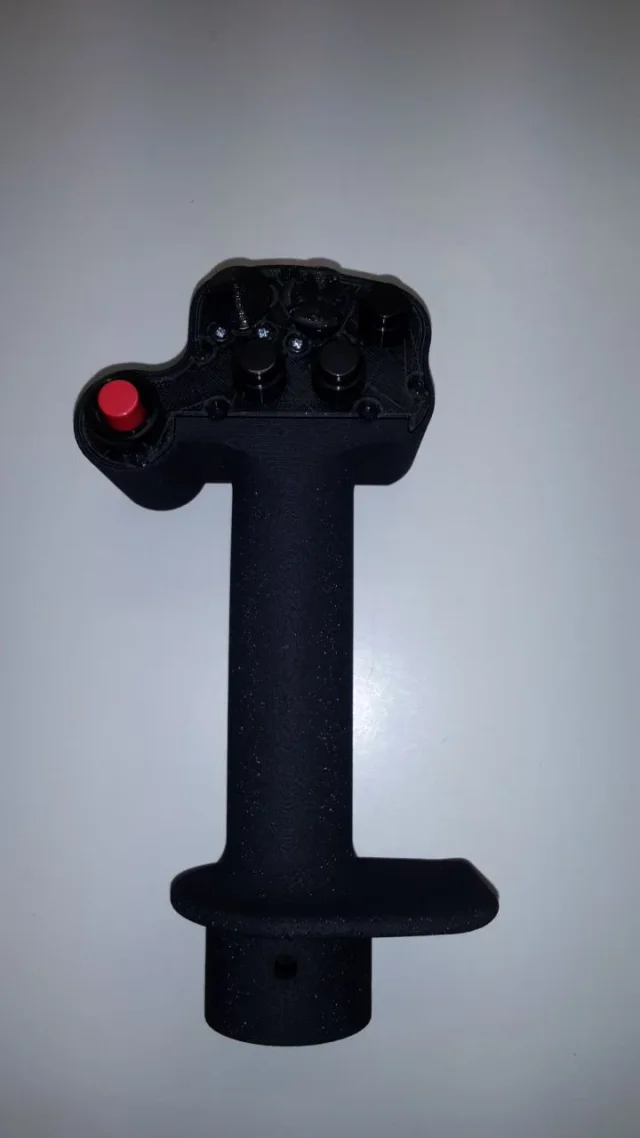
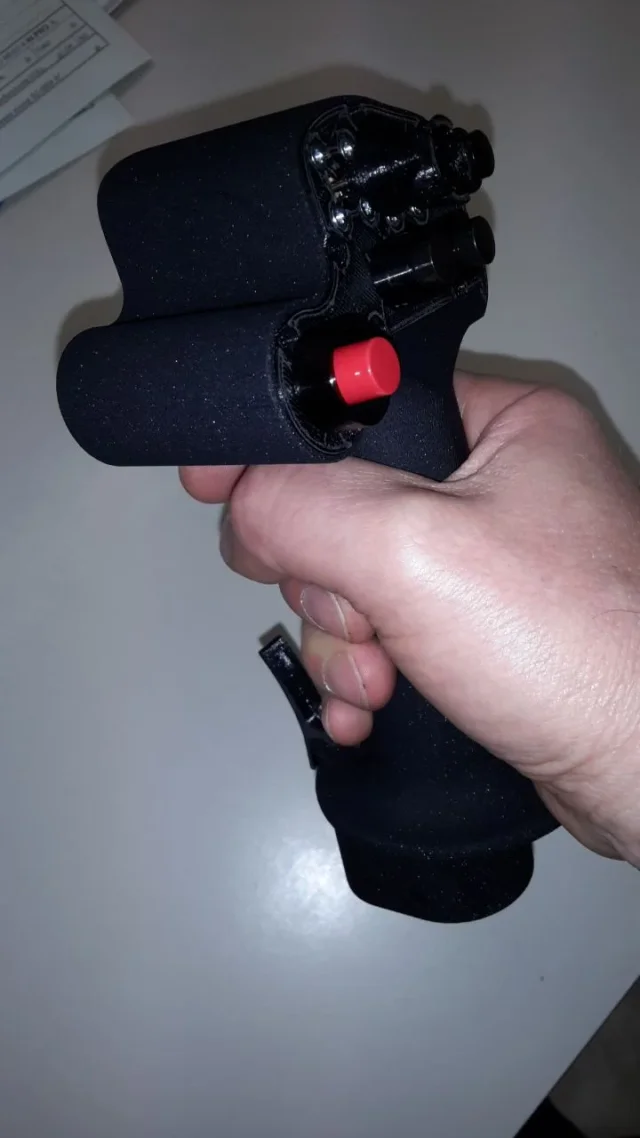
a completeness of the work arrived the joystick printed in 3d. here are some photos:
20170427_120134.webp 20170427_120208.webp
20170427_120217.webp 20170427_120229.webpthanks for the help and advice!!!:finger::finger:

Bye!

Mar
 
Hello, everyone! I resume this discussion because I have a problem;
I would need:
create a unique part (even in step) with one body.
I tried to save the axieme as part and then in step, iges etc..., but the result is always a part with more bodies in the feature manager.
How can I do that?
What is the correct procedure?
 
once you open the part to create a unique body you have to use the matching function
 
if you have to create a unique body you must necessarily work in part environment.
then save the assieme as part
open the created part and find you with two bodiesuse the matching function.if the function gives you error you have to review the model because there might be geometries to be settled.

for the second problem:
solidworks has the import diagnostic that checks that the open neutral file has no geometries problems. but it can be useful only to check where you create games in your export (in practice carry out in step and then open the step with solid and do diagnostics)
as part verifications you can try control e geometry analysis, both under the tools menu. I never used them, so I have no idea what they do and how they're used.
hi gianniturbina, follow the procedure that said massive above.

Bye!

Mar
 
I tried with match, but it doesn't give me the command.
I tried in every way but I can't join more bodies.
 
I tried with match, but it doesn't give me the command.
this description absolutely does not explain what the problem is
I tried in every way but I can't join more bodies.
and how should you help? by randomly shooting an idea?
attach the file or clear images
 
I apologize but I was taken and late with the job and I was too tight.
I had the need to transform both together and part, from sw to .step unique body.
to do so, in case of joint it is necessary:
- save the axieme partly sw
- open the sw part and correct any errors (eliminating the surfaces and building errors of the bodies)
- verify the result through the evaluation function - check
- select all bodies (from the list of bodies of the feature manager or from the 3d) and run the match command.
- right click on the body (only created with matching) from the feature manager and save it where you want
 
I didn't realize if yours is a request, an observation, an explanation of how you solved it.
This is obvious that it makes a set you can't get a single body, it's the very definition of a set that preludes it.
aside if geometry does not allow to be combined in modeling would also do it in reality
 
was the explanation; I managed to solve the problem.
Unfortunately I had several surfaces that gave me problems so I couldn't get a single body.
 

Forum statistics

Threads
44,997
Messages
339,767
Members
4
Latest member
ibt

Members online

No members online now.
Back
Top