• This forum is the machine-generated translation of www.cad3d.it/forum1 - the Italian design community. Several terms are not translated correctly.

modeling air tube "non rigid"

  • Thread starter Thread starter Il Mauri
  • Start date Start date
Locked everything, I reconstitute it.
good afternoon to all, I would have the necessities to model a tube for air not "rigid": I'll explain.
I have a fixed f connection on the frame and a second fitting on a pneumatic cylinder moving from a to b.
Obviously if I model the tube with length ago, when I move in fb (or in intermediate zones) the tube remains unleashed.
being a demand only aesthetics I do not have the necessities that the length of the tube remains equal.
Is there anyone who can suggest me a solution?
 
you have to make the pipe adaptive:
the easiest thing to do is to make a starting sketch to create the tube "projecting" e.g. a diameter of the fitting f,
do the same for the final sketch of the tube, project a diameter from the fitting on the cylinder
then take the path of the tube with a 3d sketch and sweep.
the pipe becomes adaptive and will change with the movements
 
if I create the tube as part (also leaving the sketch not completely bound) and making it adaptive does not work.
I can't even create a 3d pin in the axieme (inviting the ends on my fittings) because in the environment together there is no 3d sketch command....
 
if I create the tube as part (also leaving the sketch not completely bound) and making it adaptive does not work.
I can't even create a 3d pin in the axieme (inviting the ends on my fittings) because in the environment together there is no 3d sketch command....
in conjunction with the 3d sketch command there is... that's where it serves...
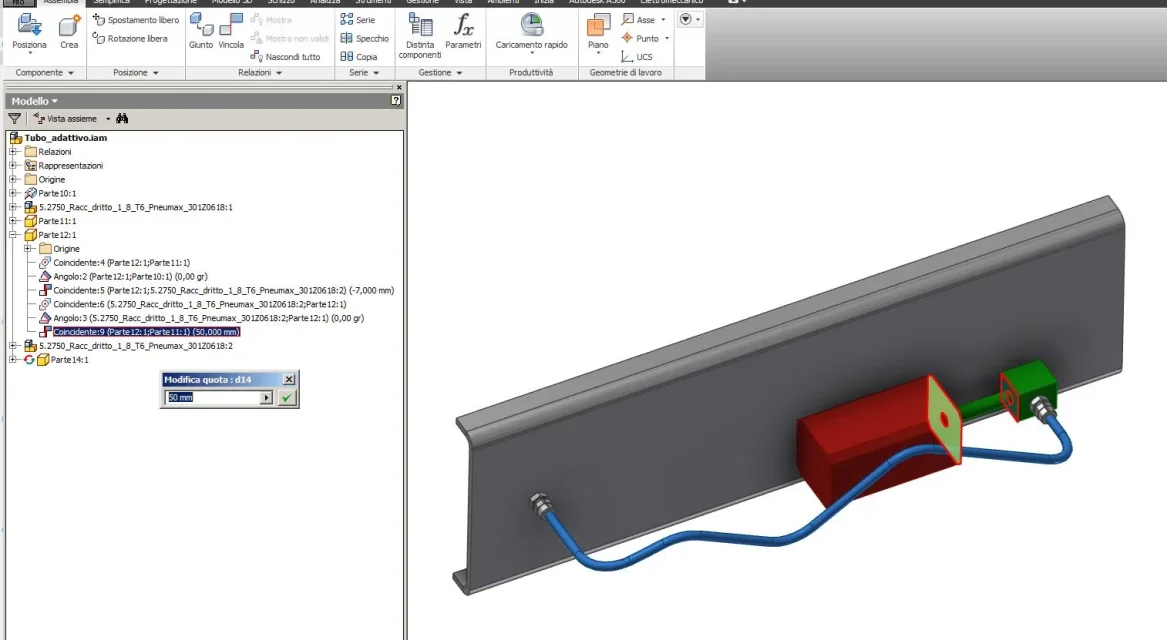
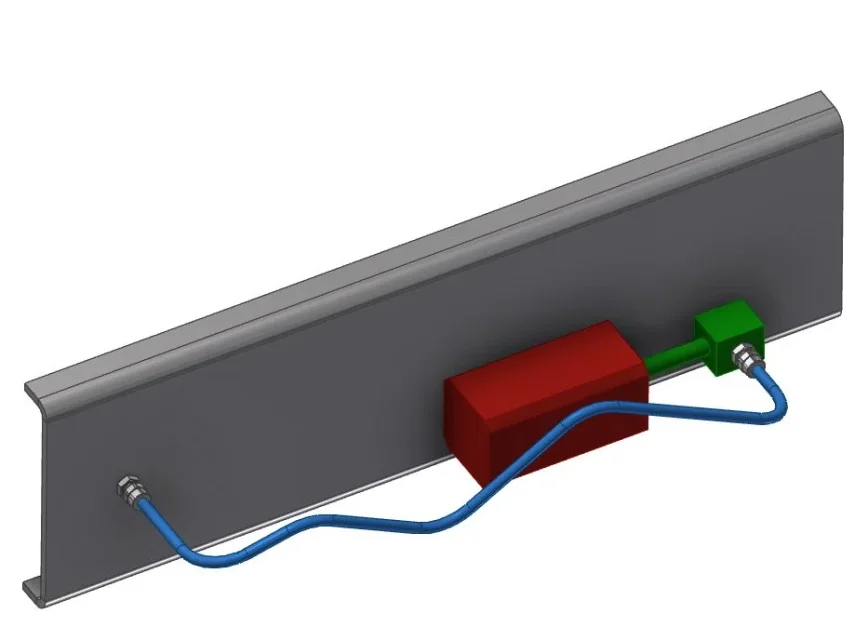
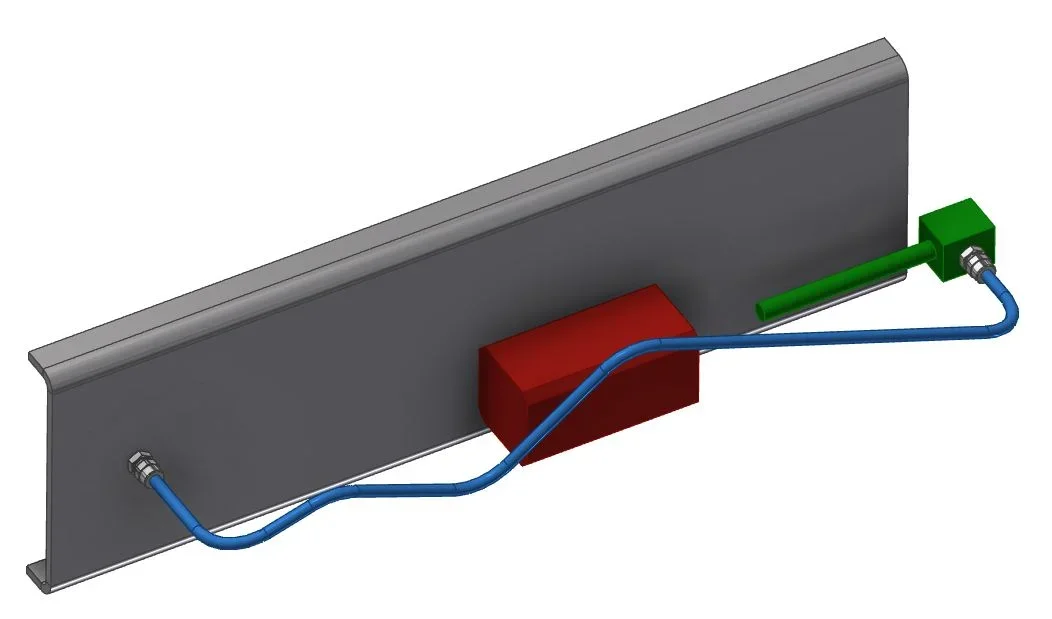
made a quick test just to show you:Adattivo-1.webpAdattivo-2.webpthe tube changes.
just change the highlighted bondAdattivo-3.webp
 
I use inventor professional 2014 and 3d sketch in axiemi environment do not find it. also the online guide says that there is only for the parts.
 
I use inventor professional 2014 and 3d sketch in axiemi environment do not find it. also the online guide says that there is only for the parts.
I said shit. I'm so used to working with the open axieme that I was wrong.
3d sketch is in the part, and in fact it is what I did... sorry

I made myself distracted by your answer : I had not said to do so in the aid of the 3d sketch:

cmq :
-you should do the tube by creating a new part in the environment together
-schizzo and projectors two circles x start (fixed part) and end tube (mobile part), close sketch

<<a adattiva="" automaticamente="" diventa="" la="" parte="" punto="" questo="" tubo="">>

- 3d Scratch the path starting and finishing from the centers of the two circles of the 2d sketch, close 3d sketch
-sweep and create the pipe
- Good.

must be all bound for good, then change only the bond that interests you and the tube changes, if you try to move it "handed" not funzia

ciauz</a>
 
Well, on Monday morning I'll try.
I thank you and wish you a good weekend even if tomorrow (say) will rain. . .
 
Good morning
I tried to follow your instructions and it's all right, perfect. thank you so much for the help and good work to all.
 

Forum statistics

Threads
44,997
Messages
339,767
Members
4
Latest member
ibt

Members online

No members online now.
Back
Top