• This forum is the machine-generated translation of www.cad3d.it/forum1 - the Italian design community. Several terms are not translated correctly.

modeling of a vibrating cup - spiral 3d conical

  • Thread starter Thread starter marcok625
  • Start date Start date

marcok625

Guest
hi, reading the message in yellow, about what is not a forum I return in full in the category of who asks for a solution "naturally when I don't get there alone" then I don't make myself feel until the next problem.

I tried to try to answer questions asked by other users, but I'm probably not so experienced that I can give targeted solutions.

said this I ask my question.
I would like to make a vibrating cup, but I can't find the controls to achieve what I want.
I came here:
in 3d geometry in 3d curve another and selection the spiral command 3d/helical shape
in the window that appears to me select conical type and I make my line 3d conical spiral, then I create a plan on the starting point of the line 3d and I build a rectangle that would be the ascent of the vibrating cup, and with the command in model under other use add rototranslation, until here it seems to me to proceed in the correct way, but at the moment when I make horizontal preview my retangle then as it follows
Does anyone of you know a solution or another method to get to the same result?
Thank you.
greetings
Marco besana
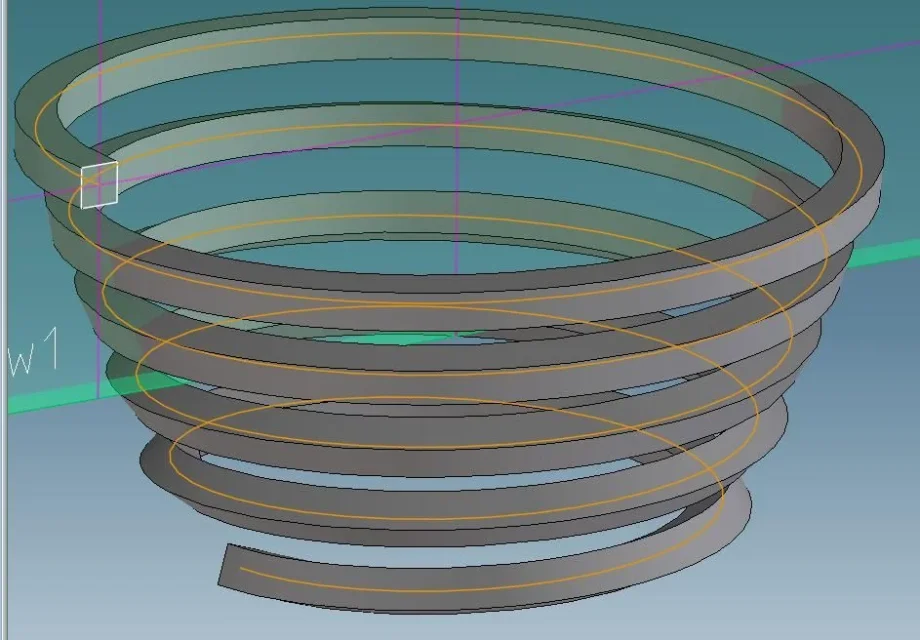
 
It's a command that you use very little, I got this result, but I don't know if that's what you wanted to get, or if it shows the same problems you've encountered.
Molla Conica.webpI followed the following procedure:
- designed plane with axes of origin and addition parallel line to prefixed distance corresponding to the initial radius of the conical spiral
- generated conical spiral giving as an initial point the connecting between the building line drawn by me and the axis to it orthogonal and as an axis the straight with origin in the origin of the plan and direction the normal on the plane
- rotated the 90° plane compared to its axis without parallel
- rectangle traced center in the origin of the conical spiral
- used rototranslation command.

I leaned twice on a floor with construction lines to make sure my section was orthogonal to the bribe of the spiral at its point of origin.
in the image you see the spring, the conical spiral (orange), the base and the section in white
 
the spiral should not twist and the planes of the propeller must always be oriented as the starting rectangle. in solidworks you can do because there are the options of tangency to select. I don't know if they're here.
 
the spiral should not twist and the planes of the propeller must always be oriented as the starting rectangle.
I'm sorry, but I don't understand what you mean by "the planes of the propeller don't have to twist," but I've done it again with other medote, Spirale Sezionata.webpI dissected to show that the section to me seems always oriented in the same way
 
I'm sorry, but I don't understand what you mean by "the planes of the propeller don't have to twist," but I've done it again with other medote, View attachment 47268I dissected to show that the section to me seems always oriented in the same way
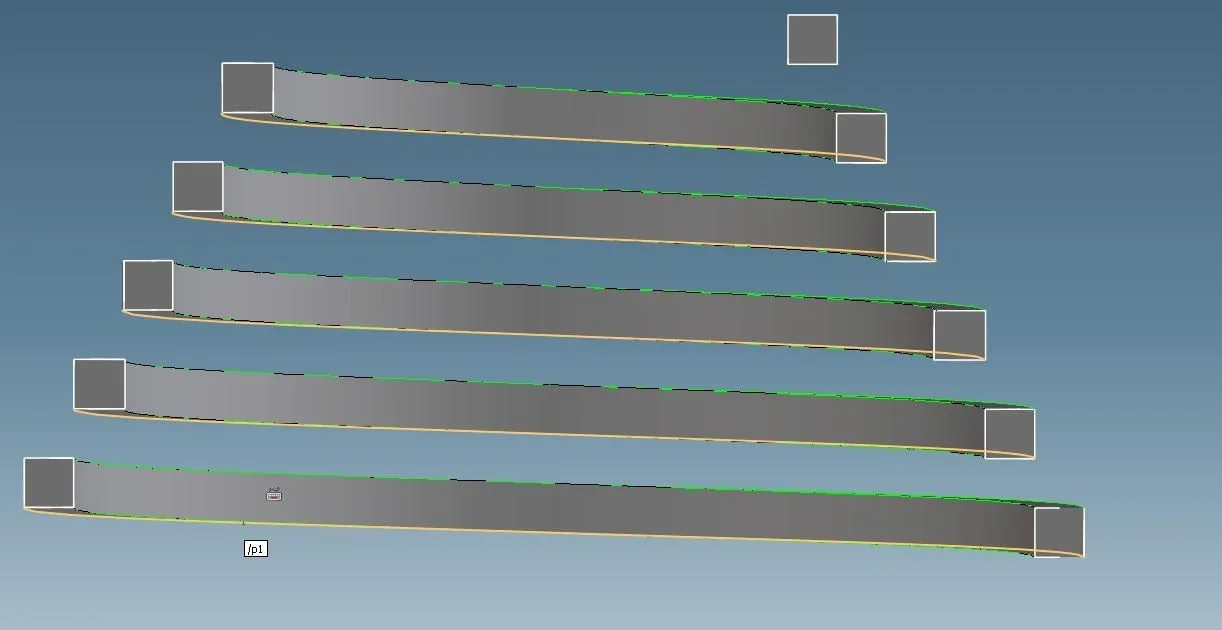
hi, guys and thanks for the quick support, the first photo presents just what I managed to do, where you see that coming down following the line 3d the square twists, but the second image that dissected is exactly what I'm trying to do, you would tell me the trick. What did you set to not turn the starting plan?
Thank you.
 
I did not use the rototranslation command but followed the following procedure:

- I created the conical spiral that this time will not be my average line but the line of one of the four vertices of the rectangle, for example the inner one at the bottom
- I shared the conical spiral translating it along its axis of a length equal to the height of the section rectangle
- I selected the "put face" command present in the surface controls and I joined the two spirals creating a new face part
- I "experienced" the face just created outward with the appropriate command always present in the surface controls

the thickening command is available without additional modules in version 19, I do not know if it was also in 18.1; I hope so because in combination with the insert face command allows you to create parts of constant thickness, then transformable into sheets, without needing a two-dimensional plane
 
I meant that the first image has the square section of the propeller that rotates on its central axis, instead the second image is a right propeller with section inclination of the sliding plan of the cup.
in the various works I designed the internal and external propellers of cylindrical and conical cups for vibroalimetatori to facilitate the carpenter. . .but it is a menata then make the real development since you take a flat sheet, you cut the ring circle and you have to point it all to the tig with the project step.
 
I did not use the rototranslation command but followed the following procedure:

- I created the conical spiral that this time will not be my average line but the line of one of the four vertices of the rectangle, for example the inner one at the bottom
- I shared the conical spiral translating it along its axis of a length equal to the height of the section rectangle
- I selected the "put face" command present in the surface controls and I joined the two spirals creating a new face part
- I "experienced" the face just created outward with the appropriate command always present in the surface controls

the thickening command is available without additional modules in version 19, I do not know if it was also in 18.1; I hope so because in combination with the insert face command allows you to create parts of constant thickness, then transformable into sheets, without needing a two-dimensional plane
hello, today I had time to try your method, and it works!!!! I didn't think about it, good! thank you for your help.
I hope sooner or later to be of help for someone too.
Thank you all for your support.
 

Forum statistics

Threads
44,997
Messages
339,767
Members
4
Latest member
ibt

Members online

No members online now.
Back
Top