
- Home
- Forums
- mechanical engineering
- creo parametric (ex pro/e)
- creo parametric - modeling of parts and sheet
You are using an out of date browser. It may not display this or other websites correctly.
You should upgrade or use an alternative browser.
You should upgrade or use an alternative browser.
Parametric_Ozzy
Guest
Hello, mamo.Hi.
I have a problem with the feat 51
as you see me it does but to dx you notice a deformation that for how it was all built in symmetry should not be
I have solved patches other way etc but I remain doubtful why this happens
Thank you.
wf
do it in 2 pieces, giving it the normal on the central curve.
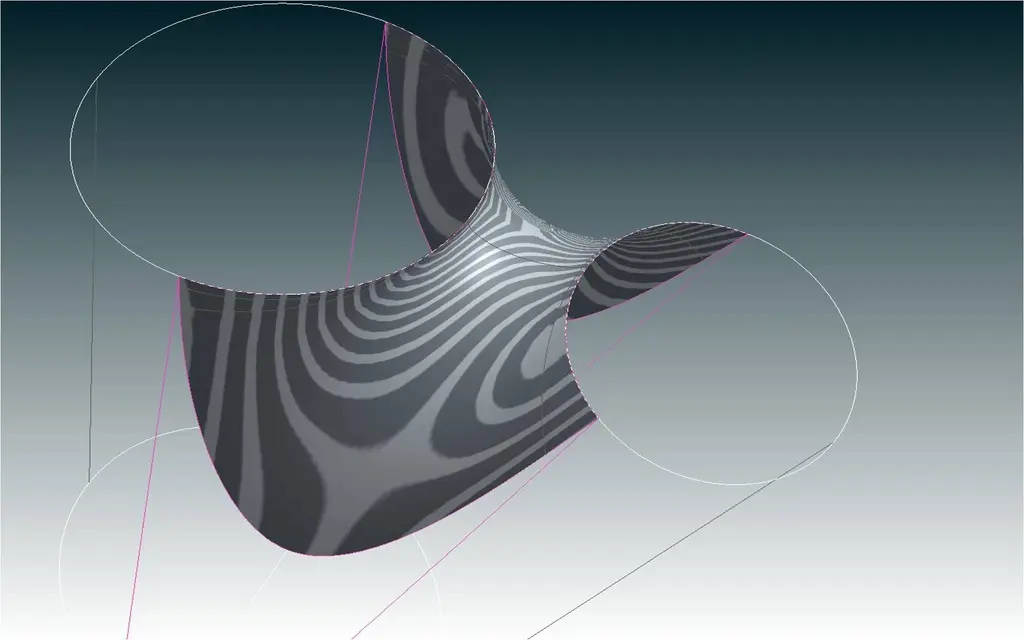 greetings
Attachments
mamobono
Guest
as usual always accurateHello, mamo.
do it in 2 pieces, giving it the normal on the central curve.
View attachment 22620greetings
but I have tried as you say my feat 51 (your is 52) and I get this result, where am I wrong?, it seems to me to do your same procedure.
Thanks again
Attachments
Parametric_Ozzy
Guest
enter the bound tab as from image/flag on display drag handles, you will notice that the handle is activated with the value 1.00, bring it to 0.1 and the game is done. :wink:as usual always accurate
but I have tried as you say my feat 51 (your is 52) and I get this result, where am I wrong?, it seems to me to do your same procedure.
Thanks again
Attachments
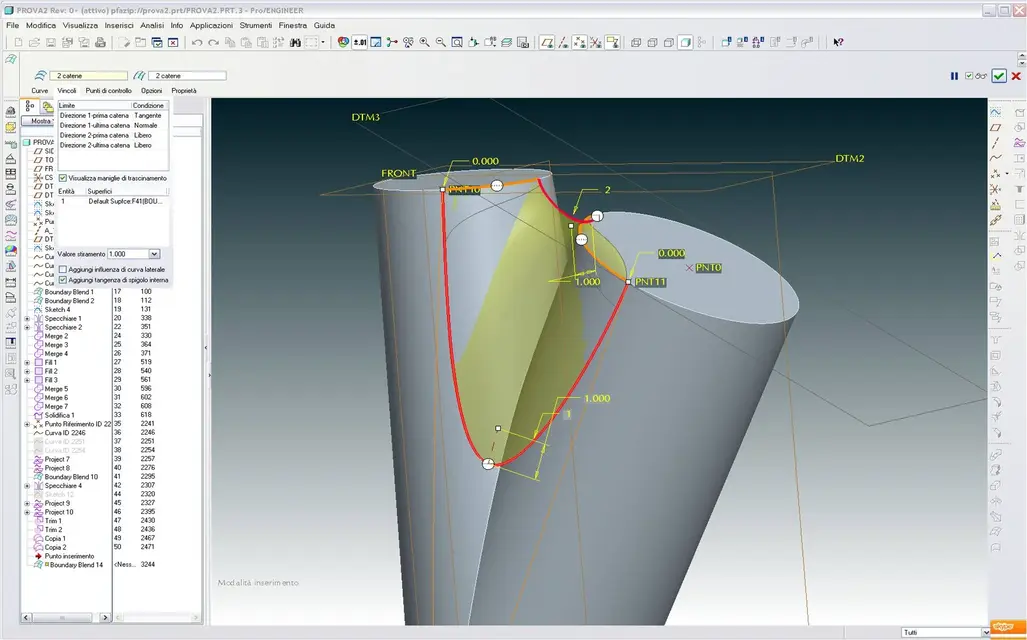
mamobono
Guest
you must have patienceenter the bound tab as from image/flag on display drag handles, you will notice that the handle is activated with the value 1.00, bring it to 0.1 and the game is done. :wink:
apart from that in your feat you know that the value was 1 , when I make this change the situation worsens
see Annexes
use wf4 m110
Hi.
Attachments
Parametric_Ozzy
Guest
not the value of ironing... That's right.you must have patience
apart from that in your feat you know that the value was 1 , when I make this change the situation worsens
see Annexes
use wf4 m110
Hi.
you have not put the flag on display drag handles, look at the last jpg attachment of the previous post.
At that point in the graphic window you will see the value you can drag, that you have to bring it to 0.1.
I don't have almost hair anymore because with time to take space the halo. :wink:
mamobono
Guest
done.:finger:not the value of ironing... That's right.
you have not put the flag on display drag handles, look at the last jpg attachment of the previous post.
At that point in the graphic window you will see the value you can drag, that you have to bring it to 0.1.
I don't have almost hair anymore because with time to take space the halo. :wink:
I have to change my glasses.
always to be on the subject you would know how to give me a reason why doing the complete surface (my first file ) only one of the two faces is not smooth.
doing this and being all symmetrical I would expect a defect from both sides
greetings