• This forum is the machine-generated translation of www.cad3d.it/forum1 - the Italian design community. Several terms are not translated correctly.

offset: aiuto!

  • Thread starter Thread starter fulcad3d
  • Start date Start date

fulcad3d

Guest
Hello, everyone.

I'm new and I just use solidworks while I used rhino first which is super easy to use.
I have the problem of creating a solidworks offset as if the track contains 90° curves, the possible offset is only up to the zeroing of such curves (as radius).
with rhino there is no problem because the curve beyond certain limits becomes a living corner, instead solid does not produce anything.
I have to make a useful path to the loft necessary to create the extrusion of a piece with deformed necessary for injection molds.
I do not know other solutions (reasonable!) besides offset.
Who can help me?
maybe I make the routes in rhino and the amount on solid?
Moreover if you can tell me how and if you can make sure that when I take a sketch from one floor to the other parallel, the two sketches are in the same position, so that every time I place them to zonzonzo and I must then move them.

I think someone will fuck me for the double request in one message! but the second is a banality

Thank you.
 
Hello, everyone.

I'm new and I just use solidworks while I used rhino first which is super easy to use.
I have the problem of creating a solidworks offset as if the track contains 90° curves, the possible offset is only up to the zeroing of such curves (as radius). with rhino there is no problem because the curve beyond certain limits becomes a living corner, instead solid does not produce anything.
If you ask for the offset of a geometry, this is done in a manner consistent with the geometry itself. An imho ray can't become a edge. If you need this, do a partial offset of the geometry.

I have to make a useful path to the loft necessary to create the extrusion of a piece with deformed necessary for injection molds.
I do not know other solutions (reasonable!) besides offset.
Who can help me?
It's not my field at all, but I think that modeling the piece right away with the stamo extraction is first of all wrong, and sometimes perhaps impossible.
the sforms apply towards the end of the main modeling of the body, before the fittings. in solidworks and in other mechanical cads of the genus there is a feature of sform. control the help
maybe I make the routes in rhino and the amount on solid?
:eek: vade retro satana ! :smile:
Moreover if you can tell me how and if you can make sure that when I take a sketch from one floor to the other parallel, the two sketches are in the same position, so that every time I place them to zonzonzo and I must then move them.
if the planes are parallel you should project the geometry of a sketch on the other and in this way the second remains associated with the first.
see in the help on sketch tools under "convert entities"


Hi.
 
Okay.

but if I have to make a partial offset of a closed track that has many curves and curves, going inside the various rays tend to zero and make partial offsets is to be immatured.
among other things the result will hardly be good.

Could my own solution be to make rhino offsets, save them in iges and then...?
I can manage the iges curves without problem, but I have not understood how to import them directly to the working part: I can only import the iges into a new part, then I go into the sketch, I cover it, I go back to the working part, I open a sketch and cup. but it is a long and sinister procedure and certainly unacceptable.

thanks for the answer :finger:
 
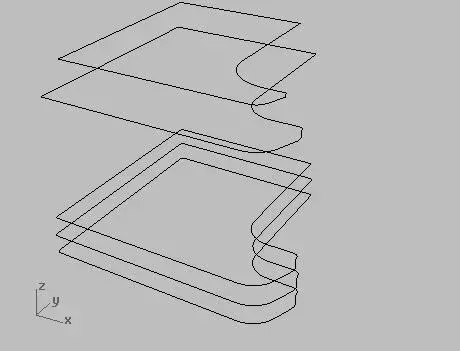
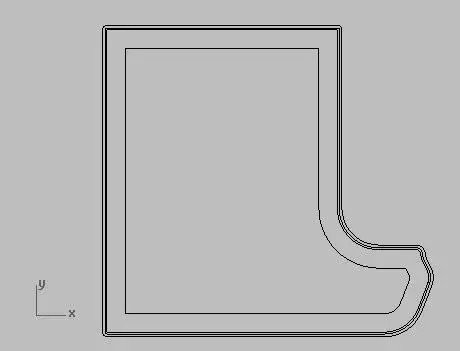
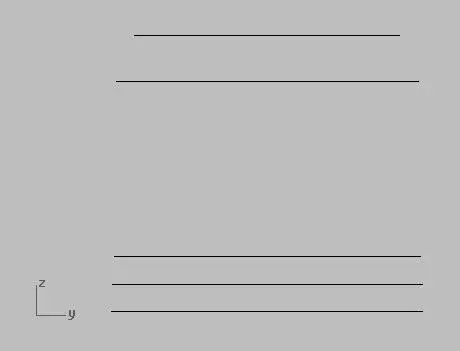
to clarify I attach an image of what tracks I have to make.
of course I have to start from the biggest and realize the little ones.
what you see is made with rhino in 20 seconds.
 

Attachments

  • offset 1.webp
    offset 1.webp
    13 KB · Views: 12
  • offset 2.webp
    offset 2.webp
    2.8 KB · Views: 12
  • offset 3.webp
    offset 3.webp
    820 bytes · Views: 9
Thank you for the answer!

But I don't understand.

Maybe I have to set up something on sw?
 
Is that what you want to do?
 

Attachments

  • Nuova immagine (1).webp
    Nuova immagine (1).webp
    27.2 KB · Views: 8
  • Nuova immagine (2).webp
    Nuova immagine (2).webp
    12.5 KB · Views: 6
  • Nuova immagine.webp
    Nuova immagine.webp
    21.1 KB · Views: 9
about.

I mean, but I think your loft has spread out.
the same result I get it with rhino if I impose the "uniform" style, while if imposed the style "linear sections" I get the desired result.

but my problem for now remains on the management of the offset command: So I tell you: Yes. I want to get what you show me.
You made it with sw? Can you tell me where I'm wrong or how I have to behave?

Thanks again
 
in solidworks happens the same thing!
I've never noticed. .... maybe because I keep thinking, even now that I tried, that this type of offset is a countersenso. I don't know when I need it.

Hi.
 

Attachments

  • offset.webp
    offset.webp
    14.3 KB · Views: 10
about.
I mean, but I think your loft has spread out.
the same result I get it with rhino if I impose the "uniform" style, while if imposed the style "linear sections" I get the desired result.
I did the loft randomly, I don't know if she's gonna shoot, but still you can do whatever you want... .
You made it with sw? Can you tell me where I'm wrong or how I have to behave?
it was made in solidworks.
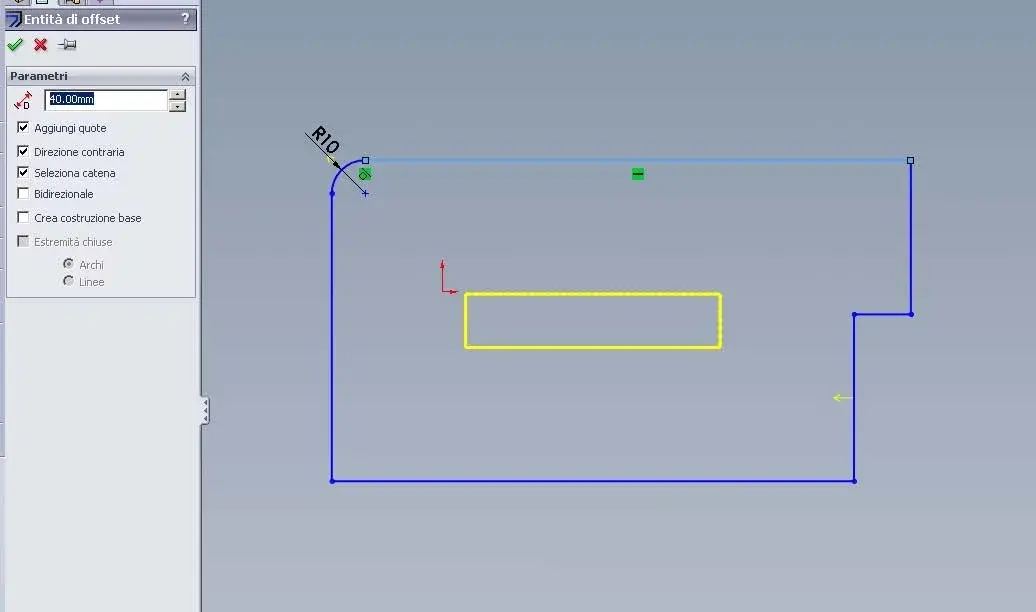
I don't know where you're wrong.... you've never posted anything that can make him understand. select a line of your closed sketch and click on offset entities. That's all.
the scermata that appears to you is what you see in the photo of marcof
 
Okay.
In fact, the command works!
I tried to draw ex novo a track and behaves just like I expect to.
therefore the problem comes from my source track that was not born in sw but in rhino and applied to sw through an export in iges.

so the problem has become:
if I have a track that I want to insert in sw and I created it in rhino what solution do you recommend?

Thank you.
 
so the problem has become:
if I have a track that I want to insert in sw and I created it in rhino what solution do you recommend?
I never tried to import from rhino or import only sketches in iges format.

I would personally do the sketch directly in solidworks.... always if it's simple things like the one you posted.

Otherwise.....if you can view the iges sketch copy it with the convert entity command.


try to post the iges so we try also us and maybe you get to a solution.... in words you do a little hard. You have to go for attempts... depending on what's inside the iges
 
so the problem has become:
if I have a track that I want to insert in sw and I created it in rhino what solution do you recommend?

Thank you.
If you didn't order your doctor: Let all these matter and export cabbage that do more damage than storm, and do everything in solidworks.
then you're free to complicate your life as long as you want, including the choice of making the dies for extraction from the mold in the first modeling.
 
Otherwise.....if you can view the iges sketch copy it with the convert entity command.
Do you know what satisfaction to have inside a parametric cad an unchangeable sketch? na enjoyuria comparable to that of buying a laptop that mounts a video game graphics card to work with a cad3d...:wink:


Hi.
 
OK place the iges.

but I do just like this: I insert the iges (in a new part because as I said I did not understand if and how I can do it in the working one), and I create a sketch from the iges track converted into entity, then I copy it and take it on the part in working

Boh?
 

Attachments

I only saw the first of the two files.

However it manages very well: load the iges, open a sketch on a parallel plane and after selecting a DIY line convert entities and the game is done!
 

Attachments

  • traghetto.webp
    traghetto.webp
    31.5 KB · Views: 5
Okay.

Now it is clear that offset works properly as it is normal that it is.

Thank you guys for now.

However, I have a new problem to solve, so I will open a new discussion.

Hi.
 

Forum statistics

Threads
44,997
Messages
339,767
Members
4
Latest member
ibt

Members online

No members online now.
Back
Top