• This forum is the machine-generated translation of www.cad3d.it/forum1 - the Italian design community. Several terms are not translated correctly.

part derived from composite mirror

  • Thread starter Thread starter sofa80
  • Start date Start date

sofa80

Guest
Hello, everyone.
I ask for your help to better understand in the environment together, the component mirror function - opposite hand creation - new configuration derived in existing files :
reference to the g01sx-fianco sp. ,
both in the environment part and environment together, when I go to click on the derived configuration generated by the composite mirror function,
the part is displayed in a different position than it was mirrored (on the right hand side opposite). I don't understand why because the initial mirror is correct

I need this because in separate material I can view all configurations of the same part as the only element for production needs
allego files better to explain

Thank you.
 

Attachments

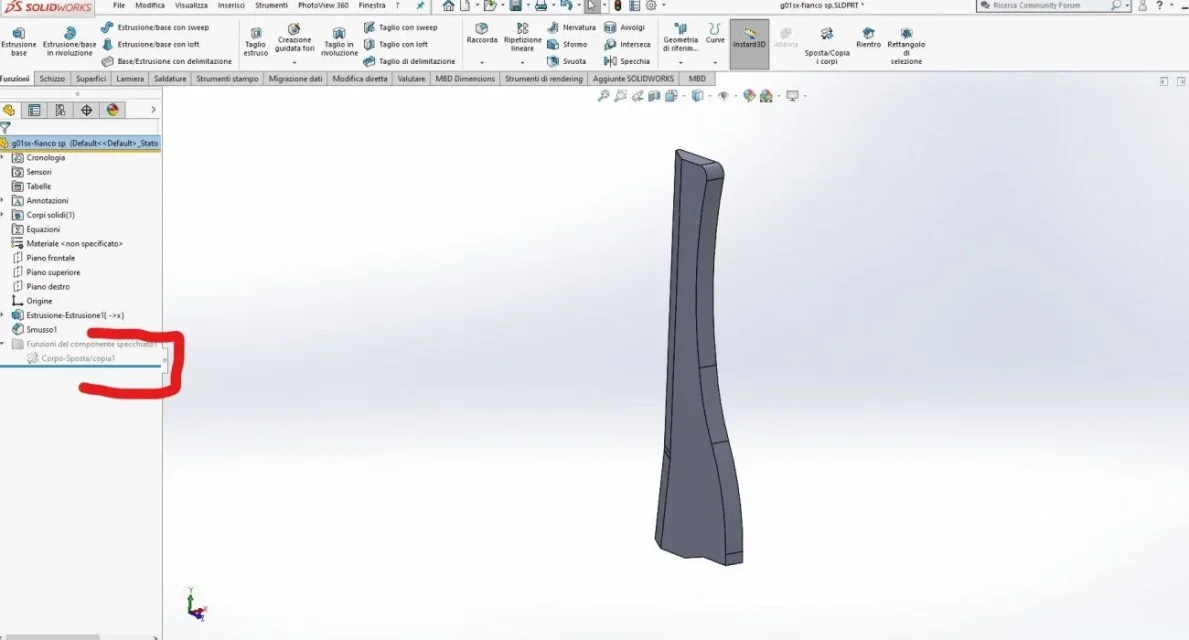
in the part the function that generates the opposite hand version is suspended. in fact the active configuration is default
 
The function that generates the opposite hand version is suspended. in fact the active configuration is default
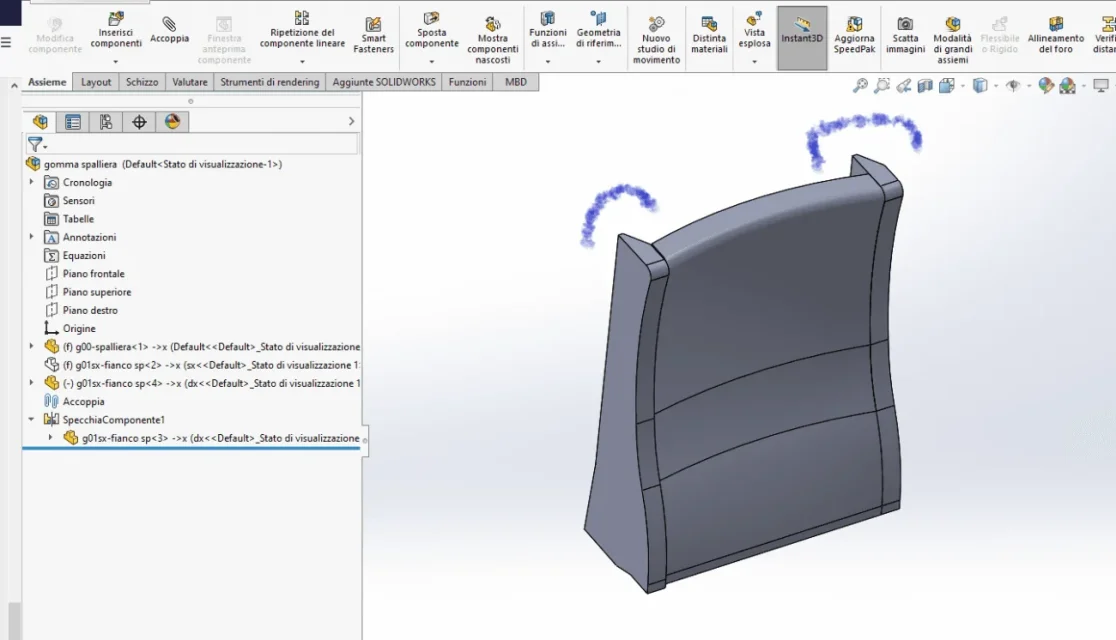
if the active part is displayed in incorrect position (as you see in screenschot 44)
as "the mirror" was done on the right floor
 
in the axieme the blue part has the dx configuration, the mirrored part can not see what configuration it has.
the part of screenshot 45 is set in default configuration which is exactly speculating to that of the blue part of the axieme

to me you seem to have both versions of the part

no I have way to open the axieme so I deduct from the pictures
 
That's what I see opening your own set
notice the name of the configurations of the two interested parties
 

Attachments

  • Cattura.webp
    Cattura.webp
    29.9 KB · Views: 10
[QUOTE
nell'assieme la parte blu ha la configurazione dx, la parte specchiata non si vede che configurazione ha.
la parte dello screenshot 45 è impostata in configurazione default che è esattamente speculare a quella della parte blu dell'assieme
][/QUOTE]each part is placed on the propia configuration, (see figure 47) I don't understand why if they select the other configuration the part is displayed as in figure 44, I would have expected to see the parts as in figure 48(I have specially copied and placed the part to make the idea)
 

Attachments

  • Screenshot (47).webp
    Screenshot (47).webp
    52.6 KB · Views: 16
  • Screenshot (48).webp
    Screenshot (48).webp
    58.7 KB · Views: 15
the opposite hand mirror creates a geometrically specular version; in figure 48 is not so because it is only about mirroring the position regarding a floor
 
I'm not getting anything.
what is the result you want to achieve? figure 47 or figure 48?
 
I don't understand.
in Figure 47 you have the same part with sx and dx configuration, in Figure 44, of the first post, the parts are equal therefore must have the same configuration.
What's bothering you?

I point out that the axieme you attached shows, as from the image of my post #5, already the correct position of the parts as from your image 47 and that one has the configuration default e l'altra while in your images sx e dx.
 
I am tormented by the fact that I do not see the piece in the position I have created in component mirror, when I go to activate the derived configuration
I don't think this is a problem, but the fact is that I don't know how to explain why the derived configuration doesn't show me in the piece as it was mirrored.
so to better understand how solidworks works
 
As I wrote to you, I opened your set and it was all right.
in the image of the first post the blue piece is equal to the gray one therefore from the idea of being in the correct position but with the configuration, that you do not see why the mirroring function is closed, wrong
 

Forum statistics

Threads
44,997
Messages
339,767
Members
4
Latest member
ibt

Members online

No members online now.
Back
Top