• This forum is the machine-generated translation of www.cad3d.it/forum1 - the Italian design community. Several terms are not translated correctly.

pc lento?

  • Thread starter Thread starter A-lisa
  • Start date Start date

A-lisa

Guest
Bye to all,
last year I commissioned a pc almost exclusively to make the best revit and autocad 2009, but only these days we are really using "how should" revit 2010. the pc that was delivered to me is a multiprocessor intel core 2 quad 2.66 ghz, the video card is nvidia geforce 9800 gt, I asked windows xp 64-bit and constantly quarrel with the drivers (which I can not find) for very simple things like printers or cameras. . but it's okay, as long as revit works well... but... renderings are very slow!
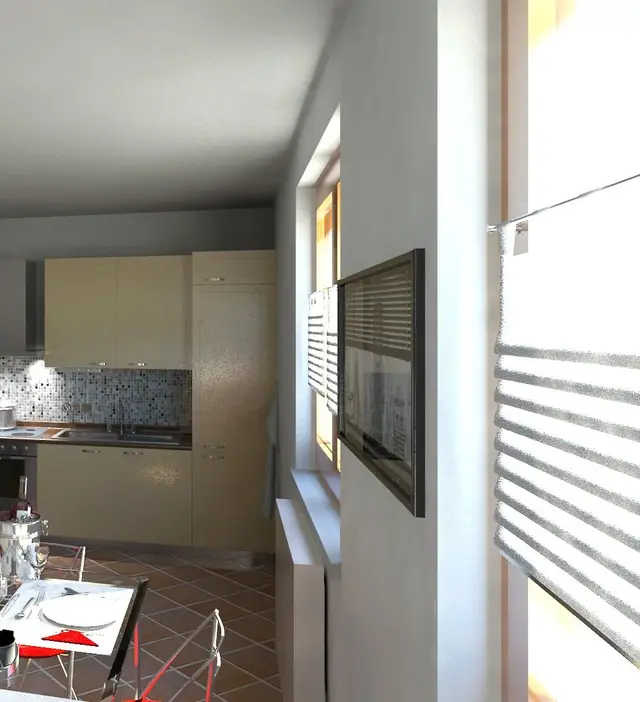
So I ask you: is it normal that for a very shady scene of an interior, with minimal furniture, simple finishes (plastic!) and some light, after 18 minutes we are still 40%?
I tried to reduce the resolution, but it does really pity! Yet the dear old 3dsviz in a few minutes did really much better! Where am I wrong? do you have any advice on the type of resolution that is better to adopt, considering that the final output will be a print in a4 on photographic paper?
Thank you! and congratulations again for your support (without you I would have already given up)
 
Dear Lisa,
I'm not at gfrank levels but I can only tell you I had the same problem, but how much memory do you have? If you spin with less than 4gb it is really hard to throw with revit, I agree that 3ds max is much faster. In my opinion, it is only a matter of memory, I do not want to seem irreverent but since I mount 12gb of memory in less than 5 min I elaborate all the renderings of this world, assembling win7 without any problems whatsoever.
you will see that you will get other answers surely more targeted, cmq good work hello
 
I have "only" 4 gb! reason why I asked the 64-bit system. but to what I have understood I am the least indispensable. Right? but a curiosity.. not to be "real": How much are those 8 gbs that I miss?? :biggrin:
Thank you very much for the answer!
 
. the engine render of revit was mental ray, like 3dsmax and therefore do not understand the difference of times between the two.. Did I get it wrong?
 
no no you understood well but probably 3ds has a different more powerful algorithm. the cost of the memories had fallen a lot now I am again uphill, at least so I was told not to shoot c...te, cmq the cost depends on the car you have and what type of expansion you have. consult a computer technician, always better to feel + of one, and then find the answer. Hi.
 
Thank you.
That's what I thought I was doing. I hope that when they provided me the pc we left some free slots as soon as I can hear them.. Otherwise I already realized that I have to buy them back from 0! meanwhile saving in lights and effects to have renderings that years ago I would have discarded.. I'm going to work for everyone.
 
look that I too for an interior rendering with revit 2010 to the definition of 1920x1080
pixels with activated internal lights (18 between spotlights and lamps) and solar light entering from 2 windows with a quad xeon to 2.33 and 64-bit machine used us more than 4 hours
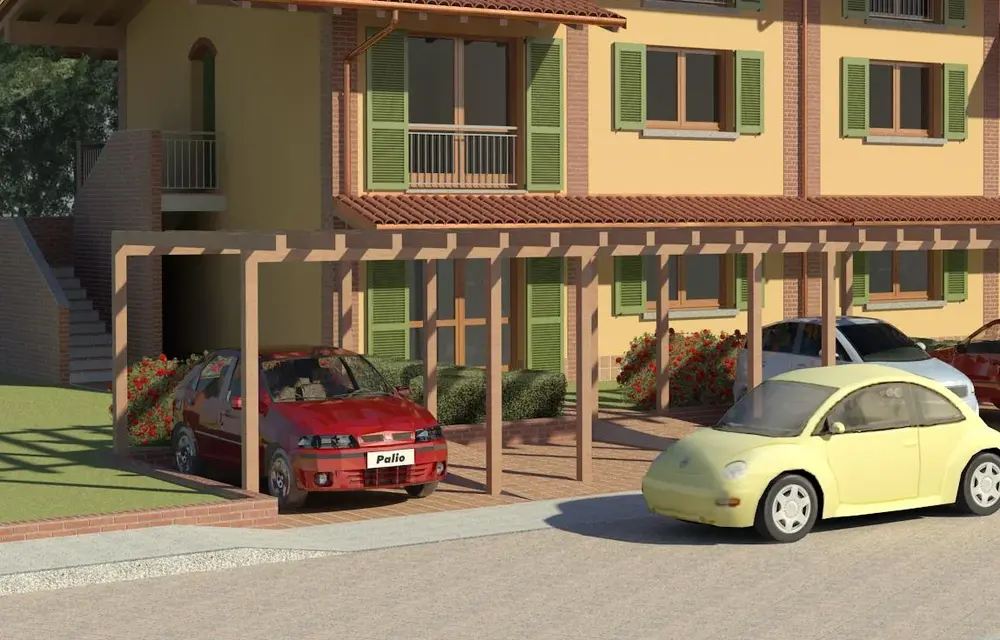
the same configuration for an external rendering with only sunlight no more than 10 minutes
 

Attachments

  • Vista 3D 11_800x450.webp
    Vista 3D 11_800x450.webp
    51.7 KB · Views: 95
If you place pictures of what you are doing others can give you advice
However I think it depends on the fact that it is an interior rendering because I had tried only with sunlight turning off all the interior lights and time has not changed

for the paintings:www.allposters.it find any image you want, attach them to the wall as a decal and then put in front of a frame
for objects: many are wanted dwg on the internet mapped to layers in objects styles of imported categories
 

Attachments

  • Vista 3D 71.webp
    Vista 3D 71.webp
    141.5 KB · Views: 56
try to open twice revit and open the same rvt in both
send in rendering in region mode half image per part and then join
with paint program
half-time jobs
 

Attachments

  • Vista 3D 44a.webp
    Vista 3D 44a.webp
    81 KB · Views: 46
  • Vista 3D 44b.webp
    Vista 3D 44b.webp
    86.5 KB · Views: 47
If it's the ram missing and then the hard disk would swap hard... Just make sure by looking at the amount of memory the application uses... or see if you use the hard disk as a forsennate while leaving the pc to render.

I doubt that in 18 minutes of rendering can use all about 3gb that would remain available for the program.

also talk about multi-processor multicore... If the processor is quadricore and you have 2 you would have 8 cores... Are you sure you use them all for rendering?
 
to open two revits I did it with a quad core 32 bit and 4 gb ram
and you could do it by keeping an eye on the use of ram
now I also have a double xeon processor but revit sees only 1 unlike 3ds
who sees them both
doing it also with this check to every revit his processor with the 4 cores and the thing is fine
for those images did not use much ram remaining in 3 gb
I have to say that for other images of very full exterior to create a video in front of a time of rendering 10 minutes for an image at 720x404 (filmed to single images) the occupation of the ram arrived at 15 gb (16gb of ram in the car) but in this case I can use a processor only
 
hello make54 you are also right but you in what format do you print then render them?
because for the yard posters they advised me to throw the renders to 300dpi and throw them in optimal quality or elevta....the pc puts us more than a day to do them in some cases!!!but you could give me some tritta of where and how do you find all those furniture elements in dwg?? thank you for the courtesy
 
I introduced myself into the discussion.., it was only to say that 300 dpi for a yard sign are a little too many, usually the billboards are printed from 100 max 150 dpi, for example I printed a poster on pvc from 3.5 meters for 2 of height to 150 dpi in high quality and it came well with an i7 extrem 975 12 gb of ram and it put a lot about 6 hours present.
I recommend you set 120/150 dpi max, and resize the image according to the size of the billboard you need to print.
that
Mar
 
you for the time that puts us are a little too many!!! Now I am waiting to see the result on a billboard!! !cmq this indication came from a copy shop that makes billboards!! !
 
sincerely I have been working for years with autocad and accurender that required me only pixels for the size of images for which I am accustomed to reasoning still now in pixels for the size of images
however, the assumption that more pixels are better is
for the format of the images before I prefer the photo report 24x36 like the films, for which images at 3600x2400 px or 2400x1600 px, now the 16/9 of the hd televisions, I must say that an image as above placed at 1920x1080 on a 50-inch hd plasma television makes a beautiful figure
I know the owner since the university, so more than 30 years, telephone and he tells me the optimal dim for the size of the billboard and the material on which it will be printed.
once on the plotter floor for these prints there was the door of a door, another time on my request he could also print images on bathroom tiles for a custom coating of a friend who loves the mountain.
 
maybe I know this company..but when you create 3d importing your own 3d dwg file the file does not weigh down and slows down in processing and inserting other objects because I have these problems!! !
 
depends on what amounts
if you import small items like furniture or a car you can
find on accustudio the thing is small
However it would always be better to import them into a family
and assign materials for layers
as in the image I attach you
there is Maylino rpc and two cars in dwg
sin revit does not manage smoothing
of the surfaces of these cars
 

Attachments

  • auto.webp
    auto.webp
    123.4 KB · Views: 47
I will first set the layers in autocad and then create a family in revit!! !
cmq I have problems because with 30mb revit files the files begin to slow down and go to snaps!! do you have these problems? I can ask you if you can answer the discussion that I opened with title " horizon?" thank you
 
I have no problem because as written in another discussion I have a 64-bit machine with double xeon 2.33 ghz processor and for a job I'm doing I put 16 gb ram
the rvt file of this job is 70 mb, then when I open it and load all external rvts I don't know how much it becomes
However I send you screen image with Windows activity management data
Unfortunately the work is not mine, I only take part 3d with revit
the designer did all the practice with autocad lt 2d
 

Attachments

  • revit.webp
    revit.webp
    50.2 KB · Views: 33

Forum statistics

Threads
44,997
Messages
339,767
Members
4
Latest member
ibt

Members online

No members online now.
Back
Top