• This forum is the machine-generated translation of www.cad3d.it/forum1 - the Italian design community. Several terms are not translated correctly.

problem display transparencies images in rendering

  • Thread starter Thread starter doking
  • Start date Start date

doking

Guest
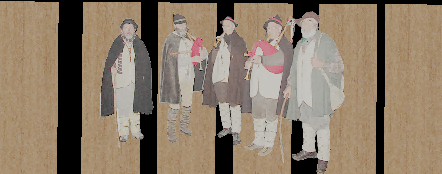
I intend to put inside a model of the photos that represent characters, in normal visualization I can see the images with all their transparency contour from the lotus pane but at the moment when I go to render, then in perspective view, what are the transparencies of the photo I see in gray
Is there a way to insert images with transparencies in an acceptable way?
thanks in advance :wink:1.gif
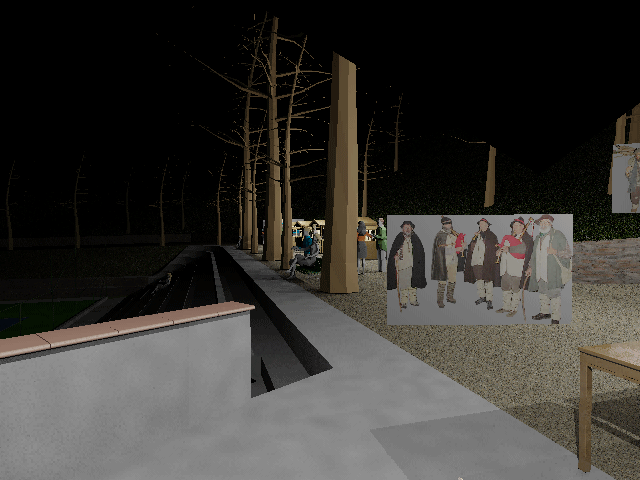
 
the procedure is different from the transparency obtained in the 2d, it is not necessary to use png file, it is also good the jpg.

- create a copy of the image you want to insert, black rendering the part you want transparent and delete the rest
- create a new material by assigning the original image, check the box cut-outs and assign the image with the black part
- in the model creates a 3d face (or surface) having the image size you want to insert and assign the material you just created
- make it:


in rendering the part in black will be transparent (even for shadows), so that it results in the right position it is necessary that the images have been inserted with the same scale in the editor of the materials
 
gp. why after inserting the images, the execution of making this is interrupted by telling me that there are no solids or surfaces? :confused:
 
Do solids or surfaces exist?
I have not understood whether the image is inserted "as image" or as material.
 
gp. I used your method, photo inserted on a surface
in any case in the model there are both solid for the objects and surfaces for the soil in addition to the surfaces of the photos precisely
if I turn off the layer containing the photos the problem disappears and the rendering completes without problems

:confused:
 
It's weird, is it possible to attach the dwg?
gp. the file is 67mega.... .
I think it's a hardware problem, as I don't have a real video card : (but a nvidia 8400gs 512mb
In any case I have tried to do some tests and in other cases the problem has not been :confused:
anyway I solved with photoshop :d
 

Forum statistics

Threads
44,997
Messages
339,767
Members
4
Latest member
ibt

Members online

No members online now.
Back
Top