• This forum is the machine-generated translation of www.cad3d.it/forum1 - the Italian design community. Several terms are not translated correctly.

problem spline

  • Thread starter Thread starter DNS
  • Start date Start date

DNS

Guest
Hello
I'm learning to use nx 9 and I came across this problem that I can't solve and that I've never seen in other cads.
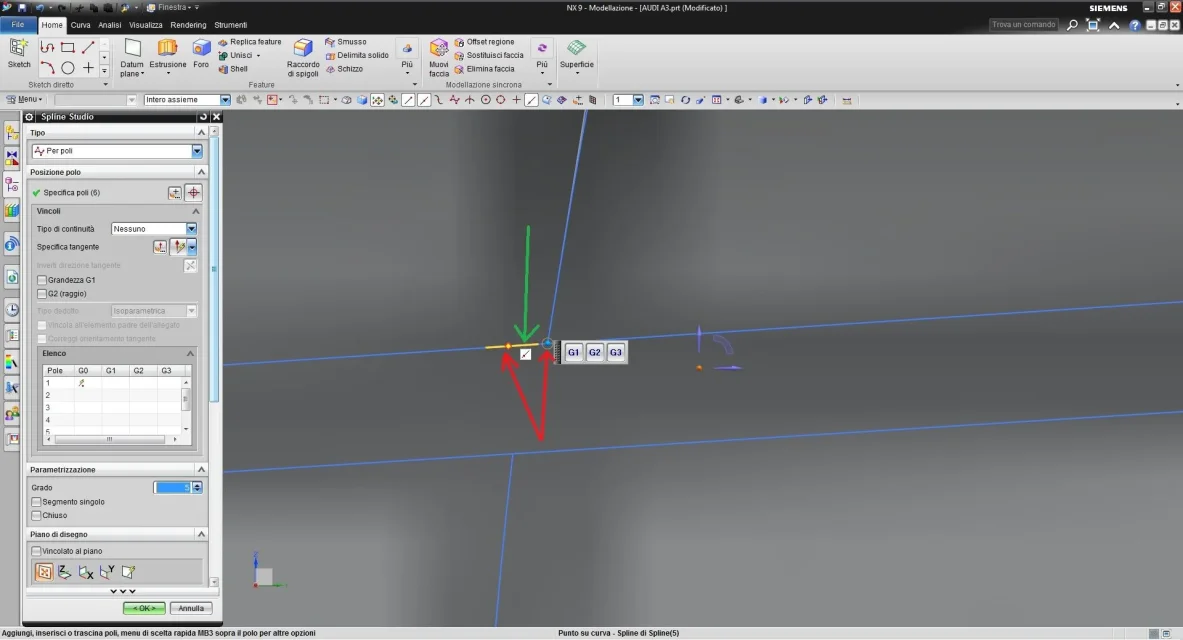
using the spline studio command I would like to place the end point curve at a specific point so that there is continuity over the curve below (point marked by the green arrow). as you can see in the attachment, using the "point on curve" link, I can place the end point curve only at some specific points of the horizontal curve (marked by red arrows). Looks like the curve doesn't have enough resolution... Is there a way to solve this problem?
Thank you.
 

Attachments

  • 01.webp
    01.webp
    97.3 KB · Views: 11
point one: presenting itself never hurts.
point two, what you see in the image is not enough: explaining to me better if you built the spline in a floor and that floor doesn't pass by that point marked in green... .
Hi.
 
Excuse me but I'm new... I call denis
are 3d lines, so not built on a floor. just possible place an image that clarifies better
 
but are you using the sketch splie (which are so flat) or the external spline studios?
Maybe post a small part of the model so that you can understand what you want to do.. .
so from the info you provided I do not understand.
 
I understand the difficulty in understanding...the splines I refer to are only made with the "studio spline" command in 3d environment.

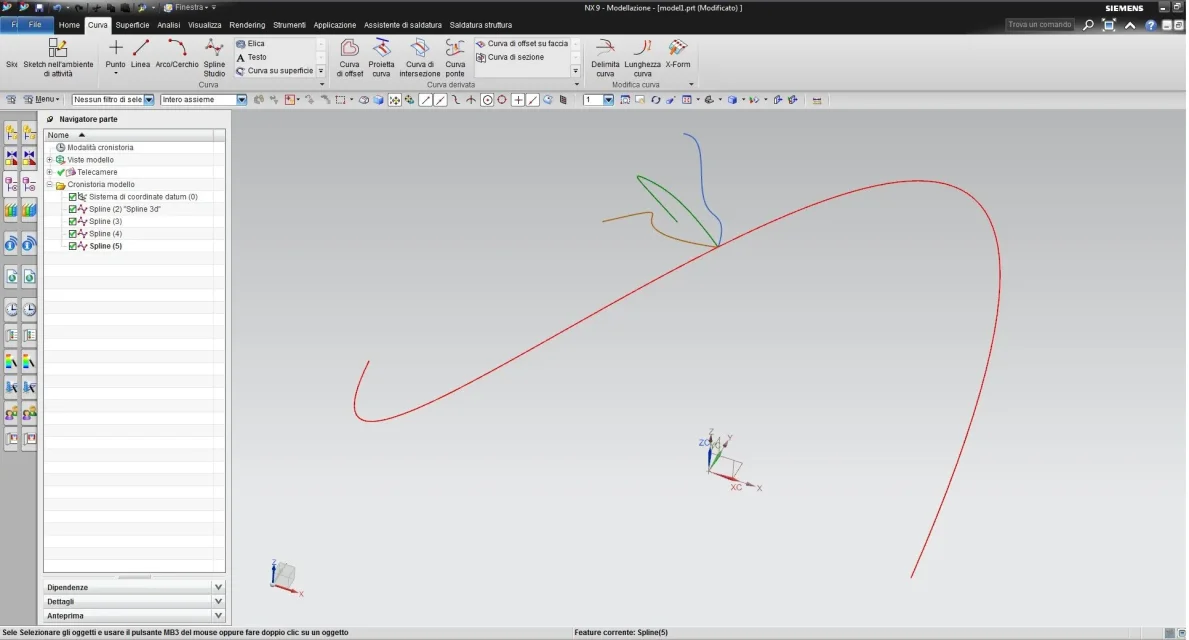
I simplify this by posting another very simple design in which I have the same problem. all the splines are performed randomly with the command "studio spline" in space 3d (so not in a 2d plan of sketch) (images 04-05).
in the image 06 I made the enlargement of the lines. Taking as reference the green line, I would like the blue and orange lines to be closer to the green line keeping the bond that all curves (green blue and blue orange) have the spline starting point lying on the red line.
My problem is that I can't approach the curves to more than 0.226 mm each other by keeping the bond that the initial points lie on the red curve (the tolerance of 0.2 mm is too low for some types of drawings).
I don't have these problems when I run splines in sketch 2d environment.
I don't know if you have to set something (and what) in the general settings so as to increase tolerance or what other type of problem is.
04.webp05.webp06.webpin the link [video=youtube;sOPk6KzfkbU]https://www.youtube.com/watch?v=sopk6kzfkbu&feature=youtu.be[/video]
 
place a small film here https://www.youtube.com/watch?v=haa385-hq8g you can see some things, one for example that my command is different from yours as I set the full view (rotellina at the top left). then see that you can bring the point where you want with the handles on the spline on which it rests. n.b. just one click.
I was clear. Hi.
 
I can move the curve where I want and always with the possibility to give the constraint g1/g2/g3.
I use 0.01 modeling tolerance and 0.05 angle.
Maybe try to see you have no strange tolerances or default tolerances.
I use nx10 but I think it is not different in the versions before.
I don't put a video because it wouldn't change anything.
 
ceschi1959: I thank you for the tip, with that method I managed to solve the problem:finger:

the_matrix: I tried both on nx 9 and on nx10 and I had the same problem. I also tried to set under all voices tolerances and display in "custom default"...but nothing to do.

thanks to availability
 

Forum statistics

Threads
44,997
Messages
339,767
Members
4
Latest member
ibt

Members online

No members online now.
Back
Top