Jakka
Guest
Bye to all,
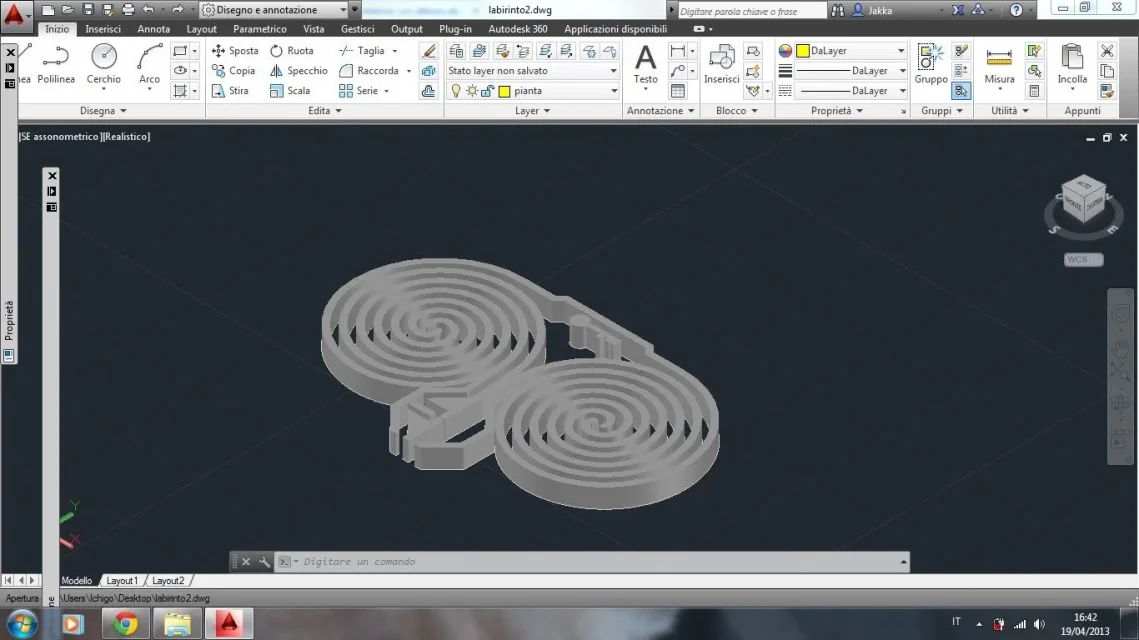
I press that I started using autocad the first time a week ago to realize the 3d model of a maze and are therefore very ignorant in the matter.
I managed to create plant and to extrude everything with a certain height, but the goal would be to succeed in making the two spirals present starting from a height of 2.3 m, the one goes progressively up to the center of the spiral itself to reach a height of 3.6 m, and the other gradually descend, always up to the center of the spiral, 1 m high.
Is there a command that allows me to do all this?
Thank you in advance.
I press that I started using autocad the first time a week ago to realize the 3d model of a maze and are therefore very ignorant in the matter.
I managed to create plant and to extrude everything with a certain height, but the goal would be to succeed in making the two spirals present starting from a height of 2.3 m, the one goes progressively up to the center of the spiral itself to reach a height of 3.6 m, and the other gradually descend, always up to the center of the spiral, 1 m high.
Is there a command that allows me to do all this?
Thank you in advance.