IceFoggy
Guest
Good morning to all,
I press that I am new and tried to search in the forum but I couldn't find answers.
use autocad 3d with faces to make layout.
My problem is this (always if I can make me understand correctly):
I can draw only on the predetermined plane and that is if I put in assonometric view and copy any entity in direction z (without inserting coordinates but moving only the cursor) I can copy it but the overlap to the original created in the plane of origin.
by inserting the co-ordinate z I can create the copy where desired but it turns out much more slender where you do not need to have precise distances (planting bowls).
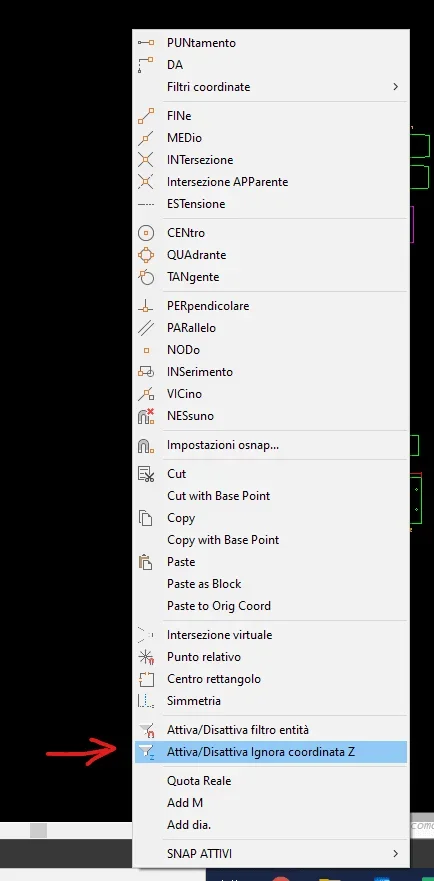
and if I have 2 objects in 2 different planes and I have to connect them with a line using the snaps you create a line projected on the plane of origin.
I attach some pictures to make better understand.

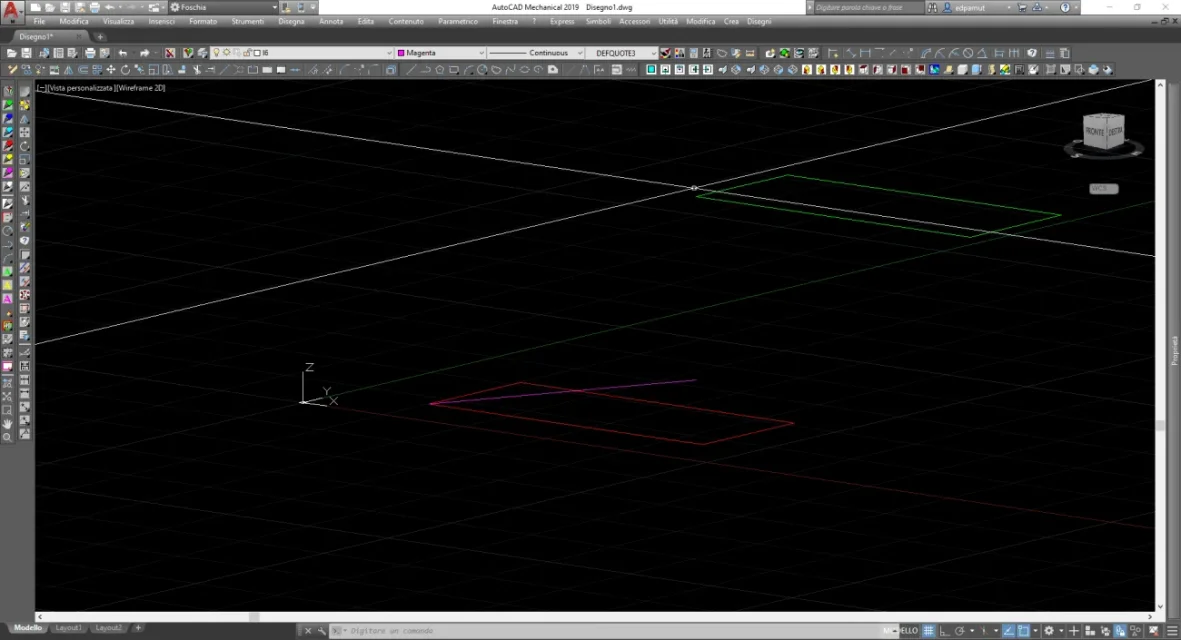 view in the plant
 I haven't always had this problem. can it be that it has, involuntarily, changed some setting that blocks the move in the 3d?
thanks for the attention and good day.
Andrea
I press that I am new and tried to search in the forum but I couldn't find answers.
use autocad 3d with faces to make layout.
My problem is this (always if I can make me understand correctly):
I can draw only on the predetermined plane and that is if I put in assonometric view and copy any entity in direction z (without inserting coordinates but moving only the cursor) I can copy it but the overlap to the original created in the plane of origin.
by inserting the co-ordinate z I can create the copy where desired but it turns out much more slender where you do not need to have precise distances (planting bowls).
and if I have 2 objects in 2 different planes and I have to connect them with a line using the snaps you create a line projected on the plane of origin.
I attach some pictures to make better understand.
view in the plantI haven't always had this problem. can it be that it has, involuntarily, changed some setting that blocks the move in the 3d?thanks for the attention and good day.
Andrea