• This forum is the machine-generated translation of www.cad3d.it/forum1 - the Italian design community. Several terms are not translated correctly.

problem with rounding - solid modeling

  • Thread starter Thread starter MORENO100
  • Start date Start date

MORENO100

Guest
Bye to all,
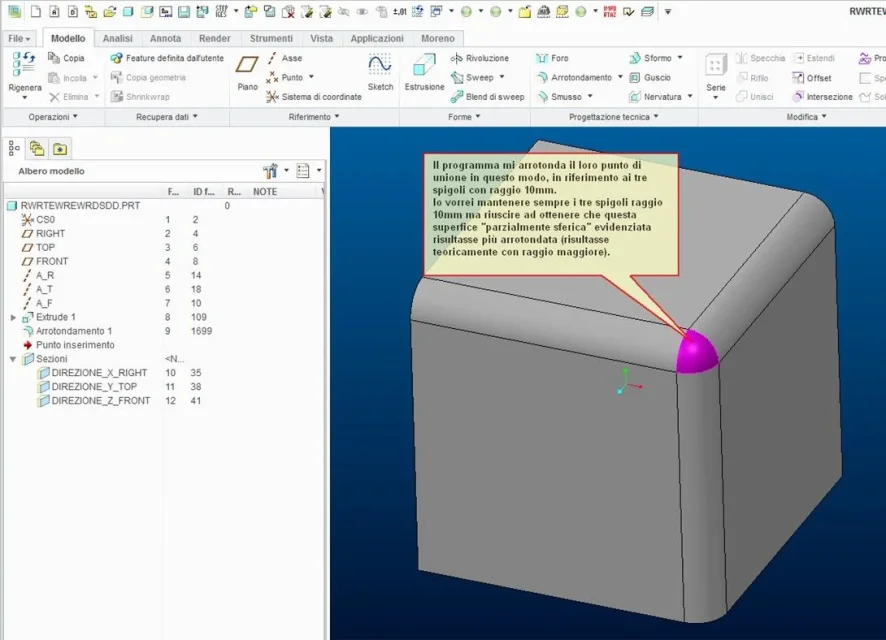
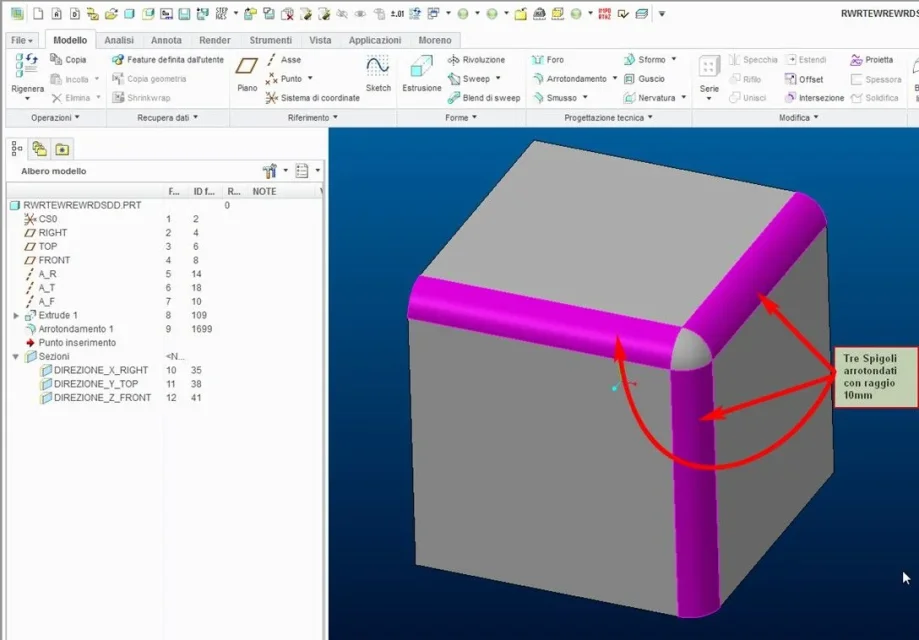
I have a solid modeling problem, I try to explain it by attaching some pictures.
p.s.
I use I create 2.0 and I have no knowledge and much less the module to manage the thing with the surfaces.
Good day and thank you.
 

Attachments

  • Immagine_01.webp
    Immagine_01.webp
    55.3 KB · Views: 13
  • Immagine_02.webp
    Immagine_02.webp
    67.2 KB · Views: 14
  • Immagine_03.webp
    Immagine_03.webp
    44.6 KB · Views: 13
Hello Moorish,
If you want to make a fitting as an attached image, you don't need the surfaces.
as first operation execute the connecting command in sets mode, select the three edges and define a radius to please example 10.
with the open command click on the icon next to it and switches fashionable transitions, with the mouse pointer clicks at this point on the spherical connection created to the three edges.
turn on the drop-down menu next to the transitions button, scroll it and select angle ball, set the desired radius example 20 and the game is done.
you can also drag the 3 handles to adjust the shape to your needs.
 

Attachments

  • RACCORDO.webp
    RACCORDO.webp
    42.1 KB · Views: 11

Forum statistics

Threads
44,997
Messages
339,767
Members
4
Latest member
ibt

Members online

No members online now.
Back
Top