
LucaBelotti
Guest
Hello, I'm new to the group, I need someone to help me with a little problem about inventor 2014.
I changed pc, the new one has 3d geforce gt 730, 3,20 ghz of cpu intel core-i5-4460 and 8gb of ram.
with the old one and inventor 2010 the visualization of the project was better, now it does not delimit me well the edges of each part that composes the axieme and from far seems a unique body. What can I do? Is there any settling in inventor related to the graphics card?? I attach photos for clarification.
Is there anyone who can help me? ?
Thank you.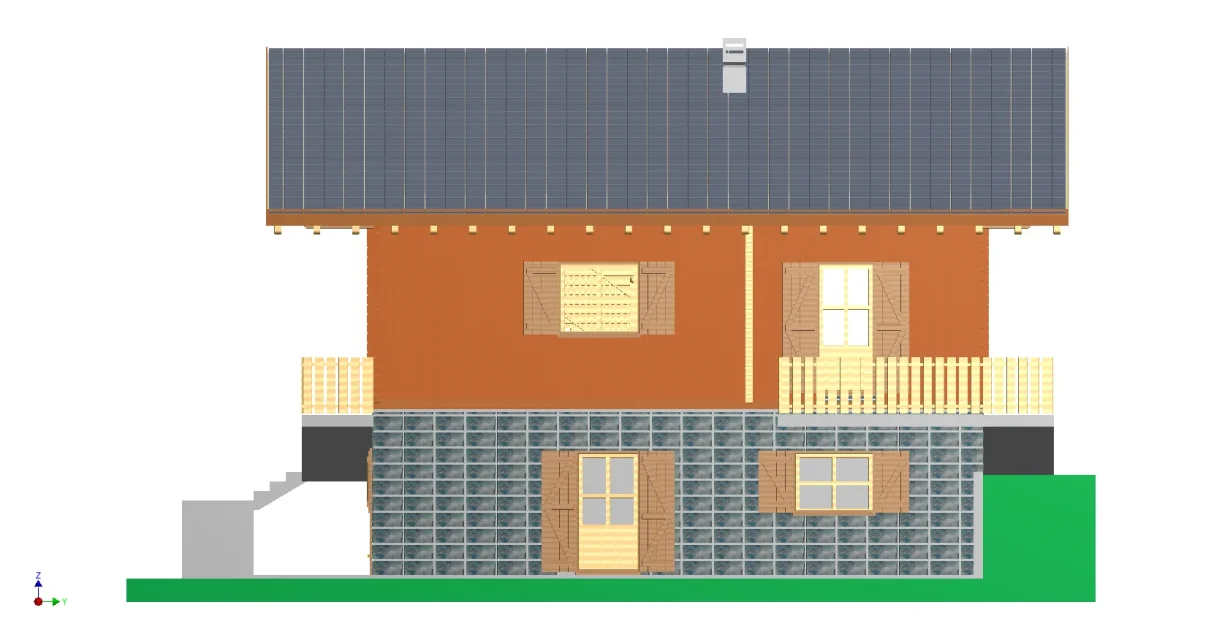

I changed pc, the new one has 3d geforce gt 730, 3,20 ghz of cpu intel core-i5-4460 and 8gb of ram.
with the old one and inventor 2010 the visualization of the project was better, now it does not delimit me well the edges of each part that composes the axieme and from far seems a unique body. What can I do? Is there any settling in inventor related to the graphics card?? I attach photos for clarification.
Is there anyone who can help me? ?
Thank you.