
• This forum is the machine-generated translation of www.cad3d.it/forum1 - the Italian design community. Several terms are not translated correctly.

quotation diameter in table view dimetric solidworks

  • Thread starter Thread starter thedrio
  • Start date Start date

thedrio

Guest
Good morning to all,
I have the need to quote the diameter at the table of many circular details; with the intelligent quota it immediately takes the radius after which I have to enter the quota option, remove the word "real" and transfoam it from radius to diameter. it was just an ok but when they become many and for every day it is a great loss of time.
Could you solve my problem?
use solidworks 2019 si w10
Thank you all.
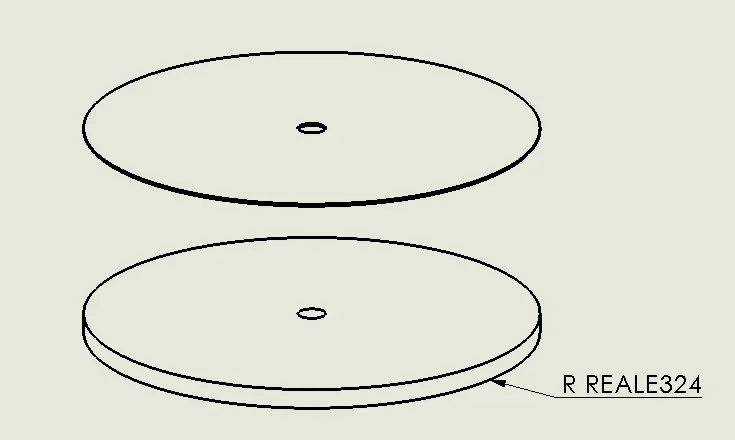
 
So are they actually rays?
to me appears the writing r real only if quoto elements in isometric view
 
hi massive, are diameters (as in the attached file); I would like the diameter to come directly without, for each quota, making changes in the properties of the same
 

Attachments

  • esempio.webp
    esempio.webp
    10.3 KB · Views: 10
change the height as you like, then cra a style(1), then save it 82) and load it in the drawing(3)
once uploaded you can save the template for always internal
when quoti activates style
 
great solution if we talk about the same table, if I create a new one loses my style; I have to try to insert it in .slddrt
 
if I create a new one, I lose my style;
in fact I wrote that: once uploaded you can save the template for always internalthen in drwdotanyway to load a style in a new design you put 10 seconds
 
I did some evidence. Charges and saves work but, repeated several times, the quota always measures the radius, does not save me the diameter option.
 
Hello Mass, I tried the file you sent and it works. Meanwhile, thank you and try to do it again from scratch.

Thank you again!
Hi.
 

Forum statistics

Threads
44,997
Messages
339,767
Members
4
Latest member
ibt

Members online

No members online now.
Back
Top