• This forum is the machine-generated translation of www.cad3d.it/forum1 - the Italian design community. Several terms are not translated correctly.

recessed command in gsd

  • Thread starter Thread starter Steel59
  • Start date Start date

Steel59

Guest
After messing with us over a bit and not understanding it, I ask if someone can courtly post an example of the command in question. Thank you.

 
Thank you for your concern.
the command is in generative shape designer and has that name.
 
Hi. I hope to clarify your question;
the command in question(diabolo) (recessed seat) allows
to connect, along a direction, with a possibility
of the faccies, a superfluous source on
a target surface, thus creating a new polysurface
attached the file with small examples, for a
clearer understanding of the features- qualities
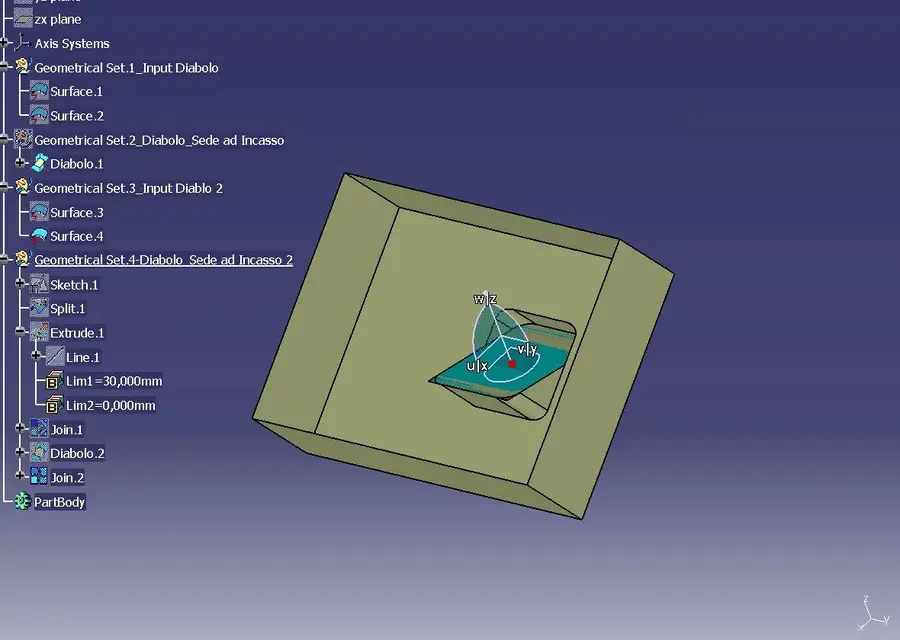
 

Attachments

Hi. I hope to clarify your question;
the command in question(diabolo) (recessed seat) allows
to connect, along a direction, with a possibility
of the faccies, a superfluous source on
a target surface, thus creating a new polysurface
attached the file with small examples, for a
clearer understanding of the features- qualities
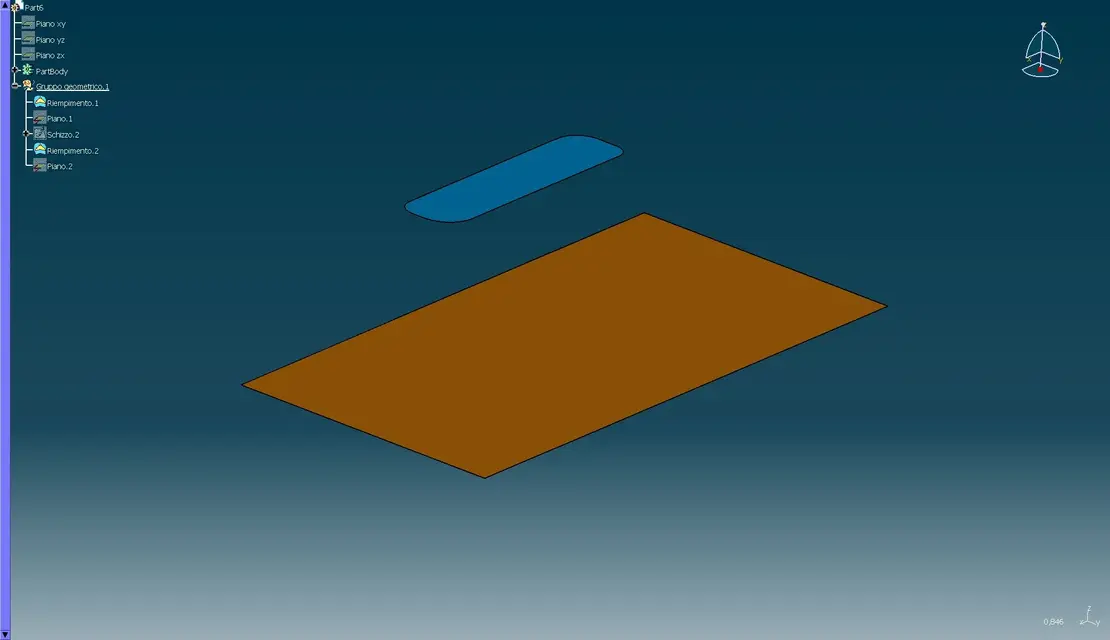
What would your question be? ?
 
if you have a surface to connect you can make us a bland type link without curved profiles and guides you place examples

img 1 model with two surfaces

img 2 recessed seat then joins the two surfaces with or without deformment

img 3 recessed seat then joins the two surfaces with or without shaping even with an angled plane

Hi.


Attachments

  • modello iniziale.webp
    modello iniziale.webp
    38.3 KB · Views: 5
  • modello sede incasso 1.webp
    modello sede incasso 1.webp
    42.8 KB · Views: 5
  • modello sede incasso 2.webp
    modello sede incasso 2.webp
    44.3 KB · Views: 5
a heard thanks to both for the answer. I understood how this feature works by examining the images and opening the 'gattoparte' to practice editing it.

going out of topic: in the part I fell my eye on the intensive use of geometric groups. I do not use them in other software and I wanted to know what the criterion\convenience\necessity suggests to use them.
other thing is the icon of the surface (like a surface offset with lightning below). I didn't find it in the menu and I think it's another environment or other version, yes?
 
in the mailed part file,(part):smile: I used different geometric groups
to group different results, as you could see. . .
I usually use them when I want to separate different results, and have
a greater order in the part-
the isolated surface, the one with lightning below, as you say,
is a planar patch created in freestyle environment, which
I can manipulate through control points, and that
I can easily move using the manipulator;
and since it is the source of other features, manipulating and moving
these surfaces change the final result-
you can try manipulating and moving isolated surfaces
in freestyle environment, you will see the result updated
to the
 
Thanks again. Well, it was the free style surface, after I try to take a look. about the geometric groups I had understood that they serve a bit to hierarchize, organize different groups (in fact) of sketches but I was looking for confirmation :smile:
I will exercise myself to assess the possible advantages (such as being able to turn off or turn on a specific group with one operation... I think).
 

Forum statistics

Threads
44,997
Messages
339,767
Members
4
Latest member
ibt

Members online

No members online now.
Back
Top