
• This forum is the machine-generated translation of www.cad3d.it/forum1 - the Italian design community. Several terms are not translated correctly.

remove to a virtual component its "virtuality"

  • Thread starter Thread starter prog_mecc65
  • Start date Start date

prog_mecc65

Guest
I'm using sw2010. I saved a virtual component outside a set but sw continues to consider it virtual.
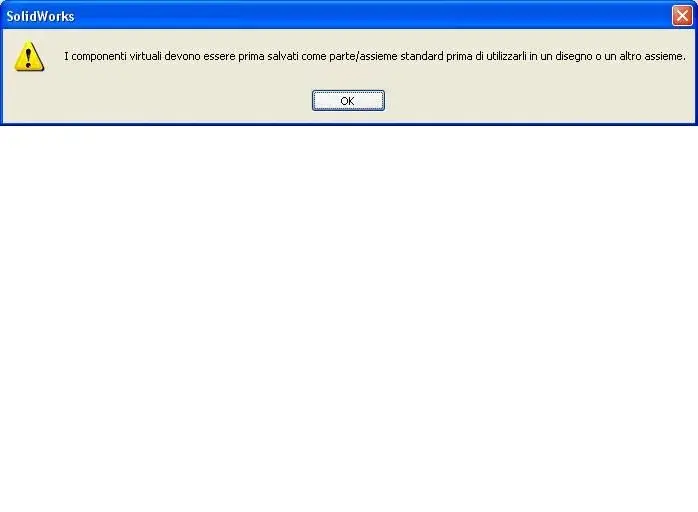
when I try to make "create drawing from the part/assieme" gives me the following error (see err1.jpg)

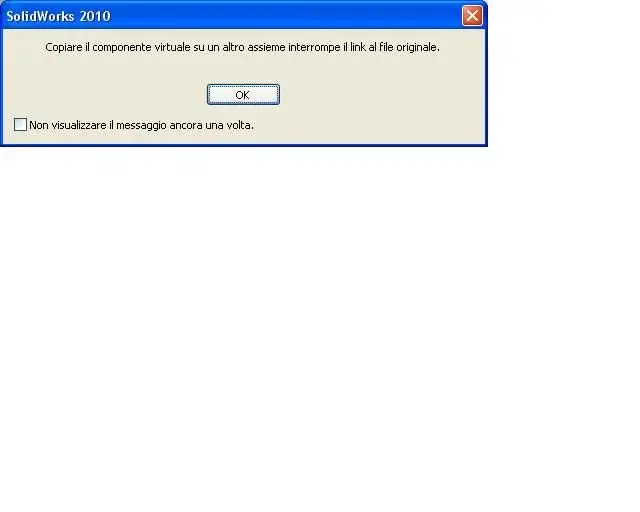
other error when I try to use it in a set (see err2.jpg)

How to "svirtualize" my part regardless of the axieme?
 

Attachments

  • err1.webp
    err1.webp
    8.8 KB · Views: 23
  • err2.webp
    err2.webp
    9.5 KB · Views: 20
I'm using sw2010. I saved a virtual component outside a set but sw continues to consider it virtual.
when I try to make "create drawing from the part/assieme" gives me the following error (see err1.jpg)

other error when I try to use it in a set (see err2.jpg)

How to "svirtualize" my part regardless of the axieme?
How did you save the component in an external file?
try to remake the operation, right-click the virtual part and "Save in the external file".
greetings
 
I'm using sw2010. I saved a virtual component outside a set but sw continues to consider it virtual.
when I try to make "create drawing from the part/assieme" gives me the following error (see err1.jpg)

other error when I try to use it in a set (see err2.jpg)

How to "svirtualize" my part regardless of the axieme?
Are you sure you saved him correctly? The first message says no.
do this you should find the part normally along with all the others in the folder where you saved it.
eye that if you built it in that axieme leaning on faces, edges, planes, odds etc. in that context, will always remain a part with external references; If you need to transport it to other assemblies (or "take it out" from the source pc) you will always pull behind the files with references. so as it is you will not be able to export it and open it in another system.

greetings
Mar
 
try to remake the operation, right-click the virtual part and "Save in the external file".
Meanwhile, thank you all for the answers.
Yes, I did not actually use "Save in the external file".
after I saw that using that command the part becomes "normal".
But I had already saved the part and codified it on the plm.
Is there a way to disconnect it from the reference axieme by somehow interrupting the links that make it virtual?
 
if you saved it as an external file is no longer "virtual" but it is an external component.
Maybe you want to remove references related to the axieme where you generated the component. in such case you have to delete all external references to the component that you only know which are (disks, odds, equations etc.).
At that point you would find yourself a component as if you had drawn it out of the axieme and then introduced into the latter.
I hope I have answered your question clearly, but I would not agree.:biggrin:
Hi.
 
you have to delete all external references to the component that you only know what they are (disks, odds, equations etc.).
I tried to delete everything leaving the blank screen with only the 3 main floors but continues to give me problems.
the detail is very simple and so I will do it again.
I thought, however, to attach it in case someone wants to make some evidence and solve the mystery
 

Attachments

How did you save the component in an external file?
try to remake the operation, right-click the virtual part and "Save in the external file".
greetings
I started from the study and followed elxyp's advice to use "Save in the external file" and it's the only thing that works.
I would say that in sw2010 or you save correctly on the outside a virtual part turning it into a normal part or after there is no more possibility to transform it. :frown:
 

Forum statistics

Threads
44,997
Messages
339,767
Members
4
Latest member
ibt

Members online

No members online now.
Back
Top