You are using an out of date browser. It may not display this or other websites correctly.
You should upgrade or use an alternative browser.
You should upgrade or use an alternative browser.

Tristan
Guest
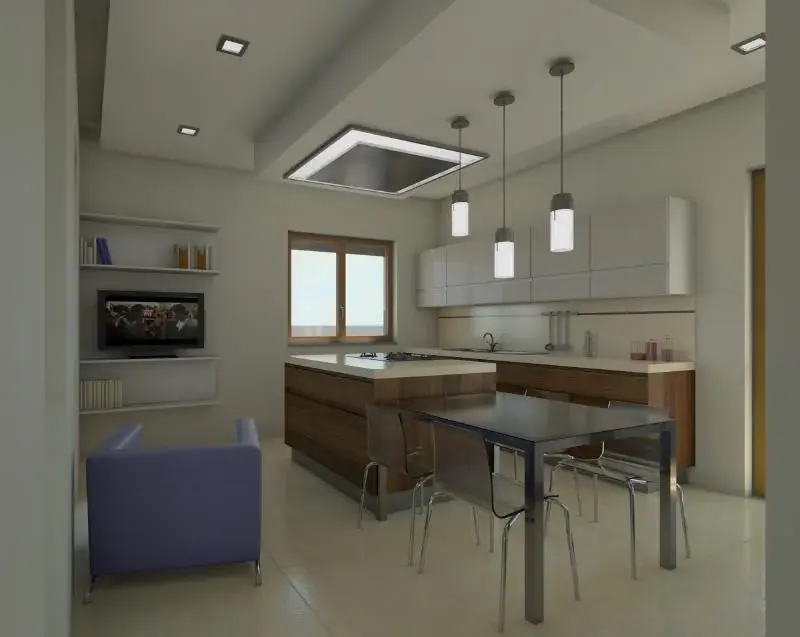
Are you using presets? if what (medium, draft, high...)?I need some advice to improve the bad quality of my interior renderings...even by putting some internal lights...it turns out very dark... Here you are the result! ! ! ! !
fagioli.com
Guest
sometimes without going too far to the subtle, I activated the section pane in assonometry dragging one side so as to cut the face of the room on the side behind my camera, in this way if I don't remember badly the program detects that behind my shoulders the light enters the cut facade.
I have installed very powerful lights by taking them from the library or from the sites on the internet, it is still a matter of patience as it is necessary to put the lights in a proper way and you need to do some tests
Hi.
france
I have installed very powerful lights by taking them from the library or from the sites on the internet, it is still a matter of patience as it is necessary to put the lights in a proper way and you need to do some tests
Hi.
france
render54
Guest
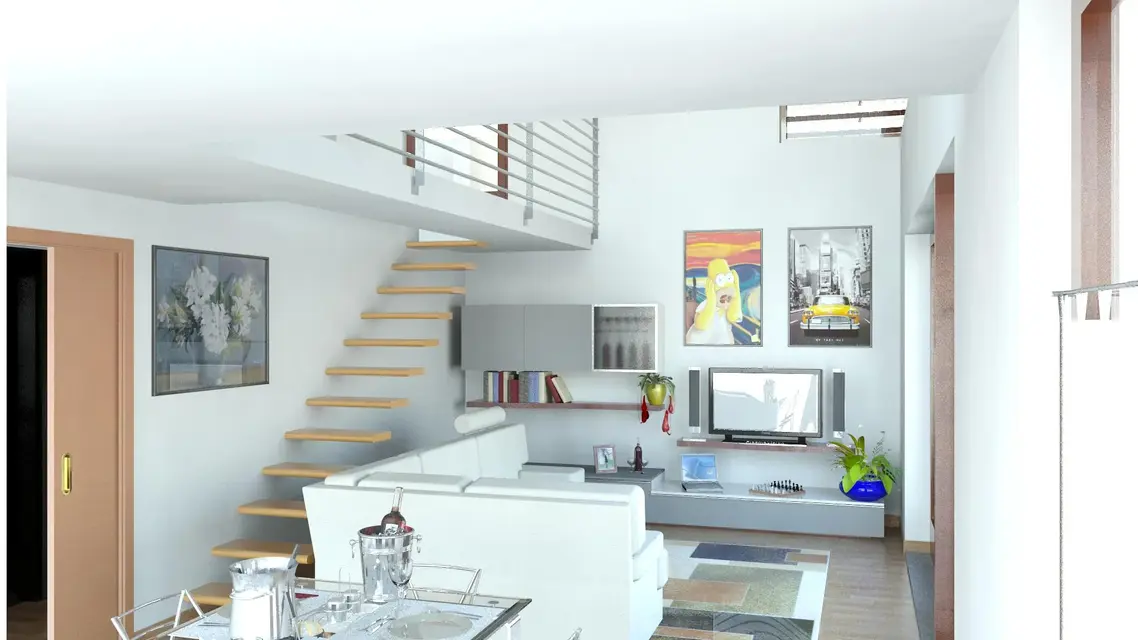
view 3d 5 is normally made, view 3d 6 is made by opening the bottom,
times of rendering are considerably lower.
if you are not in a hurry to change the options to make advanced, the higher the values are, the longer the times stretch, but the results are better
times of rendering are considerably lower.
if you are not in a hurry to change the options to make advanced, the higher the values are, the longer the times stretch, but the results are better
Attachments
render54
Guest
we say that practice is this
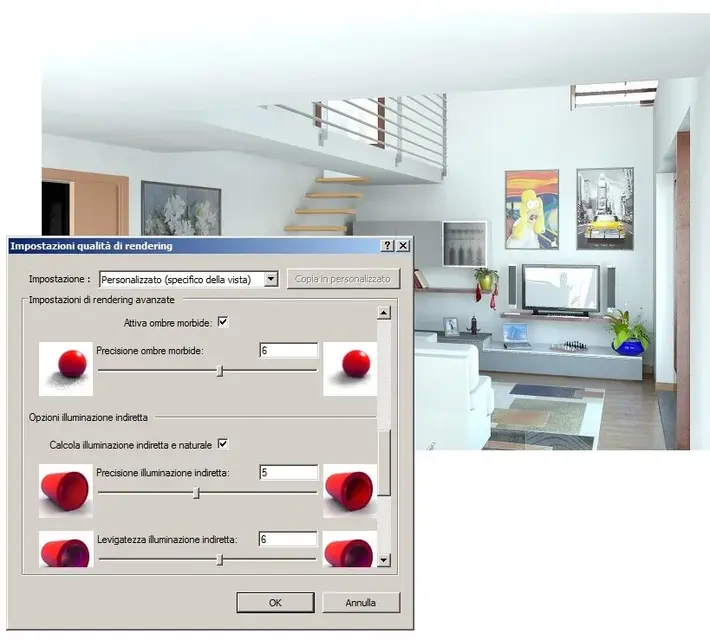
Active the rendering dialog box
go to quality > setting > change (image " rendering quality_01")
select a voice > for me "high" is fine
click "custom copy" and you can change
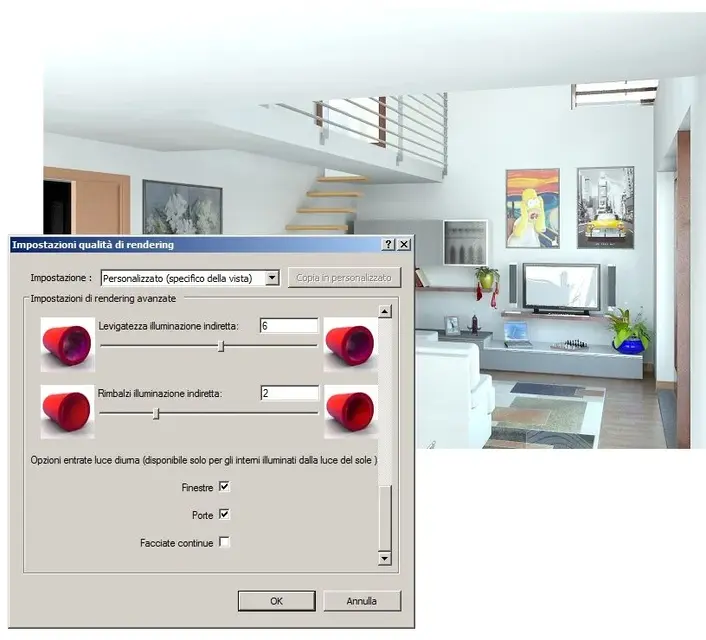
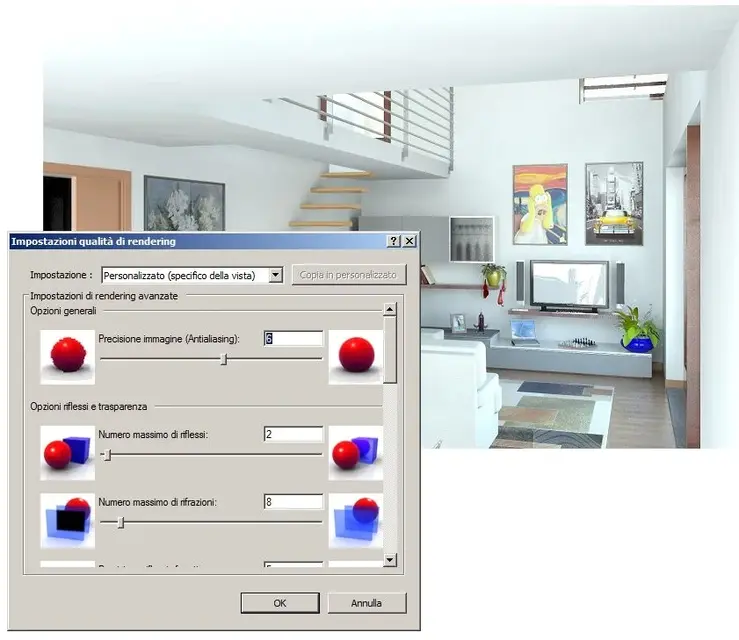
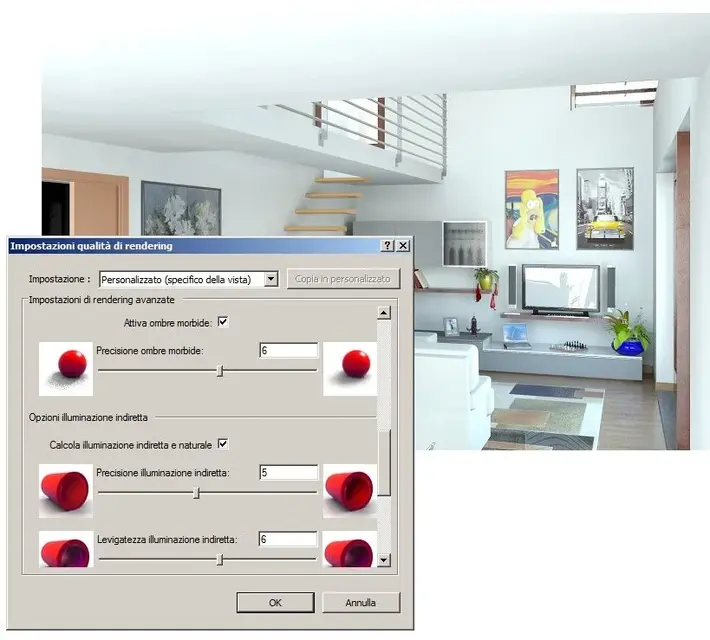
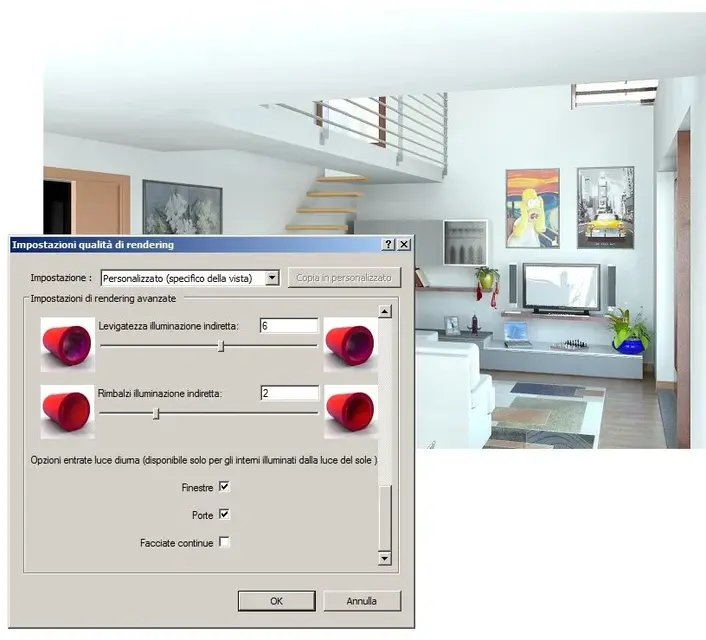
go to advanced renderin settings (image " rendering_03 and 04")
base from 5 - 6 - 2
you can try with these already, see the result
keep a "screen" resolution not too high to reduce time or active "region" and select the most critical area
Active the rendering dialog box
go to quality > setting > change (image " rendering quality_01")
select a voice > for me "high" is fine
click "custom copy" and you can change
go to advanced renderin settings (image " rendering_03 and 04")
base from 5 - 6 - 2
you can try with these already, see the result
keep a "screen" resolution not too high to reduce time or active "region" and select the most critical area
Attachments
render54
Guest
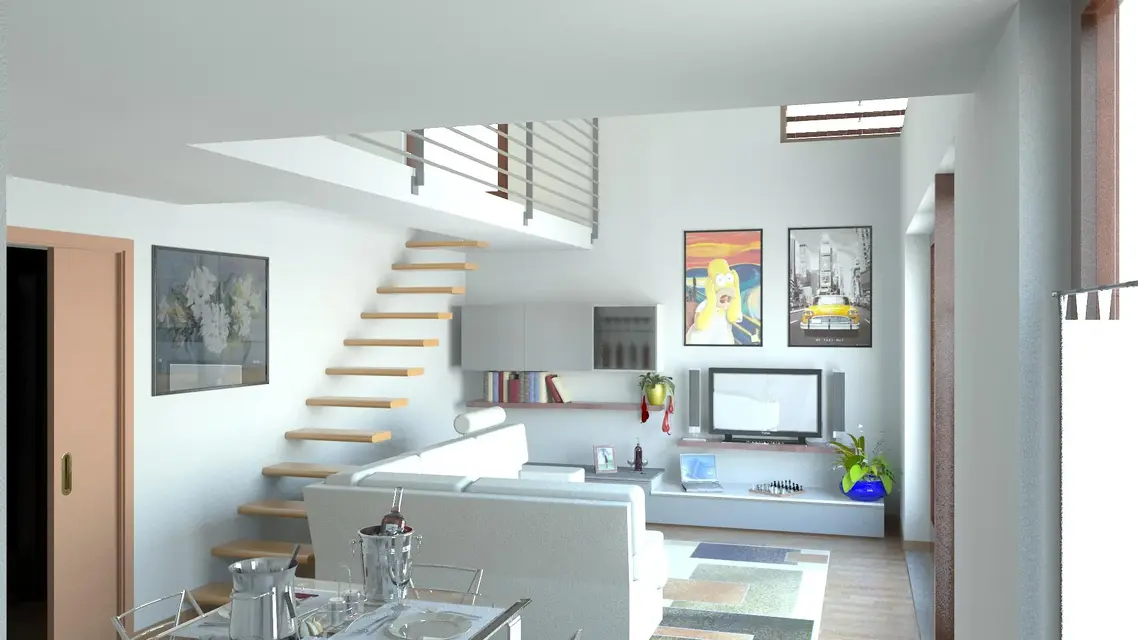
get a first rendering (picture "view 3d 2") there are a little boil on the walls sign that the light was not calculated exactly
increase values in "advanced rendering settings" to 6-6-3
remain in render (picture "view 3d 3")
Don't you like the light on the floor and the sofa burning materials?
roote the sun so that it does not enter directly (picture "view 3d 50")
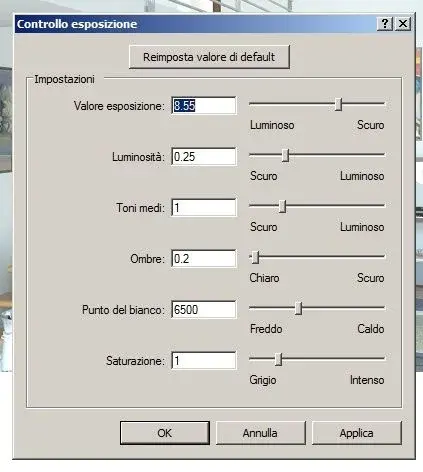
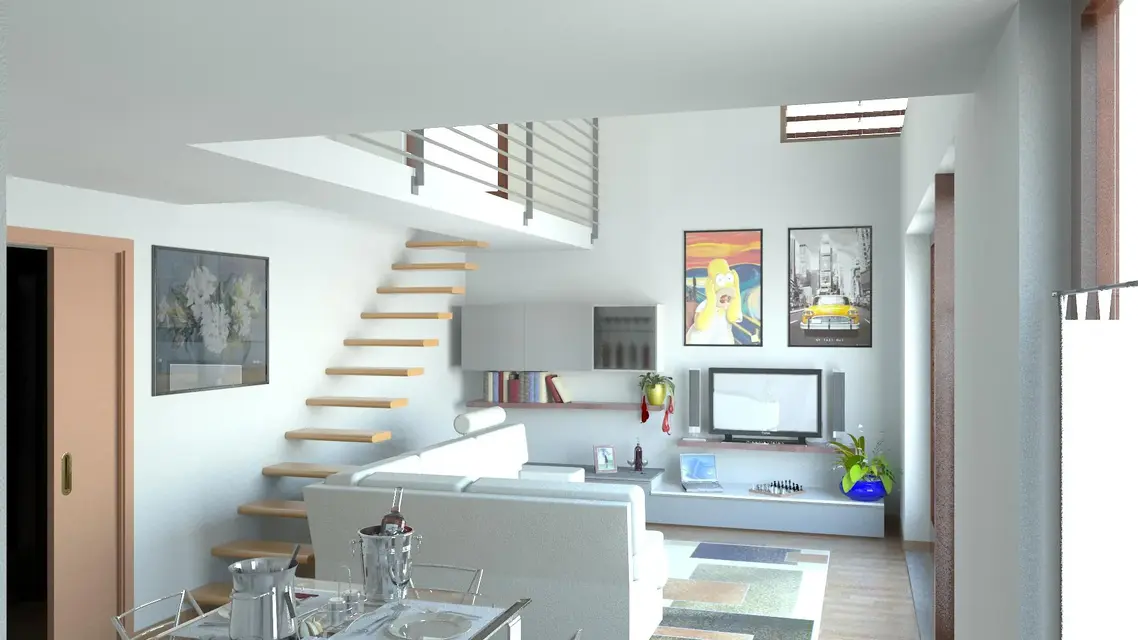
with the "exposition control" (exposition control image) modifies the parameters of illumination and color of light (picture "view 3d 51")
if the final effect you like, disactive region, active "printing" determines dpi and then pixels of the image and sends in
being an interior maker the advice is to get him to leave in the evening to find you the next morning (depending on the pc you have)
increase values in "advanced rendering settings" to 6-6-3
remain in render (picture "view 3d 3")
Don't you like the light on the floor and the sofa burning materials?
roote the sun so that it does not enter directly (picture "view 3d 50")
with the "exposition control" (exposition control image) modifies the parameters of illumination and color of light (picture "view 3d 51")
if the final effect you like, disactive region, active "printing" determines dpi and then pixels of the image and sends in
being an interior maker the advice is to get him to leave in the evening to find you the next morning (depending on the pc you have)
Attachments


marco33
Guest
how do you set the height to make an internal render?
Tristan
Guest
the height of what??? ? 
render54
Guest
the point of view? Deche?
the floor height of the room?
the height of the target?
as it is not a telegram and you do not pay to number of words... .
here is all free, please stretch out in the exposure of questions:redface:
Anyway:
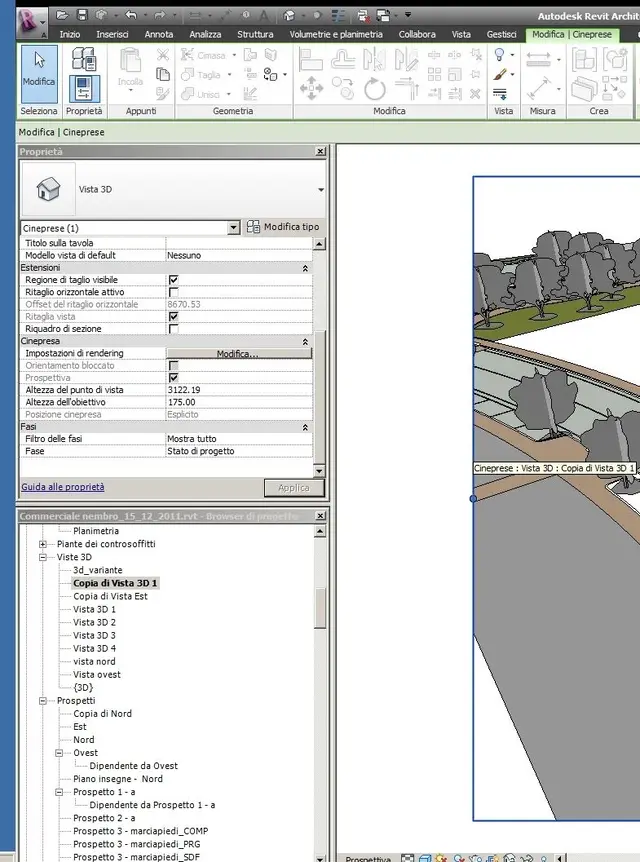
Click on the window edge
in "cut size" define image format
in "property" slide the sidebar until you find "cineta"
and you have them "point height" and "point height"
to you the arduous task of understanding how they work:biggrin:
ps.
If you place the camera in the loft you see nothing.
the floor height of the room?
the height of the target?
as it is not a telegram and you do not pay to number of words... .
here is all free, please stretch out in the exposure of questions:redface:
Anyway:
Click on the window edge
in "cut size" define image format
in "property" slide the sidebar until you find "cineta"
and you have them "point height" and "point height"
to you the arduous task of understanding how they work:biggrin:
ps.
If you place the camera in the loft you see nothing.
Attachments
render54
Guest
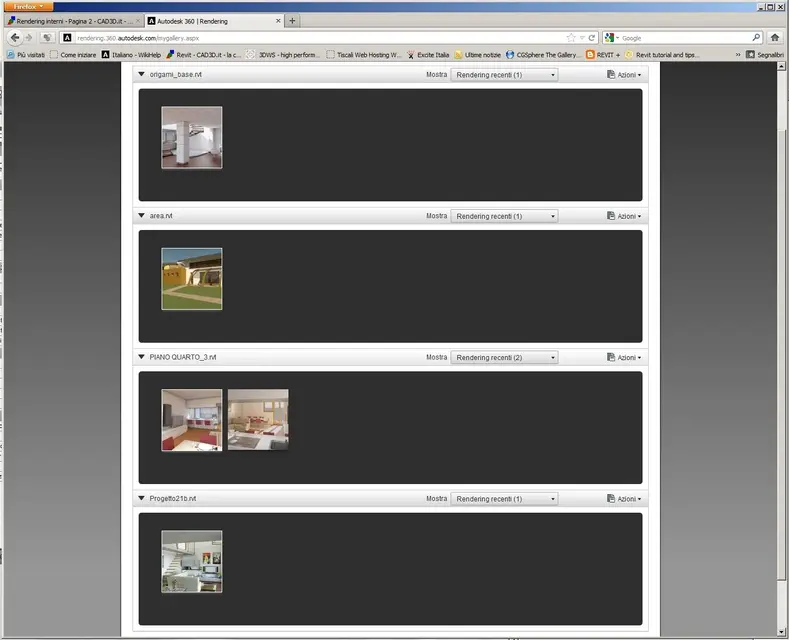
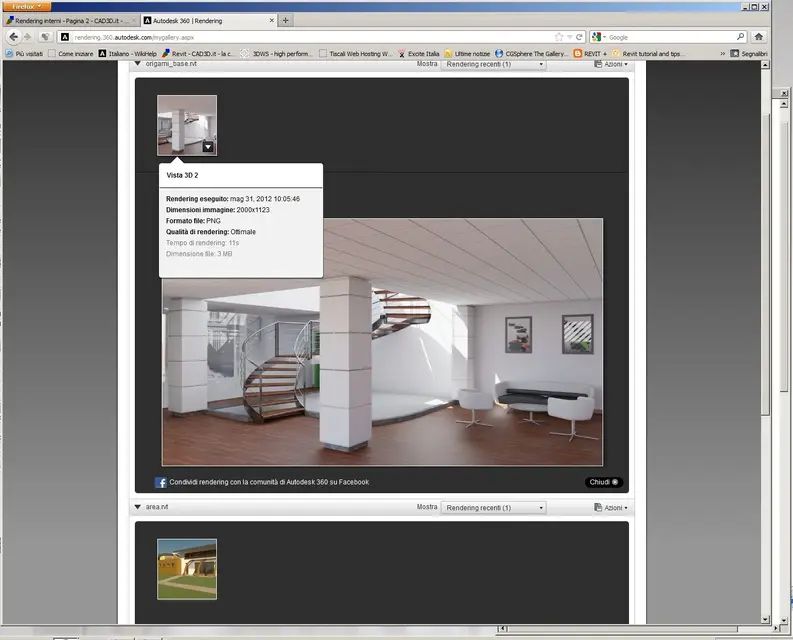
after you've done all your tests I recommend the autodesk 360 rendering inscription, you'll be able to make your works by autodesk in a tenth of the time you'd take:I need some advice to improve the bad quality of my interior renderings...even by putting some internal lights...it turns out very dark... Here you are the result! ! ! ! !
I'll give you my proof today.
the time of 9 sec. is reported to the reprocessing after I had modified the exposure values to end render, however it had not employed + of 30 min in excellent quality for an image to 2000x1400 pixels
Attachments

render54
Guest
I made the render and it was 15 minutesafter you've done all your tests I recommend the autodesk 360 rendering inscription, you'll be able to make your works by autodesk in a tenth of the time you'd take:
I'll give you my proof today.
the time of 9 sec. is reported to the reprocessing after I had modified the exposure values to end render, however it had not employed + of 30 min in excellent quality for an image to 2000x1400 pixels
cristina 76
Guest
Thank you very much to all.... tomorrow I do the tests and then I let you know. . .
cristina 76
Guest
What do you say? we accept advice... .
the pc took 10 hours... Is it normal?
thanks cristina
the pc took 10 hours... Is it normal?
thanks cristina
cristina 76
Guest
ecco il rendering
cristina 76
Guest
thanks for the advice... I tried to see autodesk 360 quickly... but what is it? is a paid or free service?
cristina 76
Guest
render54
Guest
render54
Guest
depends on what pc you haveWhat do you say? we accept advice... .
the pc took 10 hours... Is it normal?
thanks cristina
render54
Guest
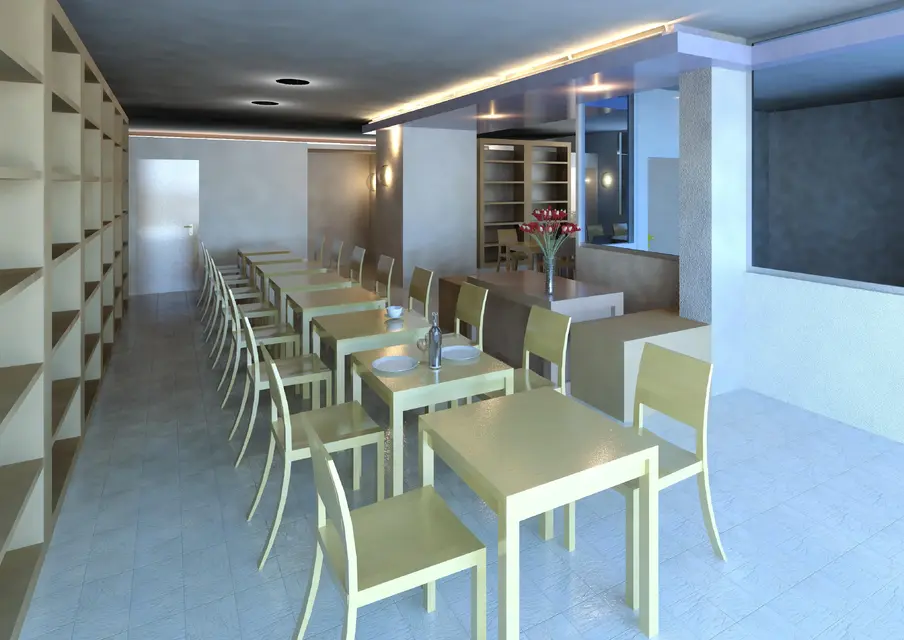
the ceiling still has boils, need more rebounds of light0000000000000000000000000
What are those two black rounds?
render54
Guest
I took a look at facebook ad autodesk 360 rendering, where those who use this opportunity offered by the autodesk can post its renderings.
I downloaded an image (n° 1) and then opened it in photo paint of chorel and modified the parameters of brightness, contrast, light color etc.
often who does images with revit then uses them as they come
I am, on the other hand, that a ripassatina in paint programs is always healthy for image quality
wait vs comments
I downloaded an image (n° 1) and then opened it in photo paint of chorel and modified the parameters of brightness, contrast, light color etc.
often who does images with revit then uses them as they come
I am, on the other hand, that a ripassatina in paint programs is always healthy for image quality
wait vs comments